Every booking in Check Cherry can have a checklist — a to-do list of tasks that need to happen before, during, or after the event. Checklists help you (and your staff) stay on top of equipment prep, client follow-ups, and day-of logistics without anything falling through the cracks.
When Checklists Help
- Equipment prep — "Pack gear, test lights, charge batteries"
- Pre-event tasks — "Confirm venue address, send day-of details"
- Post-event tasks — "Send thank you email, request review, archive booking"
- Staff coordination — assign specific items to specific team members
Creating Checklist Templates
Instead of building a checklist from scratch for every booking, create templates that auto-apply based on the package.
Working with Checklists on a Booking
Open any booking and go to the Checklists tab to see and manage its to-do items. Check off items as you complete them, add new items, or assign items to staff members.
Managing All Your Tasks
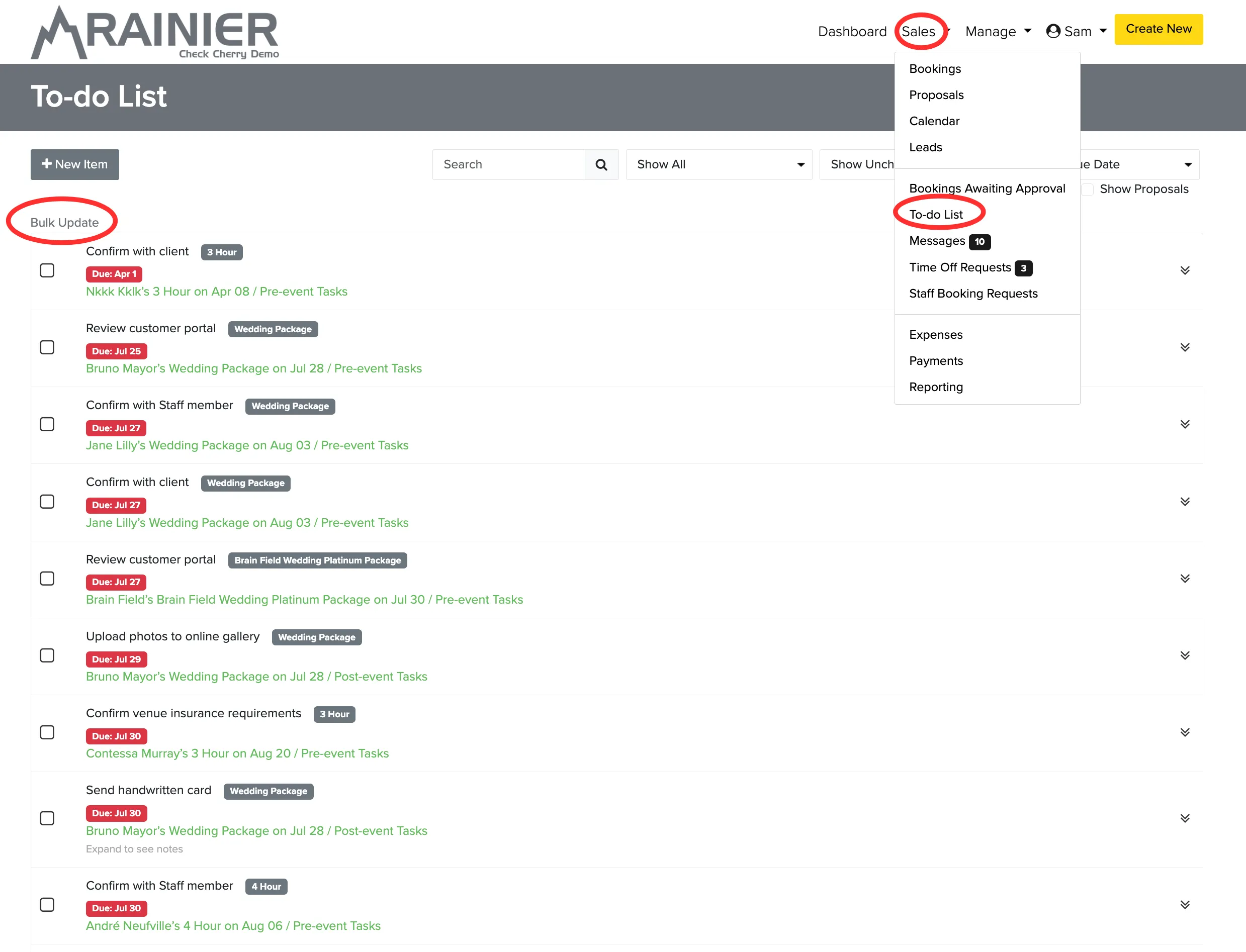
You can view all outstanding checklist items across all your bookings in one place. Go to Sales → To-do List to see everything that needs attention.
When you have a lot of completed tasks cluttering your view, use the bulk update feature to clean things up. You can check complete or delete tasks in groups of 25 at a time.