STAFF SCHEDULING
Right People,
Right Events
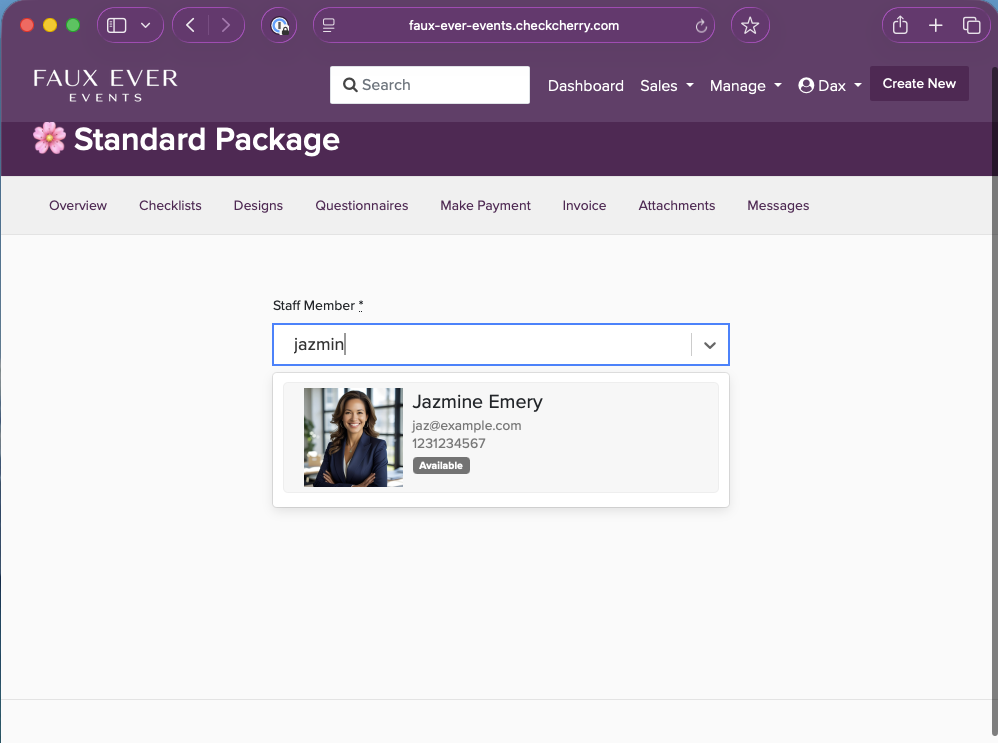
Stop juggling texts and spreadsheets. See who's available, assign with a click, everyone stays informed.
Zero
Text message chaos
1-click
Staff assignments
Auto
Notifications & reminders
Sound Familiar?
With Check Cherry
Scheduling Made Simple
From booked to staffed in seconds.
Event Gets Booked
A new event comes in and needs staff.
See Availability
Check Cherry shows who's free that day.
Assign Staff
Pick your people. They're auto-notified.
Everyone's Set
Staff see details in their calendar. Done.
Or Let Your Team Pick Up The Work
Not every shop assigns from the top down. Open packages can go to your team instead.
Staff Claim It
Open packages show up on their board. First person to claim it is on the schedule. Best when you trust the team to sort it out.
Staff Request It
Same board, but they ask and you decide. Approve or reject from one place, and you keep the final say.
Built For The Complicated Ones
A booking with two services, two days, and four people on the schedule was never really one job.
Staff Each Package
A DJ plus photo booth wedding, or a Friday and Saturday run, staffs package by package. Your DJ works Saturday without being tied up Friday.
Arrival Times
Set when each person is expected on site, per package. It lands on their calendar as its own entry, so setup and showtime are two separate blocks.
Required Headcount
Tell Check Cherry a package needs three people. It stays on the open list until all three spots are filled, not just the first.
Built for Event Teams
Easy Assignment
See who's available, click to assign. They're notified with all the details.
Availability Tracking
Staff mark their availability. You see it instantly. No more texting.
Auto Notifications
Staff get notified when assigned. Reminders before the event.
Mobile Access
Team sees events, details, and client info from their phone.
Roles & Permissions
Control what each team member can see. Keep payment info private.
Pay & Hours
Track what you owe each team member, backed by real check-in hours. Simple records for tax time.
Time Off Requests
Staff request time off, you approve or decline. Their availability updates the moment you do.
One Staffing Page
Open packages, pending requests, unanswered assignments, and time off in a single view.
Know Who Showed Up
Staff punch in when they arrive and out when they leave. You get hours you can actually run payroll from.
Check In On Site
From the booking itself or their own check-in page, on the web or in the app. Location is captured when the device allows it.
Notes And Photos
Venue condition, setup shots, damage. Attached to the shift instead of lost in a text thread.
Real Hours
One row per person with shifts worked and total hours. Filter it, pick your columns, download a CSV, or have it emailed to you every payroll run.
Corrections You Can Trust
Fix a missed punch or move a shift to the right booking. Every correction records who made it.
Only one shift stays open at a time, which is what catches the check-out somebody forgot last weekend.
Your Team Will Love It
A better experience for everyone.
Their Own Calendar
All assigned events in one place. Syncs with personal calendar.
Event Details
Address, client name, timeline, notes—everything they need.
Easy Availability
Block off unavailable dates. You see it immediately.
Accept Or Decline
Staff accept the work, or pass with a reason. You know who is actually locked in.
"It is way easier to manage my events and team. The customer service is excellent and fast, it is so fast, it is like you are chatting with AI :)"
Ewins Theodore
Ready to Simplify Scheduling?
Join event companies who've made scheduling effortless.
14-day free trial. No credit card required. Plans from $39/mo.