Sales tax requirements vary by state and service type. Check Cherry can calculate and apply tax automatically so you do not have to do it manually on every booking.
Setting Up Sales Tax
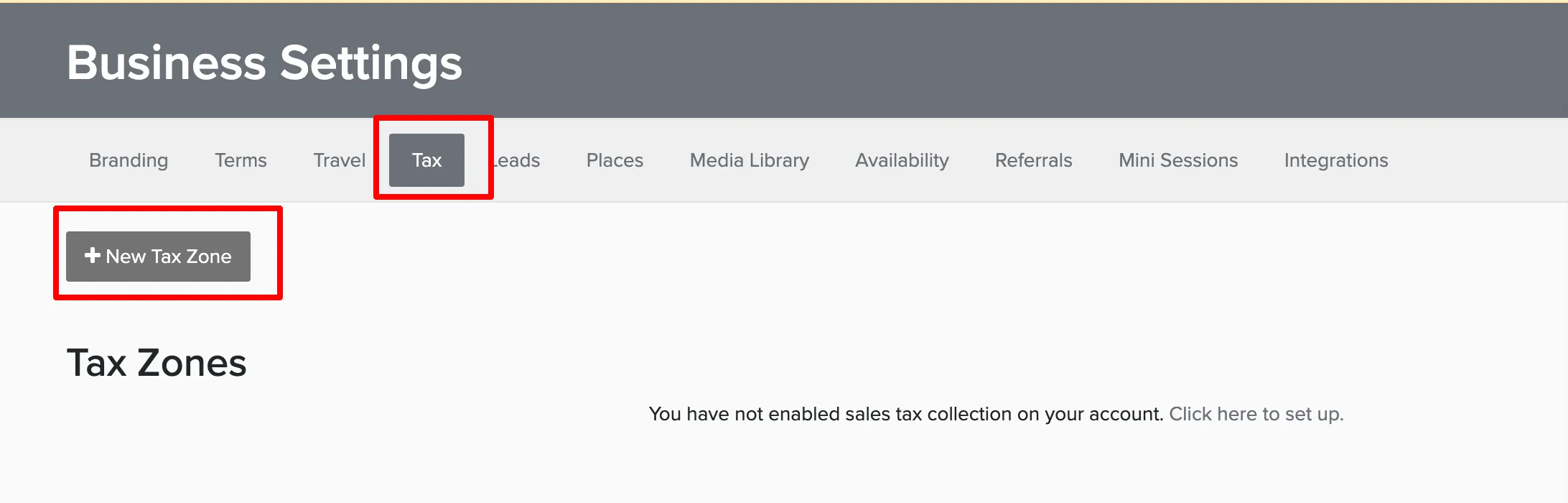
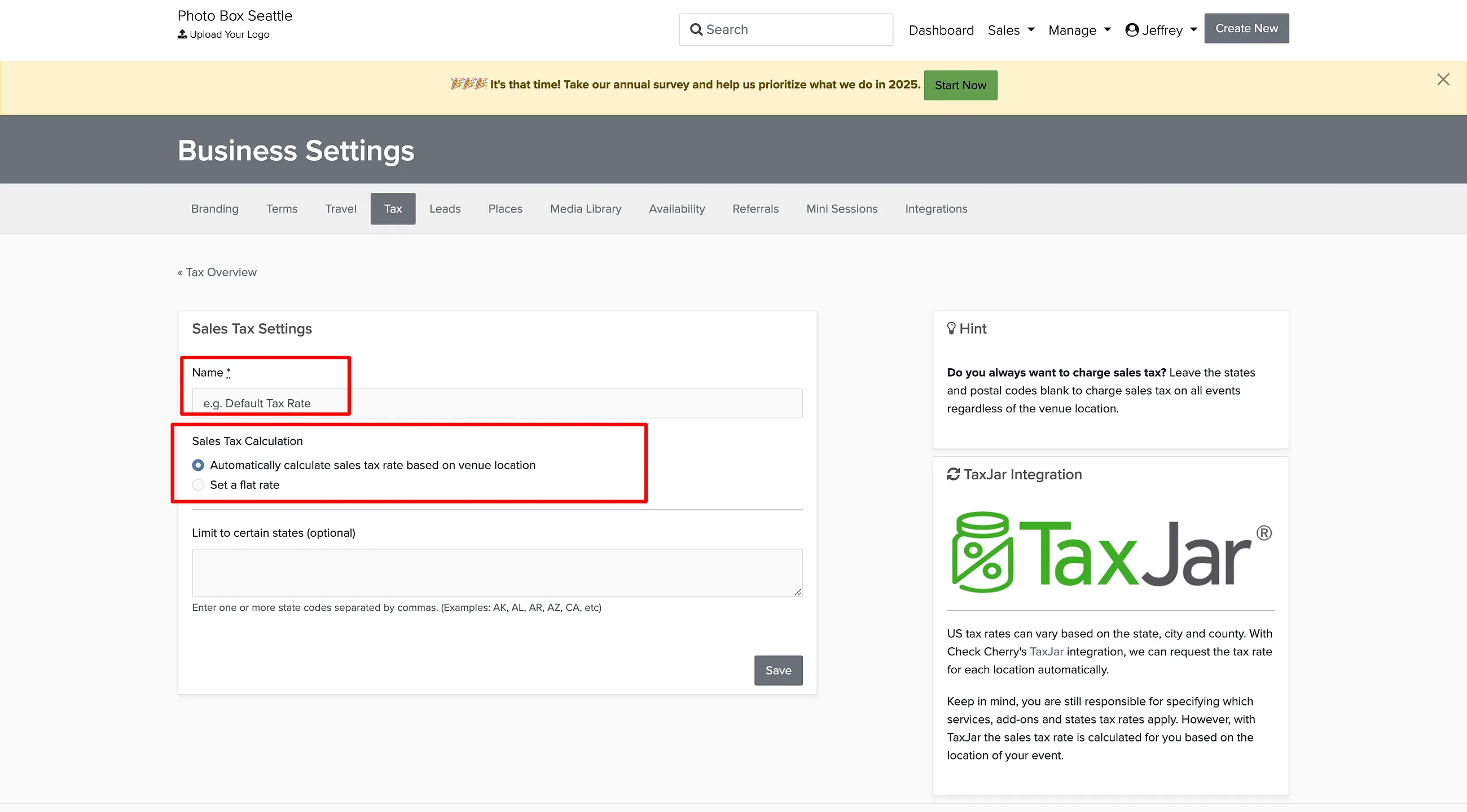
Only One Tax Zone Applies
Check Cherry applies a single tax zone to each booking. It finds the one zone that best matches the venue address and charges that zone's rate. Zones do not stack, and the invoice shows one sales tax line.
Multiple zones are for charging different rates in different places, such as one rate per state you work in.
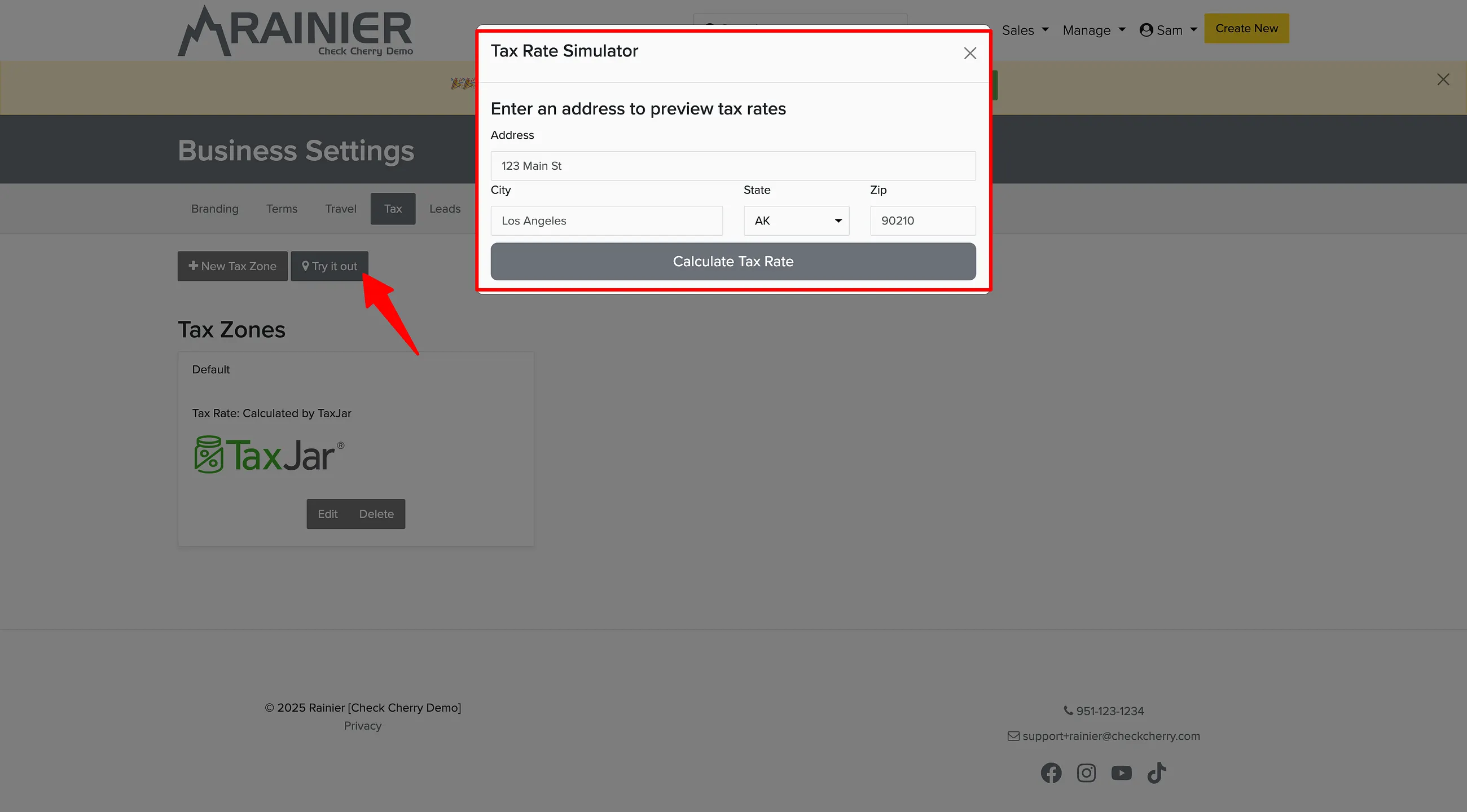
Click Try it Out and enter a venue address to see exactly which zone and rate will apply.
Tax on Packages
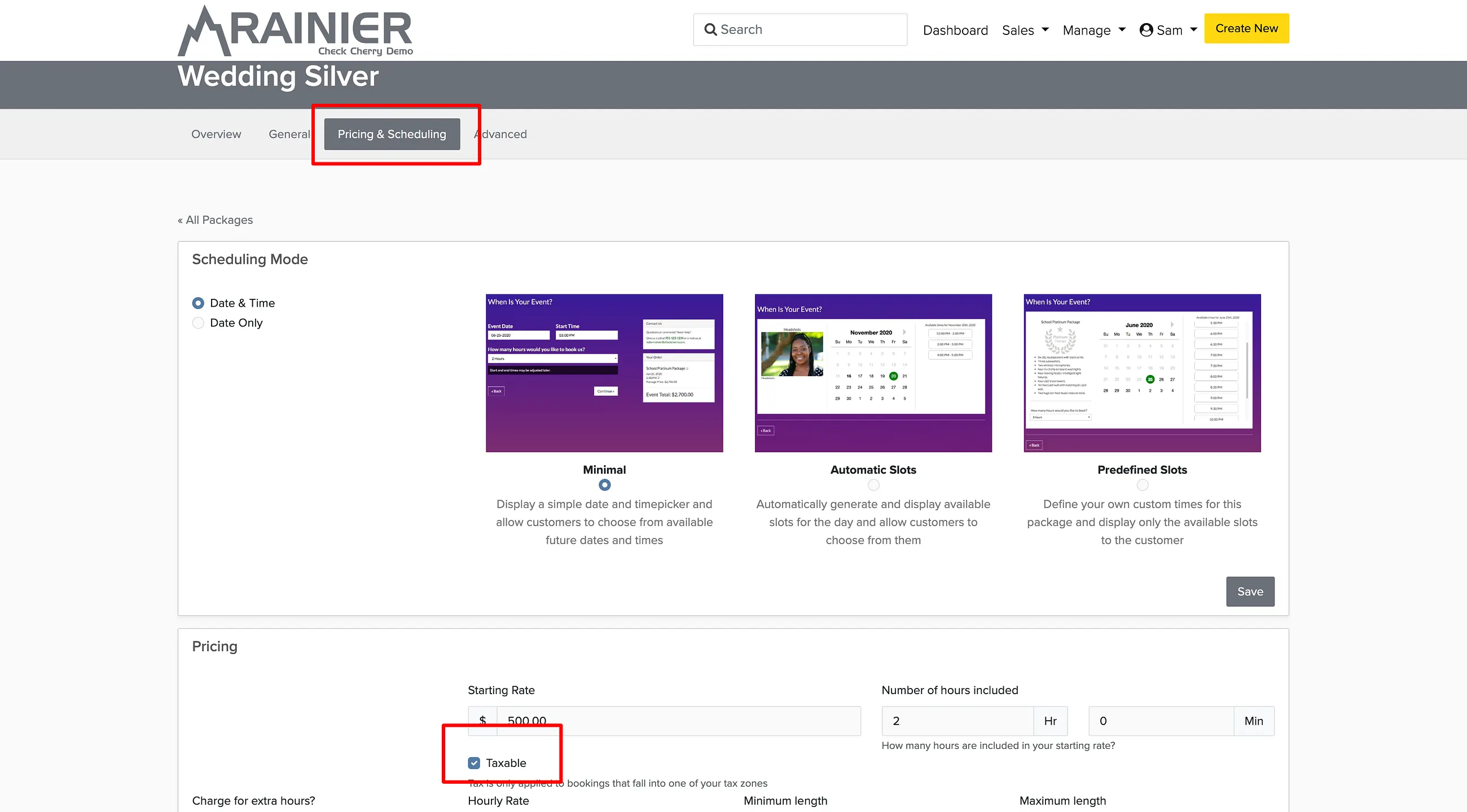
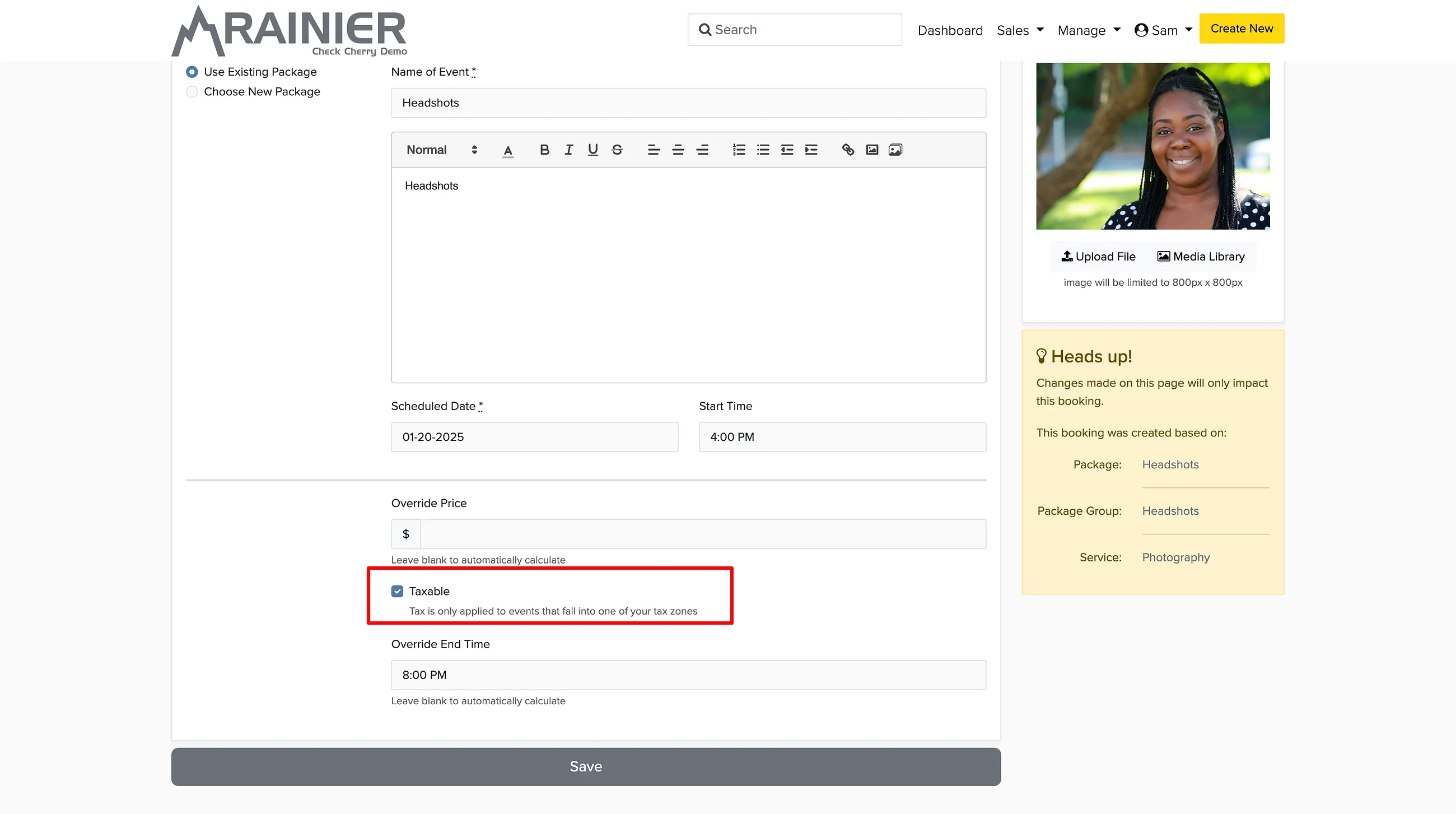
By default, all packages are taxable. The taxable toggle on each package only appears after you create a tax configuration. If you have packages that should not be taxed, go to the package settings and turn off the taxable toggle.
Tax Exempt Clients
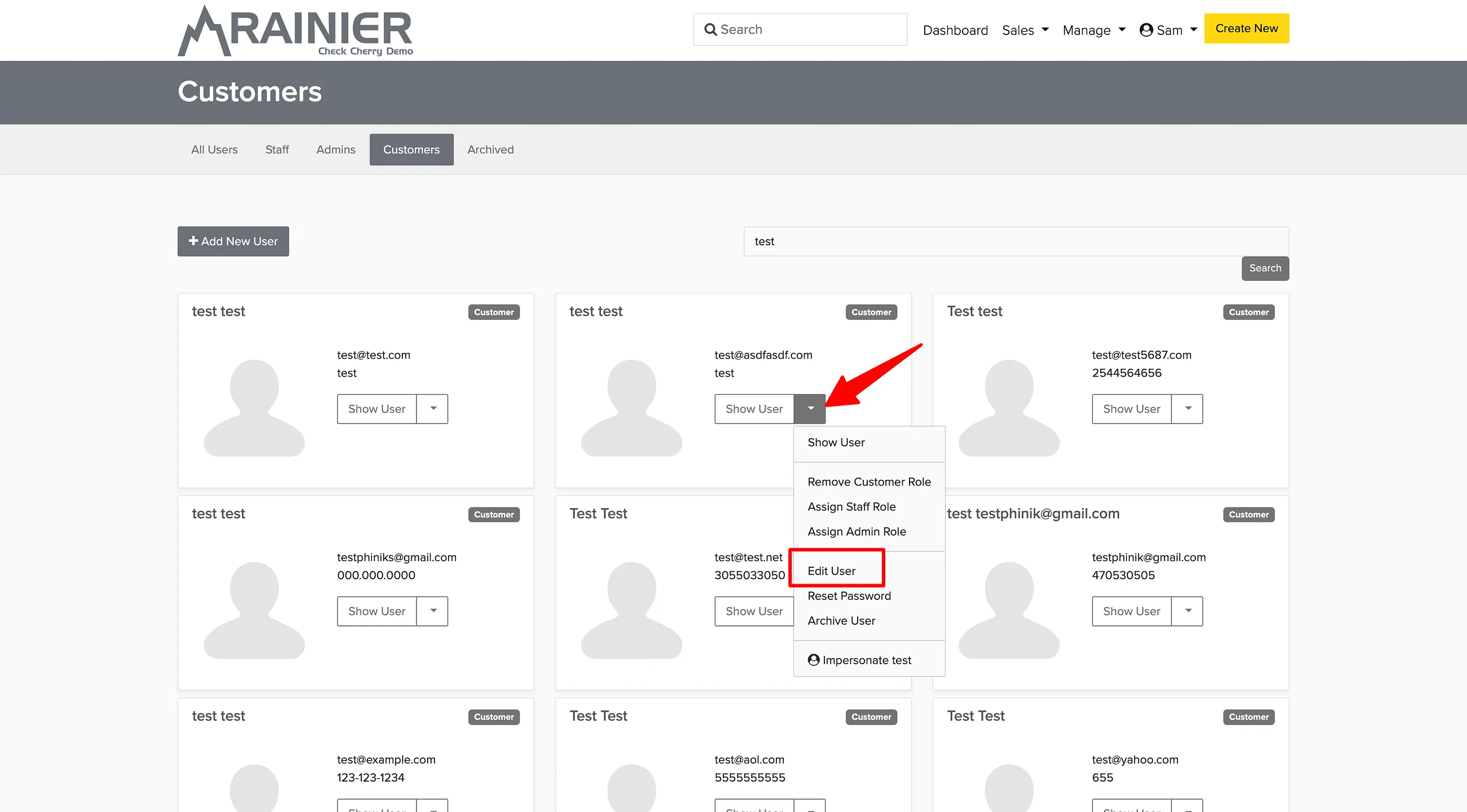
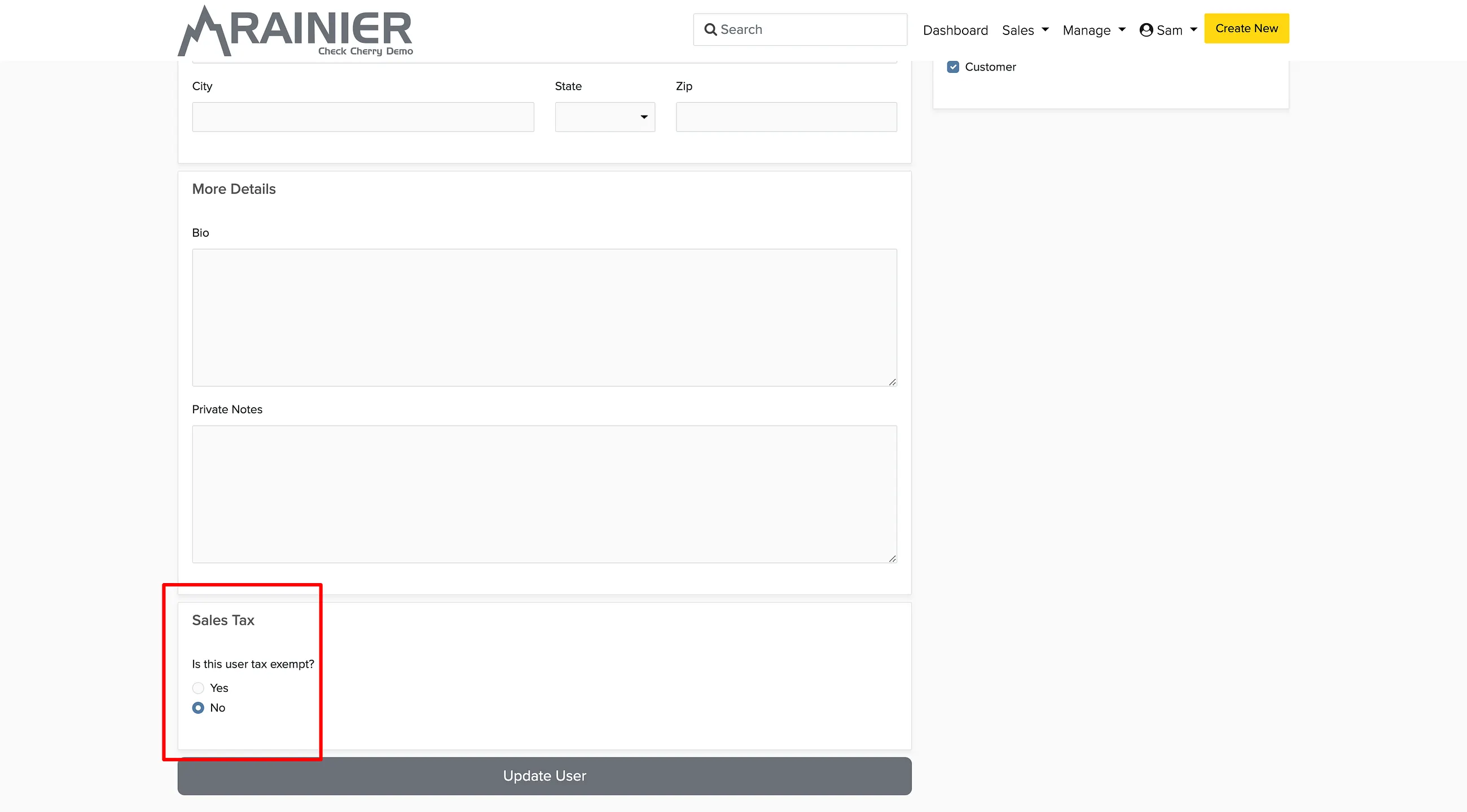
If a client is tax exempt (like a government agency or nonprofit), you can mark their account so sales tax is never charged on their bookings.
Making a Single Booking Tax Exempt
You can also exempt a specific booking or proposal from tax without changing the client's account. Open the booking, click the tax line item, and toggle it off.
Sales Tax Reports
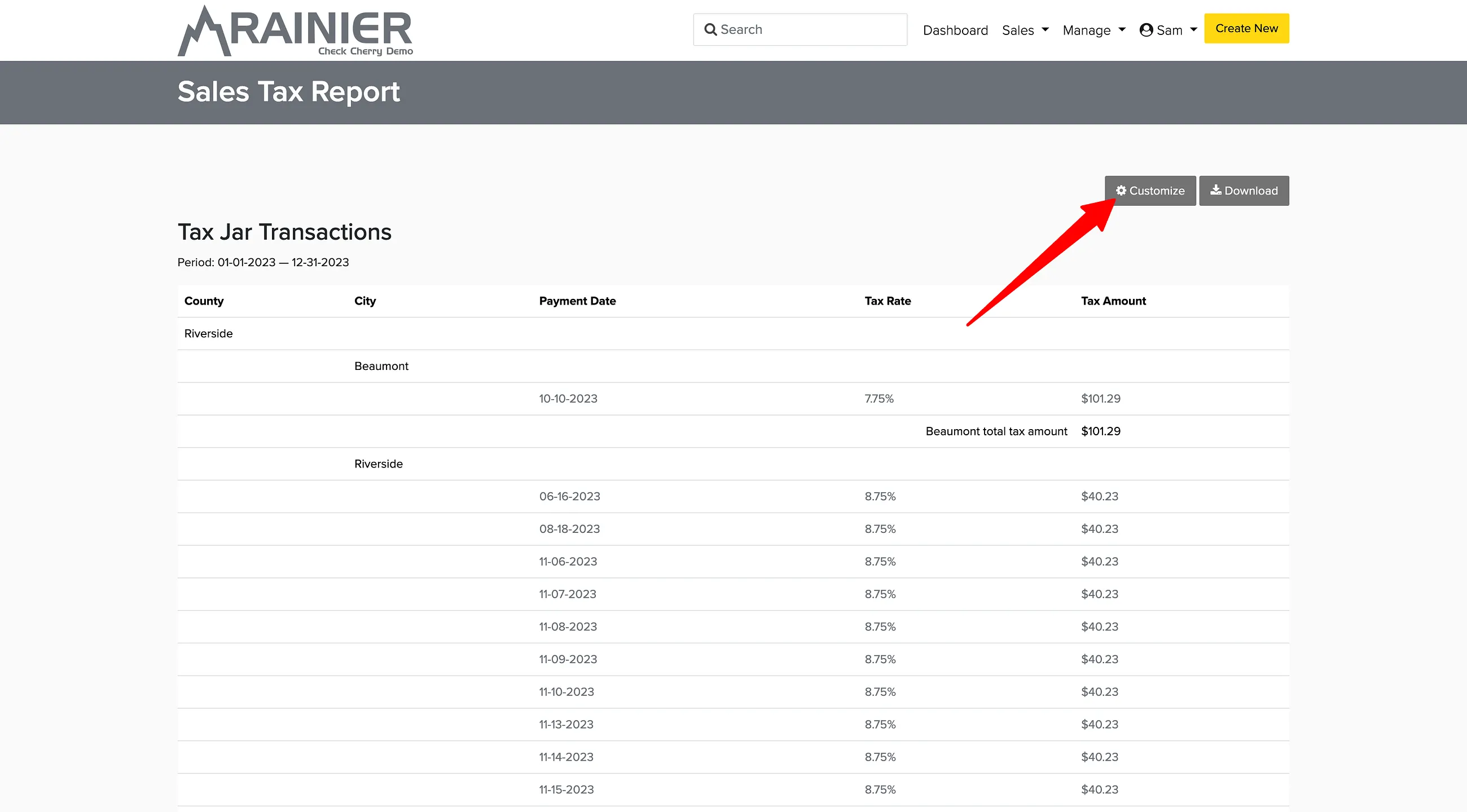
To see how much sales tax you've collected, go to Reporting > Sales Tax.
Tax Forms
Depending on your payment volume, you may receive a 1099-K form from Check Cherry covering payments processed through Check Cherry Payments. Sales tax collected is not included in the 1099-K.