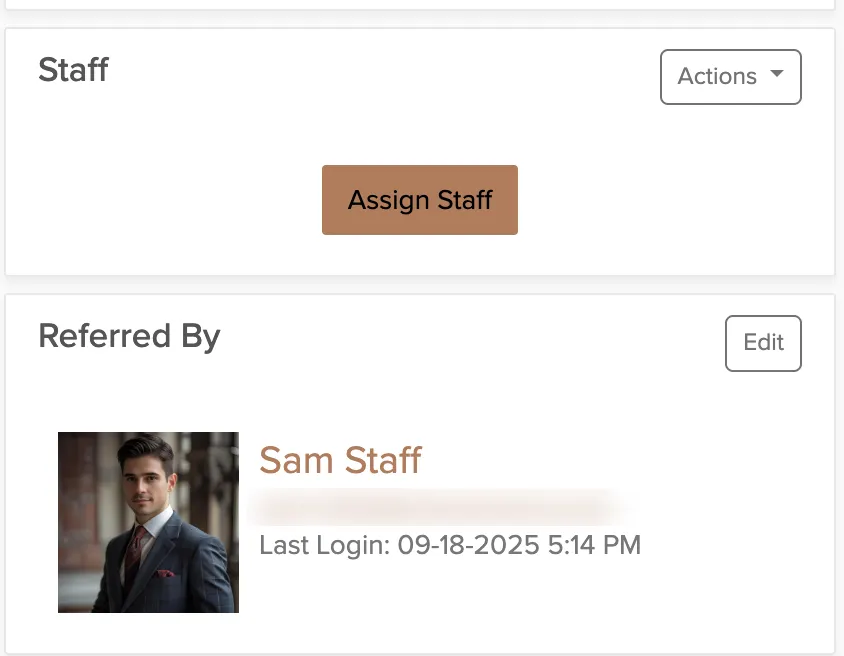
When a venue, past client, or business partner sends someone your way, referral tracking shows you which person made the connection. Each user in your account gets a unique referral code that credits them when someone books through their link.
Referral tracking is for individual people who send you business. For tracking marketing channels like ads, social posts, or website traffic, use UTM tags instead.
Enable Referral Tracking
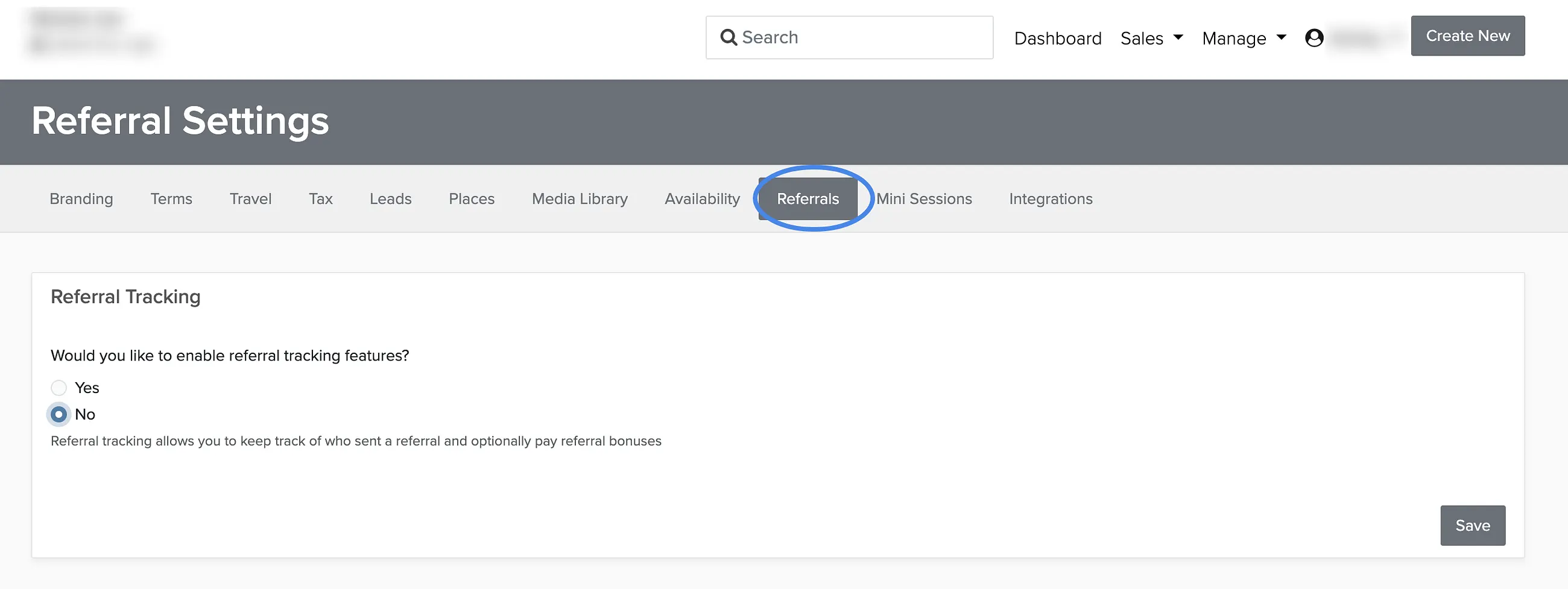
Referral tracking is turned off by default. You'll need to enable it first.
Manage → Business Settings → Referrals
Go to Referral Settings.
Enable Referral Tracking.
Save your changes.
How Referral Tracking Works
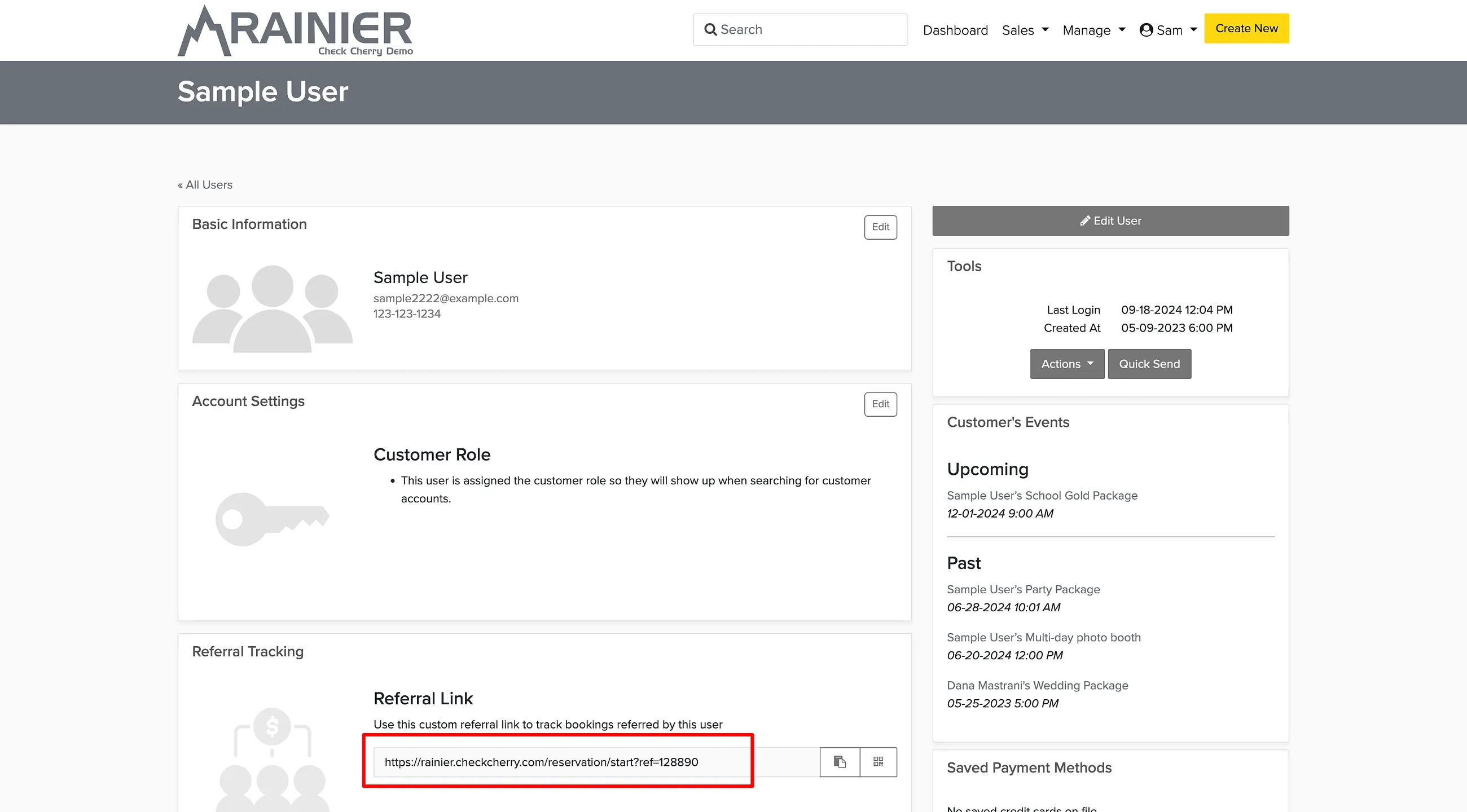
Once enabled, every user in your Check Cherry account gets a unique referral code and URL. When someone books through that URL, you'll see which user referred the client.
To find a user's referral code, go to User Accounts and search for their name. Their unique referral code will be displayed there.
When someone books through a referral URL, the referring person's name appears on the booking's overview page.