Sometimes a real client gets caught by the spam filter. Un-flag them so they show up in your active leads list and you can follow up normally.
Sales → Leads
Go to Sales - Leads.
Check the Spam filter to find the lead you want to un-flag.
Click on the lead to open it.
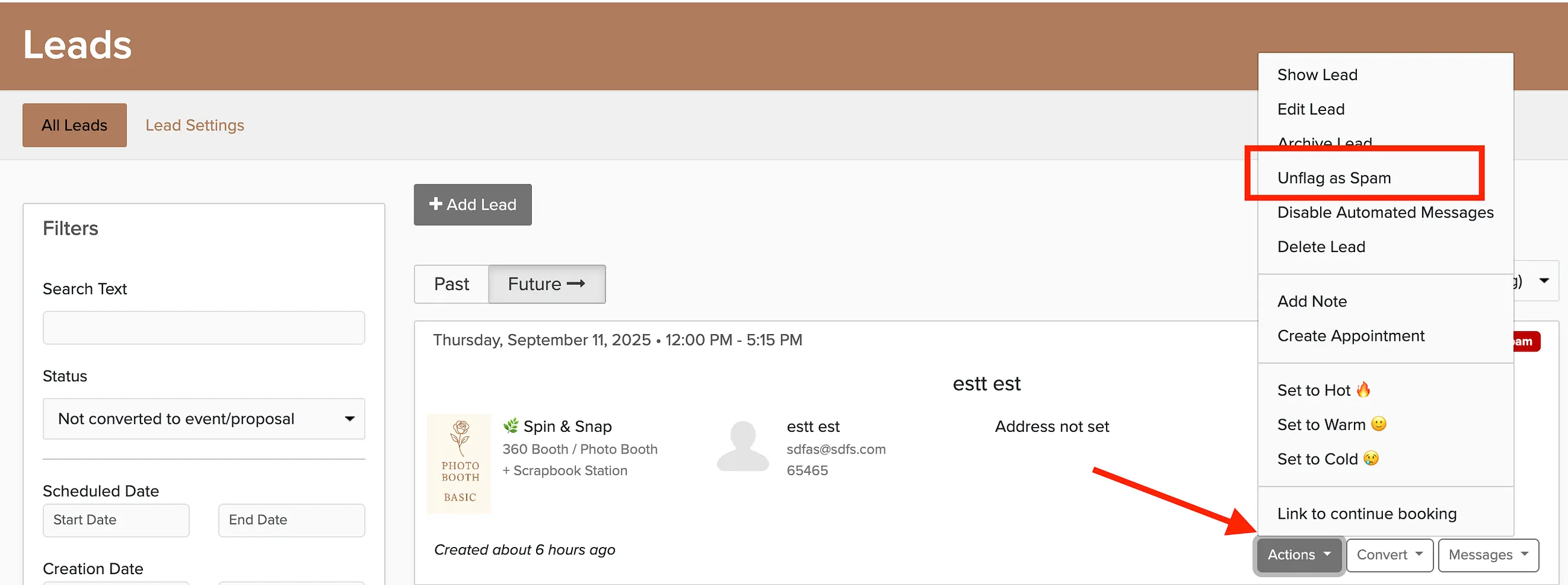
Click the Actions button.
Select Unflag as Spam.
The lead will move back to your active leads list and you can treat it like any other inquiry.