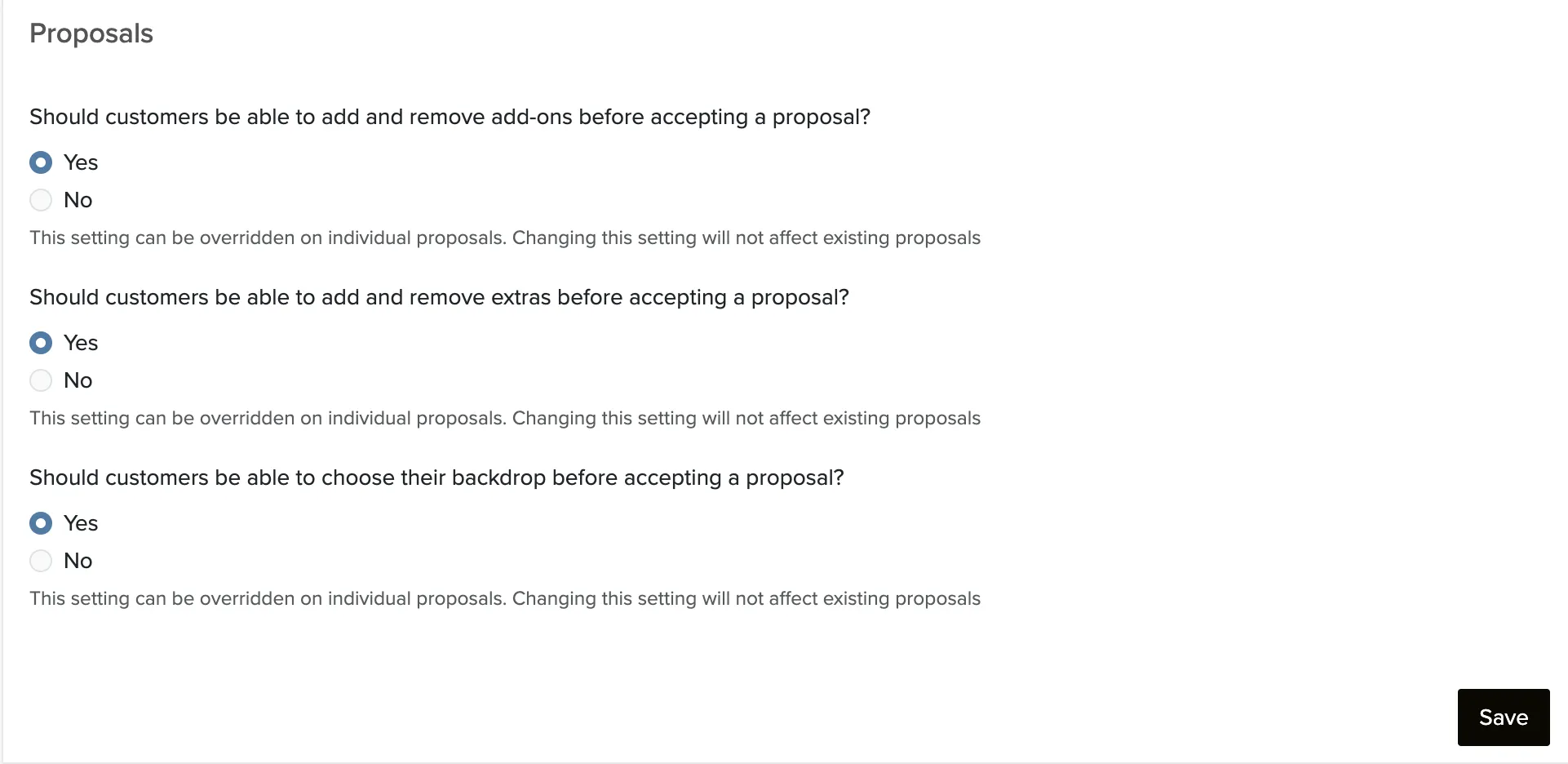
By default, clients can add or remove add-ons when reviewing a proposal. If you want to restrict the proposal to exactly what you included, you can disable this globally or on a specific proposal.
Disabling Add-On Changes on a Single Proposal
Open the proposal.
Click Manage Booking.
Select Edit Proposal Settings.
Click No on the line 'Should the customer be able to add and remove add-ons before accepting this proposal?'
Click the Save Changes button.
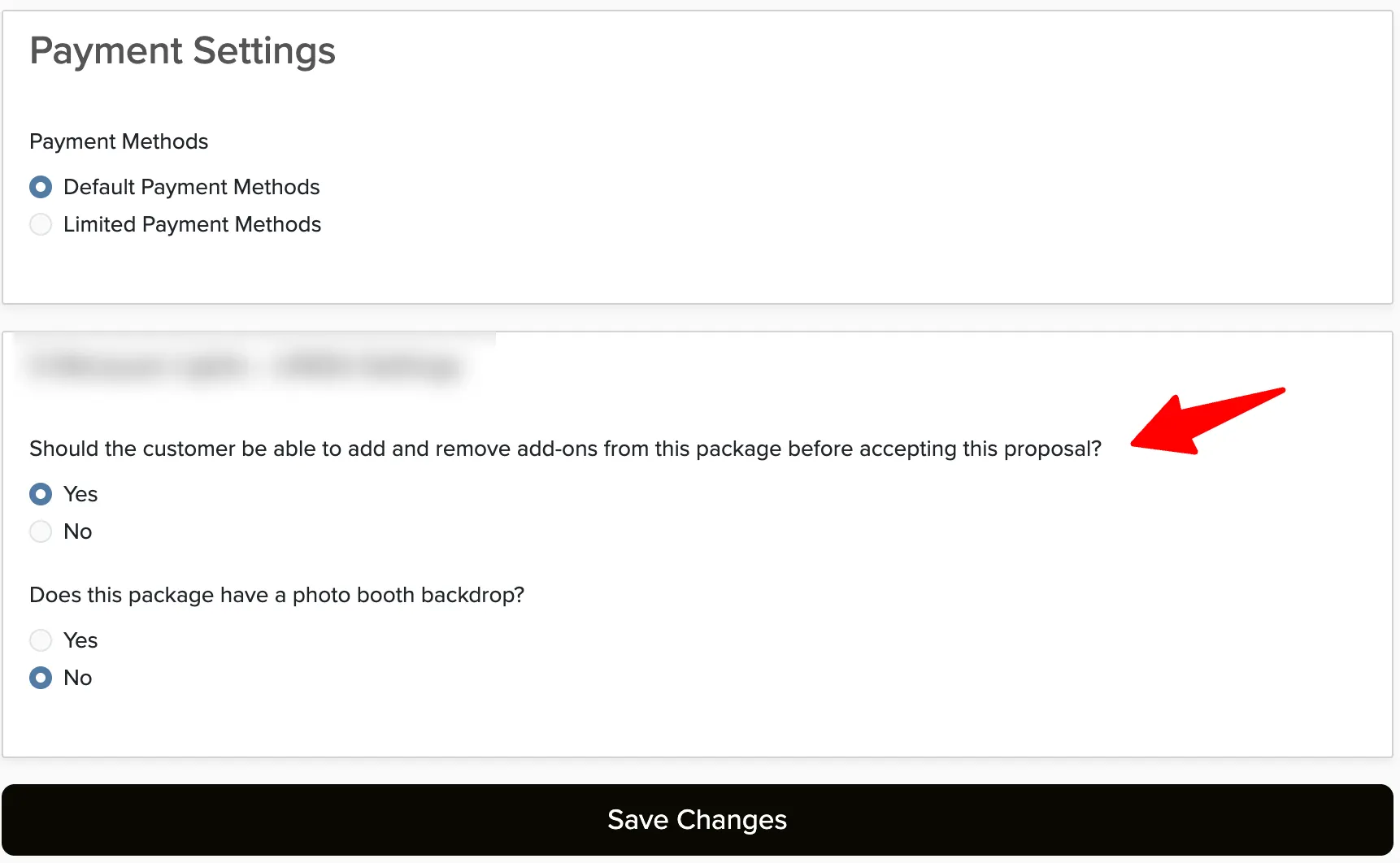
This setting is per-proposal. You can allow add-on changes on some proposals and restrict them on others.
To Disable Add-Ons on All Proposals
Manage → Availability → Change Policy
Go to Change Policy.
In the Proposals section, change the setting for Add-Ons.
Click Save.