Money is coming in but where does it all go? The Payments dashboard shows your balances, payouts, individual charges, and refunds in one place.
Balance Overview
The top section shows two key pieces of information: how much money is available for payout and when you can expect it to hit your bank account.
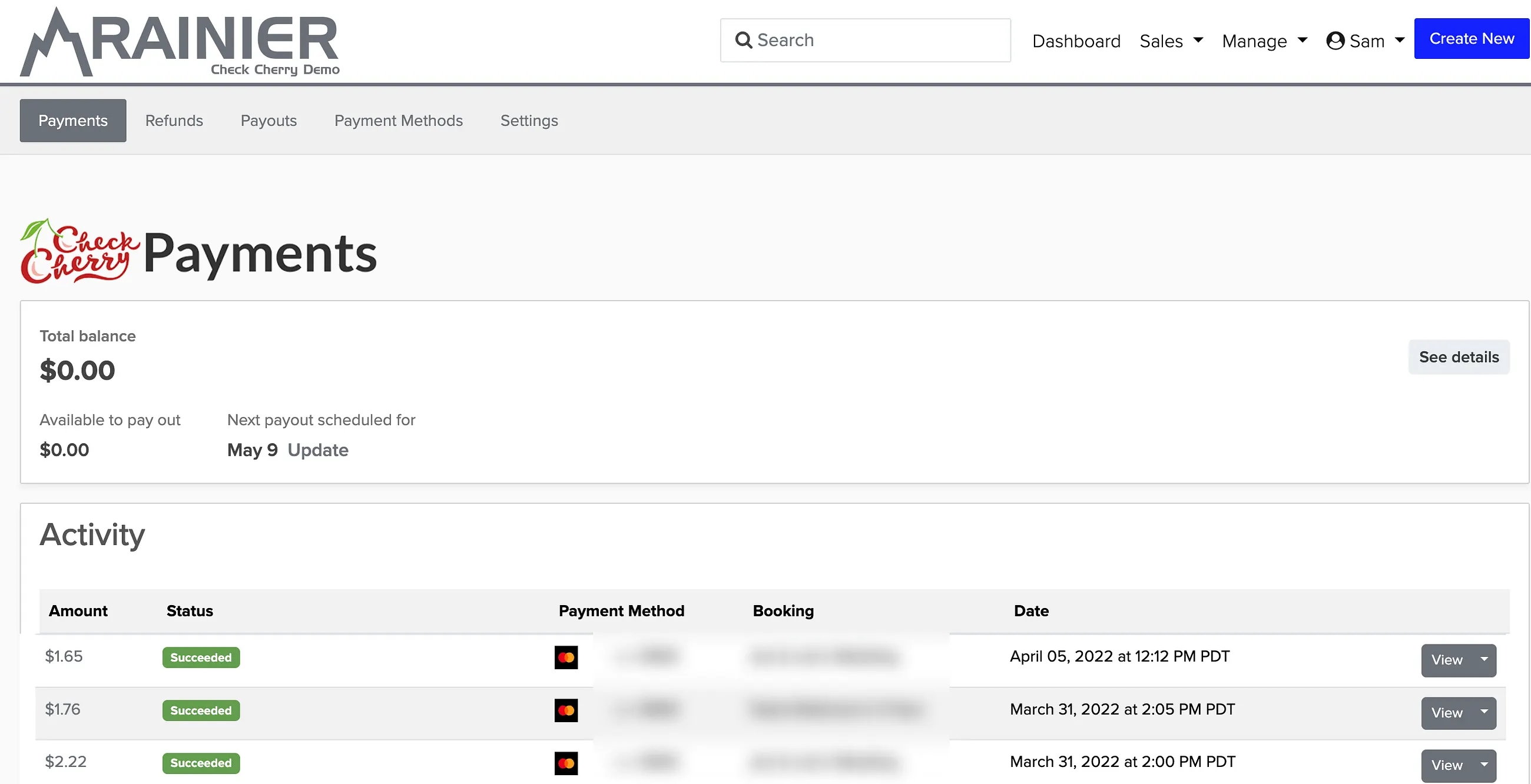
- How much is available for payout
- The date you can expect it to show up in your linked bank account
Click Update next to Next payout scheduled for to change the bank account that receives payments.
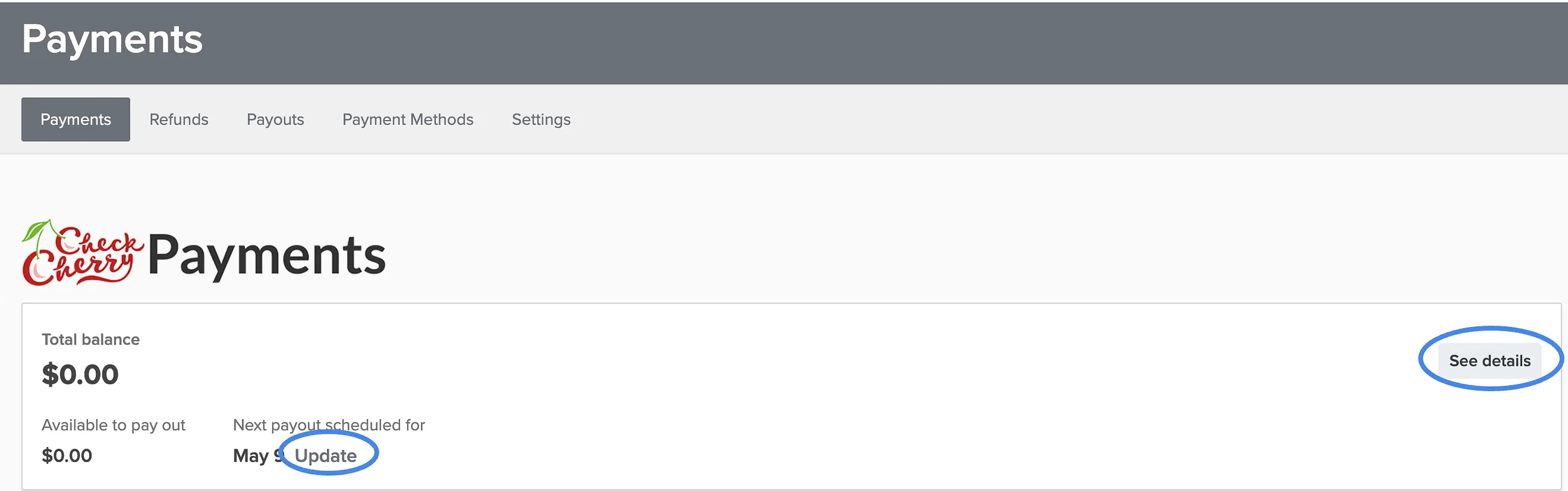
Click See details in the upper right of the balance display for a breakdown that includes:
- Amount that is in transit to your bank
- Total estimated payout amount
- Total amount collected including amounts not yet in transit
You can also change your payout bank account from this detailed view.
Payment Activity
The activity feed records all payments made through Check Cherry Payments — credit cards, Apple Pay, Google Pay, and ACH (checking account direct debit) if you have it enabled.
Each payment shows:
- Amount — the total amount charged to the customer
- Status — whether the charge succeeded or failed, with decline codes for failed payments
- Payment Method — the method used (Visa, Apple Pay, etc.), including the last 4 digits of credit cards
- Date — when the payment attempt was made
Payment Details
Click View beside any charge for detailed information about that payment:
- Paid On — date and time of the payment attempt
- Booking — title of the associated booking (clickable link)
- Payment Method — description including the last 4 digits
- Payment Details — amount breakdown including processing fees and net amount
- Technical Information — transaction ID, wallet type, card brand, and account details
Payment Status Tags
Here are the most common status tags and what they mean:
- Succeeded — the payment was successfully received
- Incomplete — customer started entering payment information but didn't finish
- Do not honor — generic bank decline for various reasons like insufficient funds or incorrect CVC code
Dashboard Tabs
The dashboard includes several tabs for different views:
- Refunds — any refunds you've submitted through Check Cherry Payments
- Payouts — current and past payouts to your bank
- Payment Methods — links to manage your enabled payment methods
- Settings — statement descriptor (what appears on customer credit card bills), paperless consent for tax documents, and account management