Google Analytics shows you where your booking traffic comes from and how visitors move through your booking engine. To connect it, Check Cherry just needs your GA4 Measurement ID — the short code that starts with G-. Here's where to find it and how to add it.
Find your Measurement ID
Your Measurement ID lives on your web data stream in Google Analytics. It's shown right at the top of the stream details — you don't need to open the tag instructions or copy any code.
G-XXXXXXXXXX) is shown at the top of the stream details — copy it.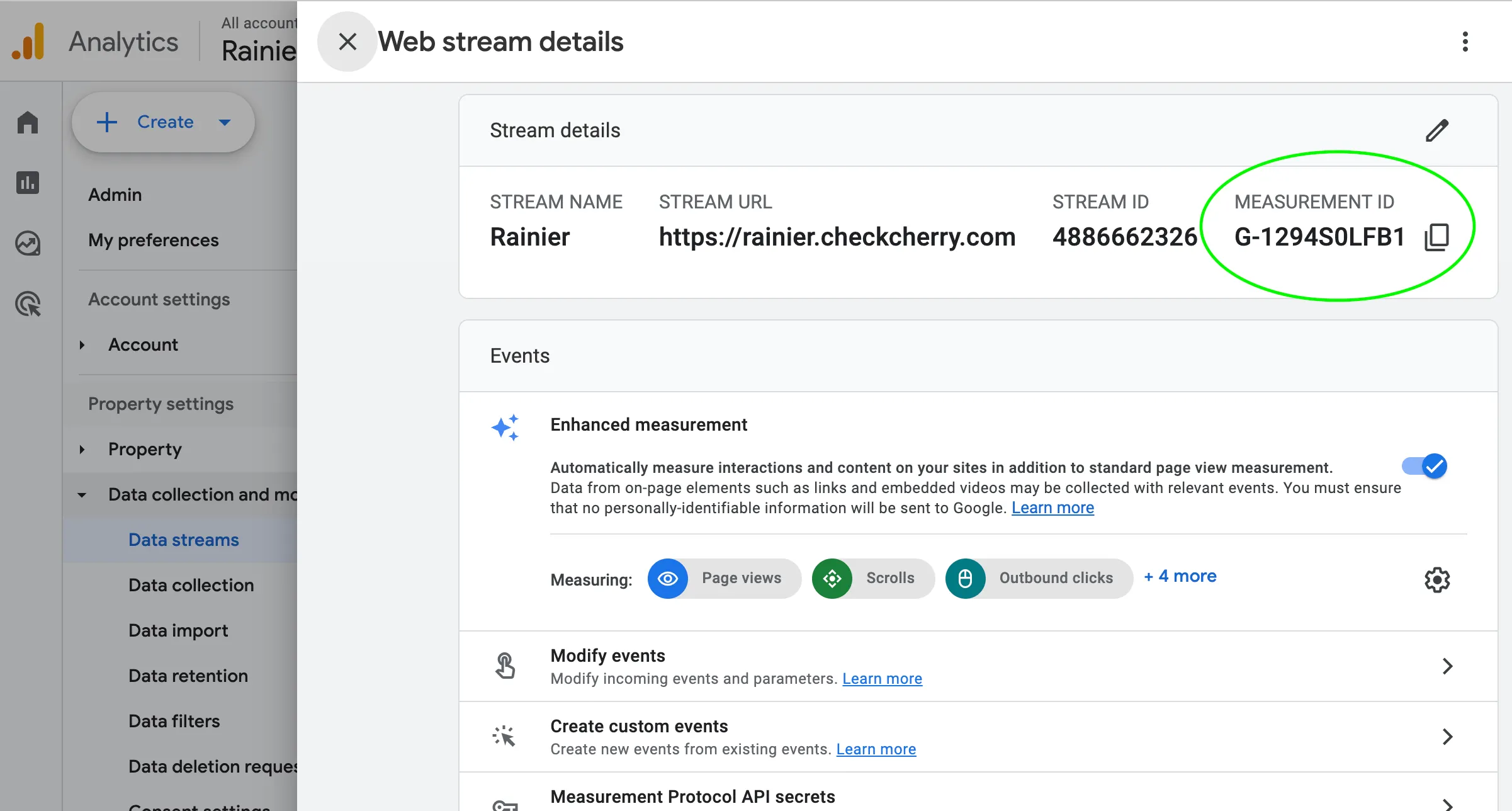
Don't have a data stream yet? Click Add stream, choose Web, enter your website URL and a stream name, then create it. Your new Measurement ID will appear at the top of the stream details.
Add it to Check Cherry
G-XXXXXXXXXX) into the field and save.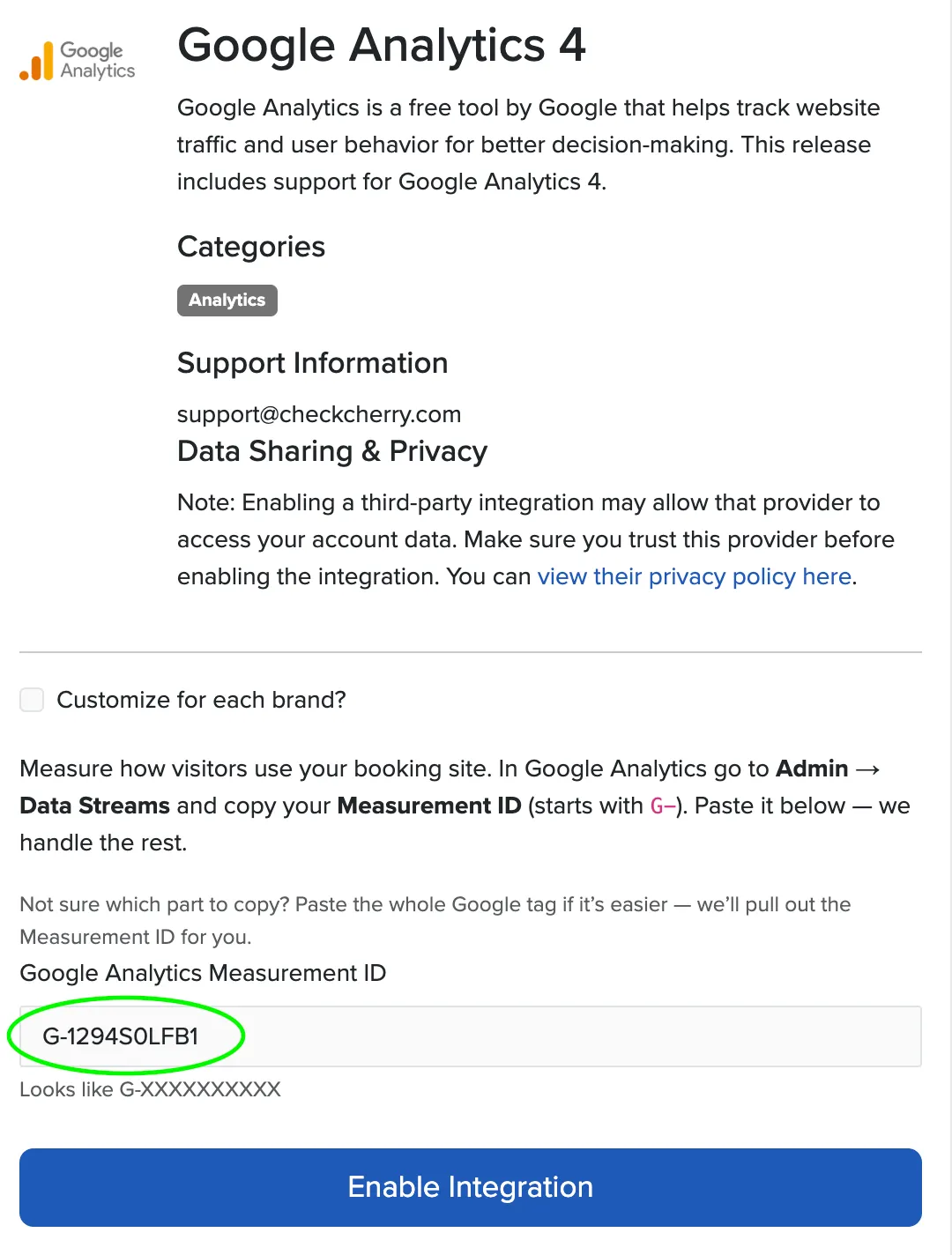
G-XXXXXXXXXX.Confirming it's working
To confirm tracking is live, open one of your booking pages in a private/incognito window, then check the Realtime report in Google Analytics — your visit should show up within a minute or two.
G-. A single wrong character sends data to the wrong place — or nowhere.Tracking across your own website too? Your booking pages live on a checkcherry.com subdomain (or your custom domain), separate from your main website. If you want a single Google Analytics property to follow visitors across both, set up cross-domain measurement in Google Analytics.