A lead comes in and you want one of your staff to handle the follow-up. You can assign staff members to leads so they know which ones are their responsibility.
How to Assign Staff to a Lead
Sales → Leads
Click on the lead you want to assign.
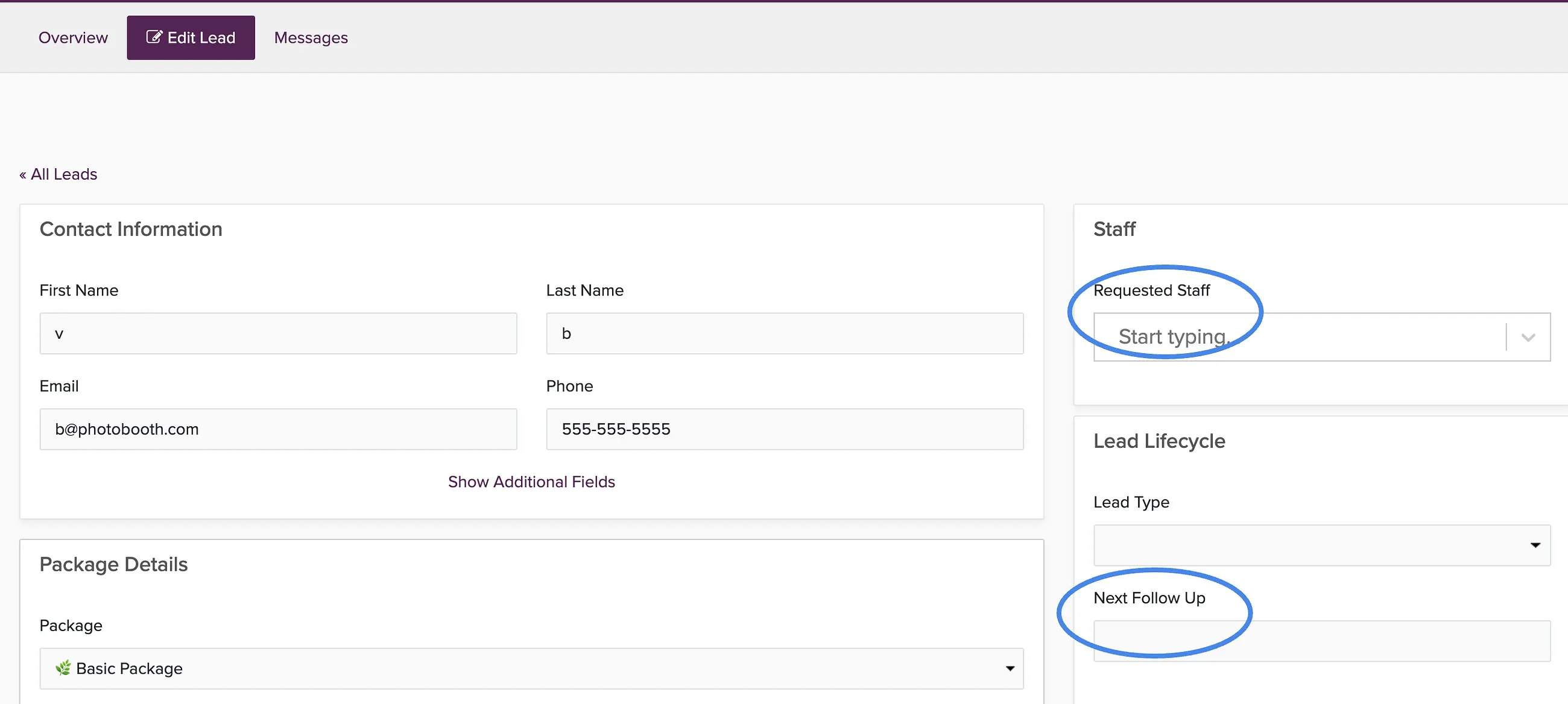
In the Requested Staff box, search for the staff member's name.
Select their name from the dropdown.
Optionally, set a follow-up date to remind yourself or the staff member when to check in.
Save the changes.
Can Staff Message Leads?
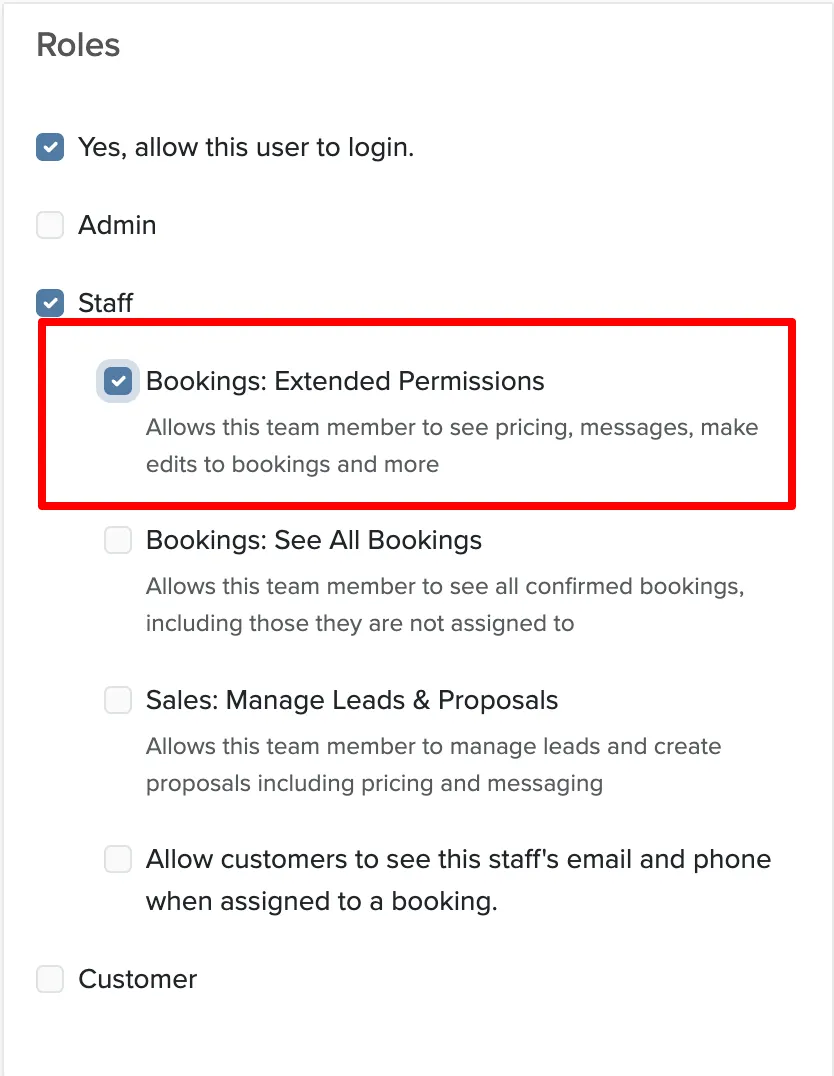
Staff need the Extended Permissions role to access the Messages tab on leads and send emails or texts to clients.
Manage → User Accounts
Click Edit next to the staff member.
Check the box next to Extended Permissions.
Save their account permissions.
For details on what each role can access, see staff user roles and permissions.