Proposal alternatives let you offer multiple package options on a single proposal. Instead of sending separate quotes, clients can compare options side-by-side and choose what works best for their budget and needs.
Sales → Proposals → Select a proposal
Creating Your First Alternative
You'll need a proposal with at least one package before you can add alternatives. Once you have that:
Open your proposal.
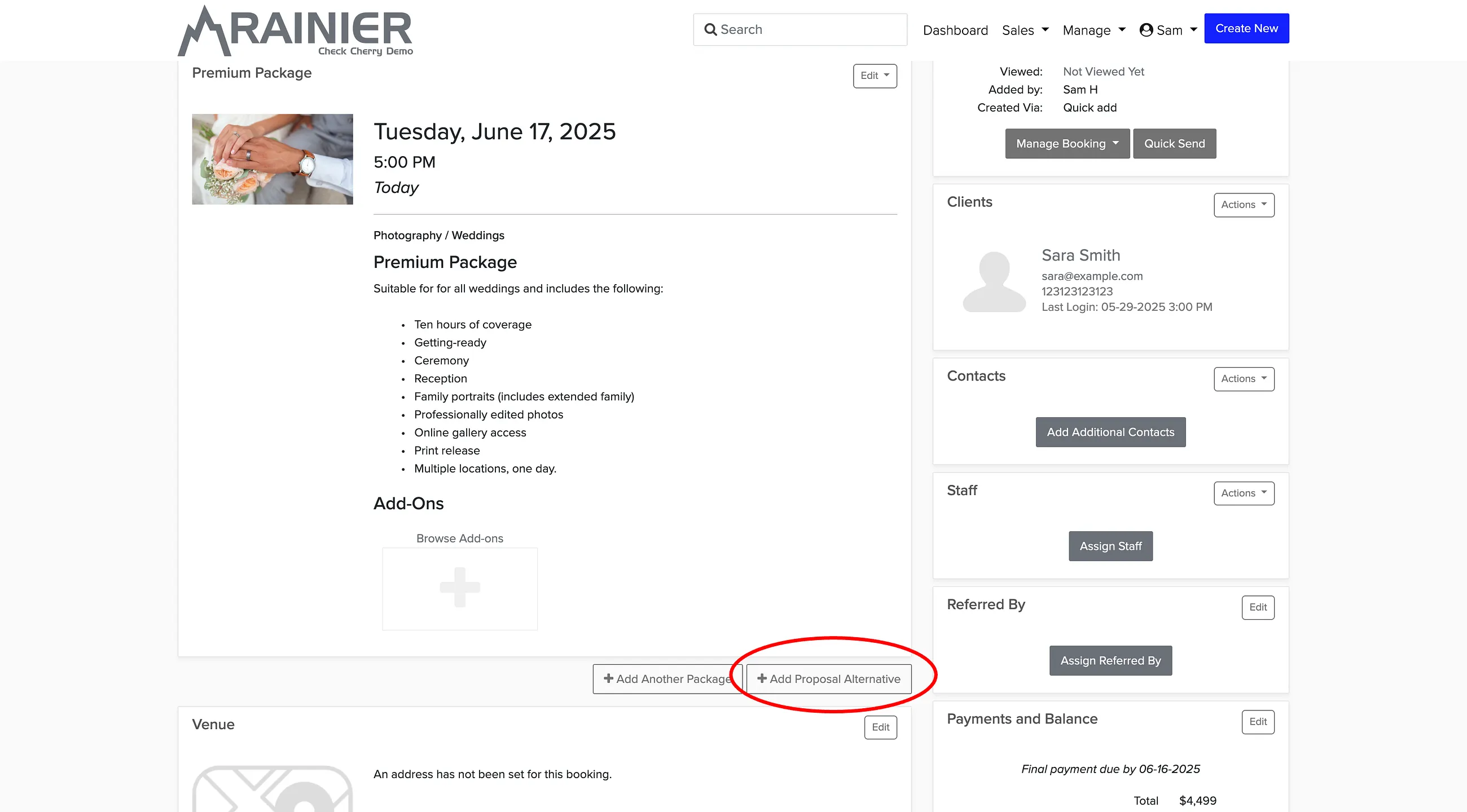
Below the last package, click Add Proposal Alternative.
Choose a different package for the alternative. Each alternative will appear on a separate tab.
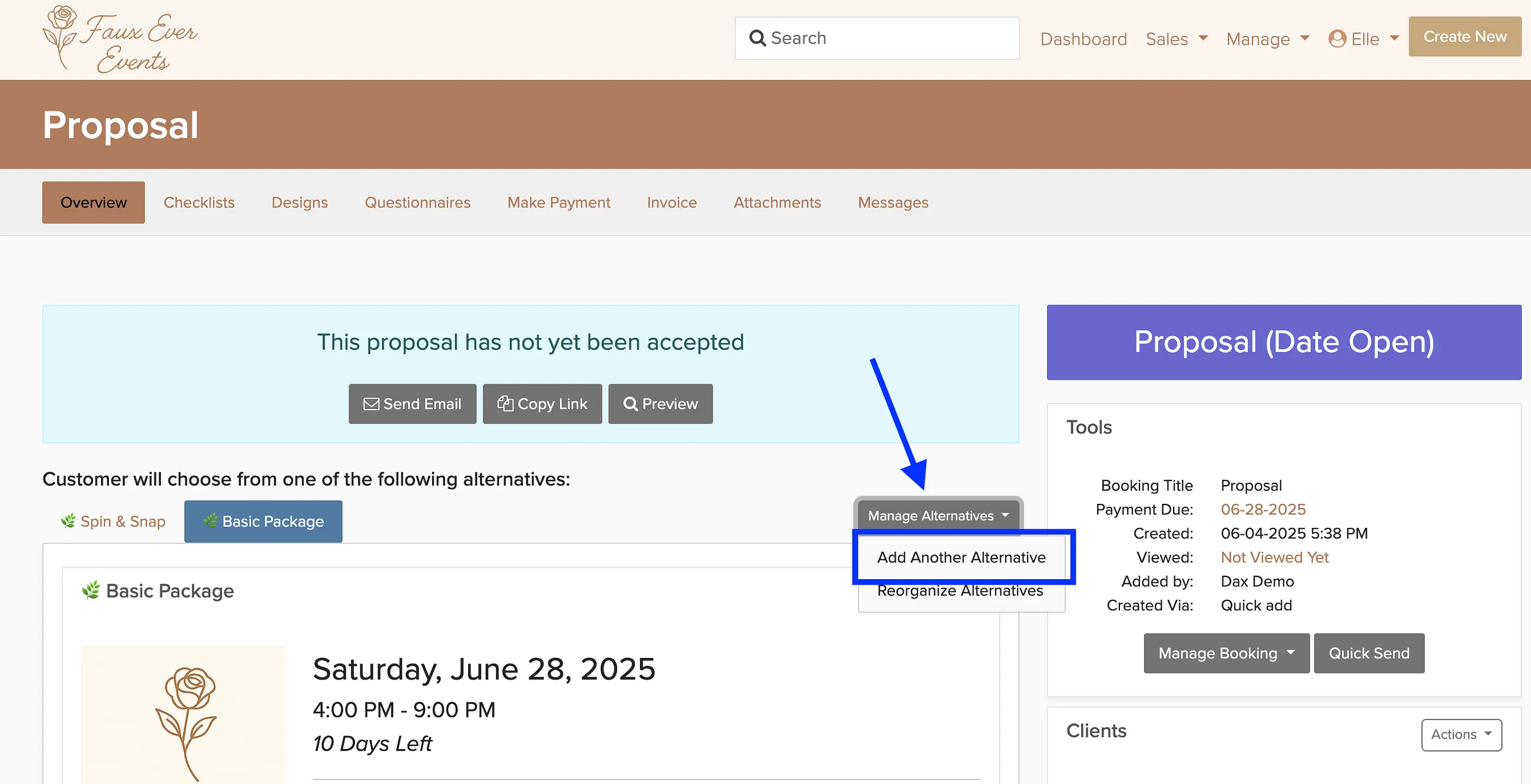
Once you have at least one alternative, you can add more by clicking the Manage Alternatives button above each proposal alternative and choosing Add Another Alternative:
Most businesses offer 2-3 alternatives — a basic option, a popular mid-tier package, and a premium choice. This makes it easy for clients to see the value of upgrading while still giving budget-conscious customers a good option.