Follow-up dates help you stay on top of leads and proposals that need attention. Set a date and Check Cherry will show them in your follow-up dashboard widget so nothing slips through the cracks.
Setting a Follow-Up Date on a Lead
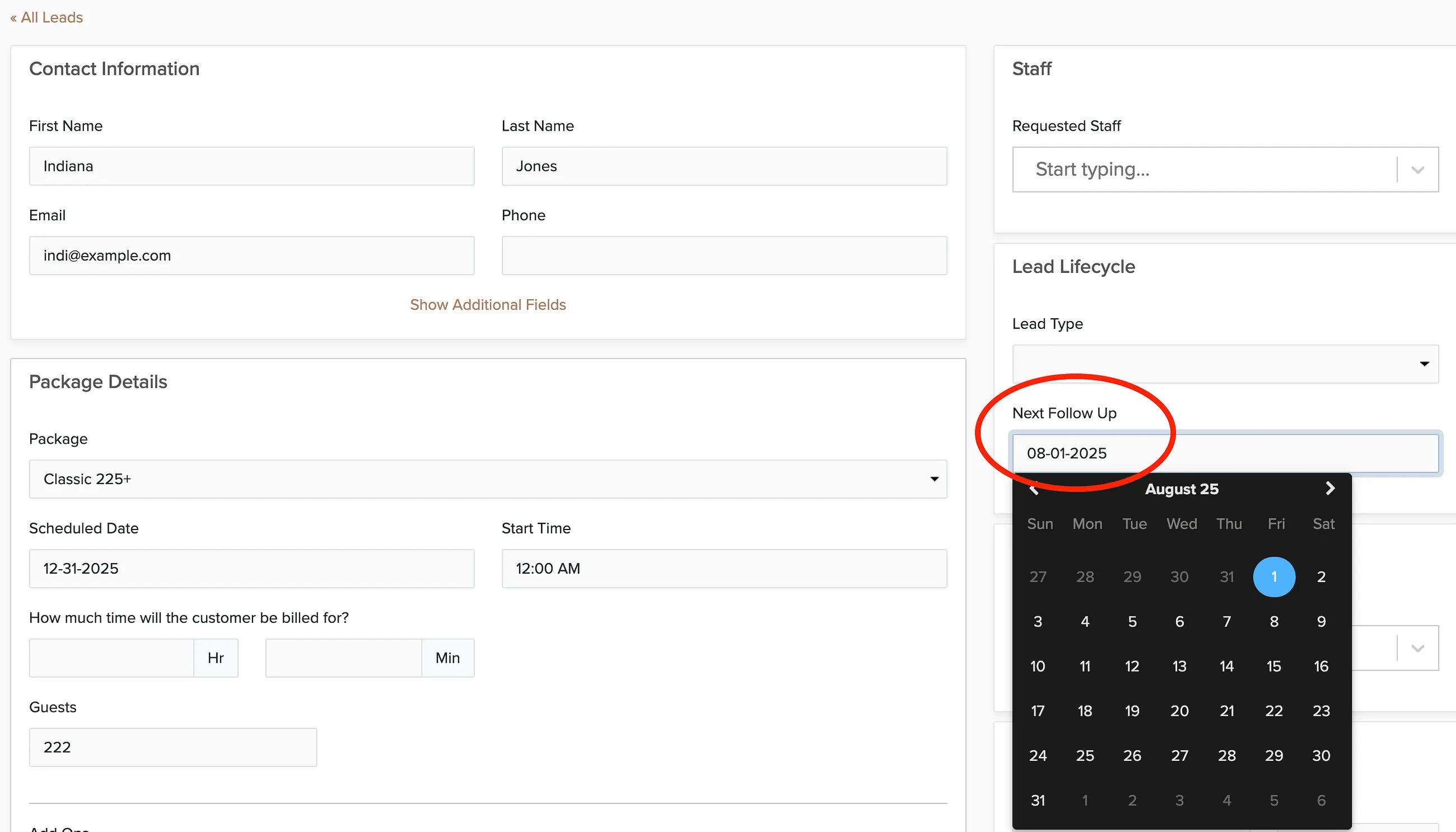
You can also sort the leads by next follow-up date:

Setting a Follow-Up Date on a Proposal
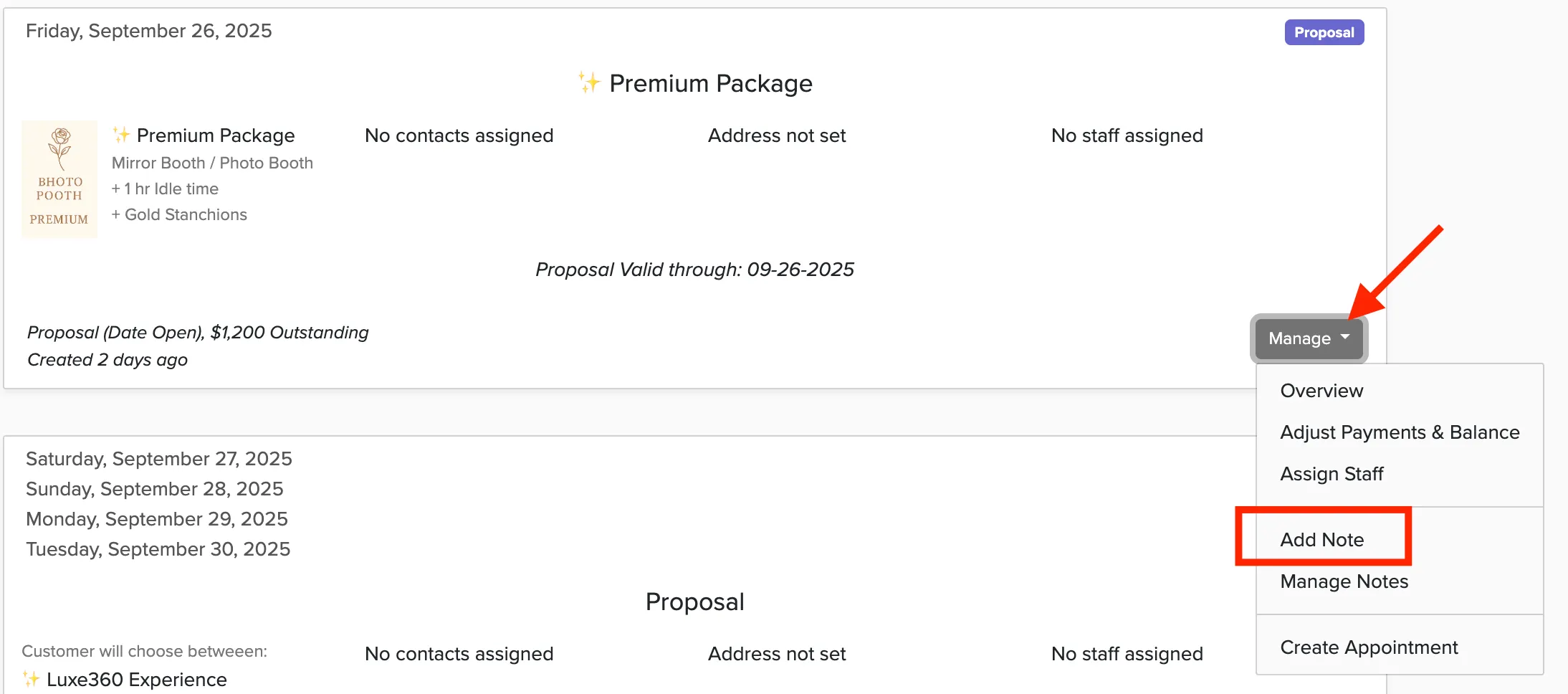
You can add a follow-up date from the proposal list by clicking Manage booking on the proposal:
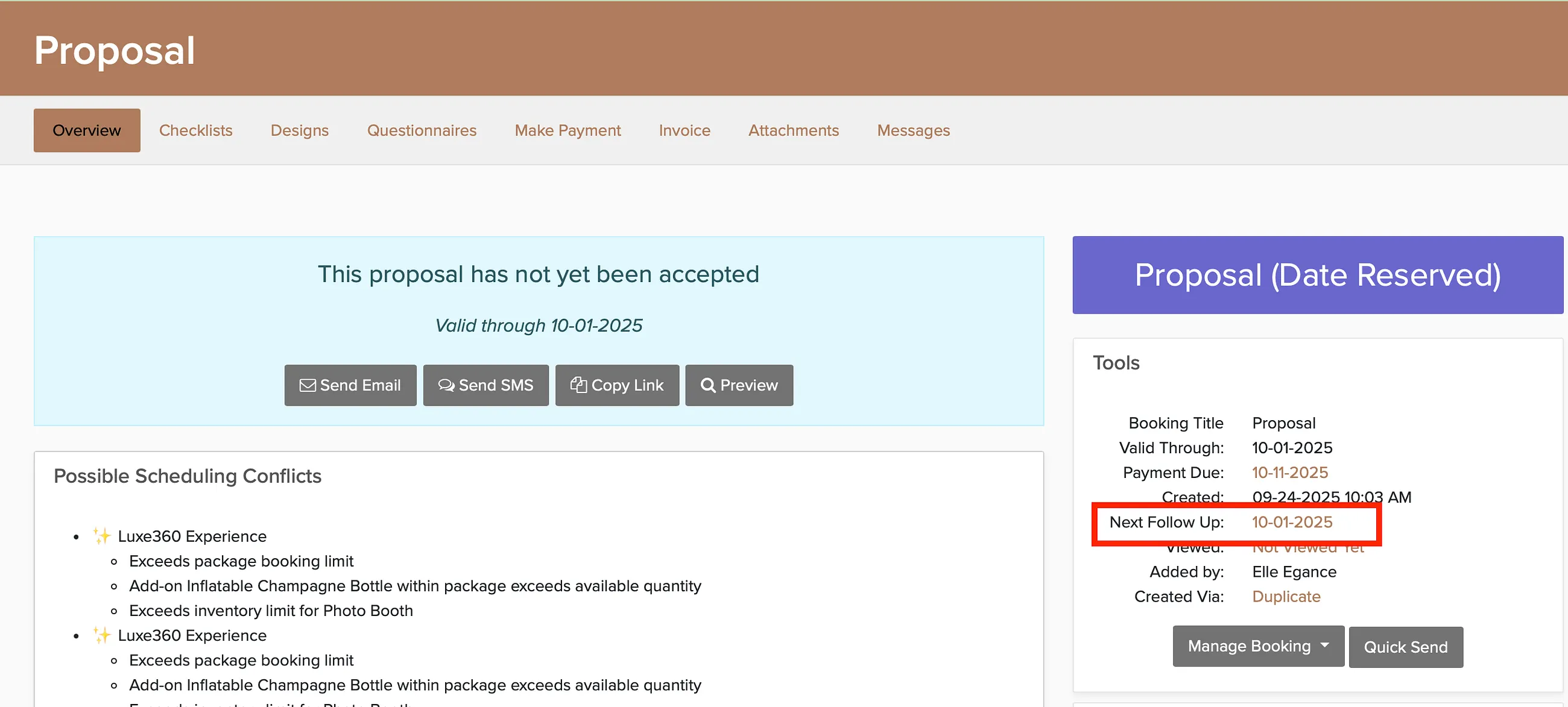
You can also add it from the proposal overview in the Tools section:
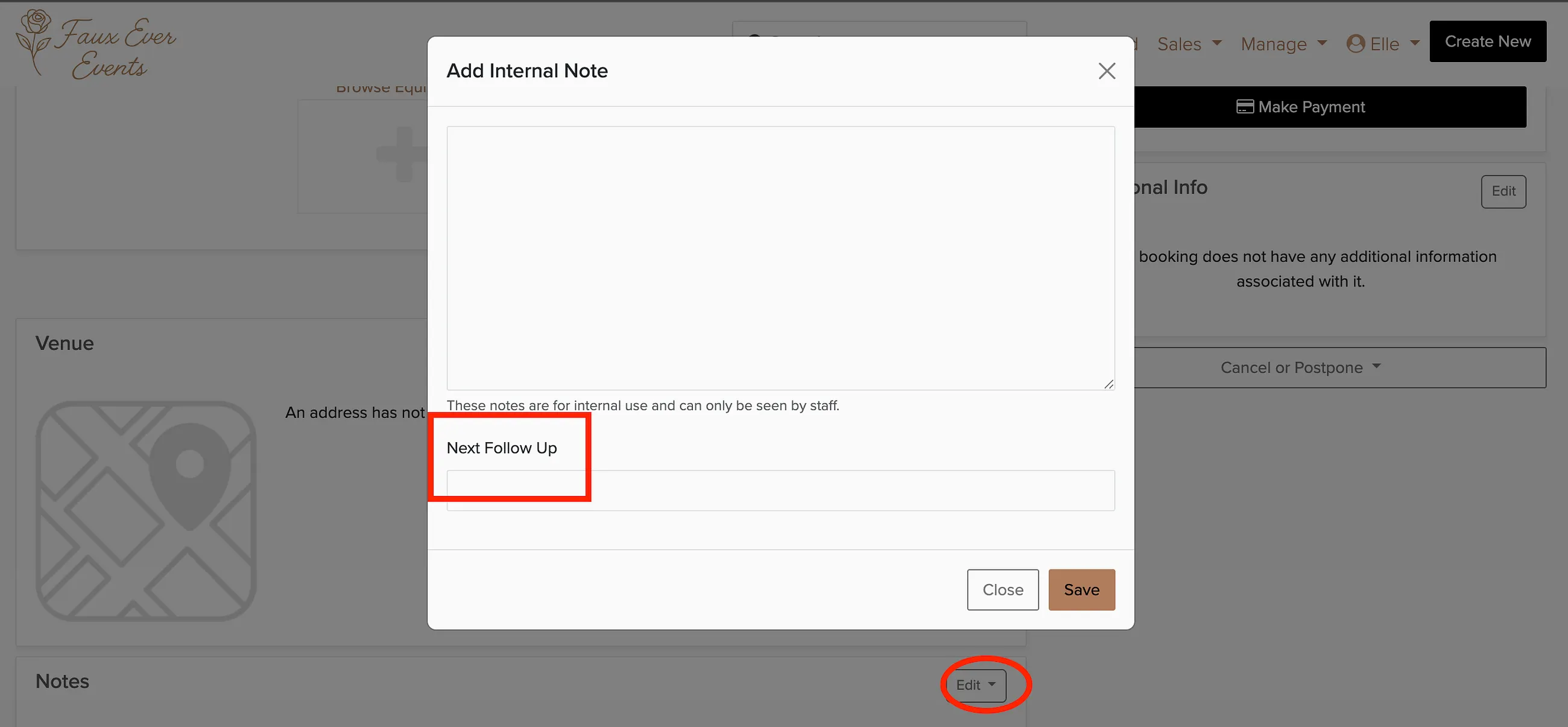
In the overview, you can scroll down to the Notes section and select Add Note to add both a private note and a next follow-up date:
Dashboard Widget
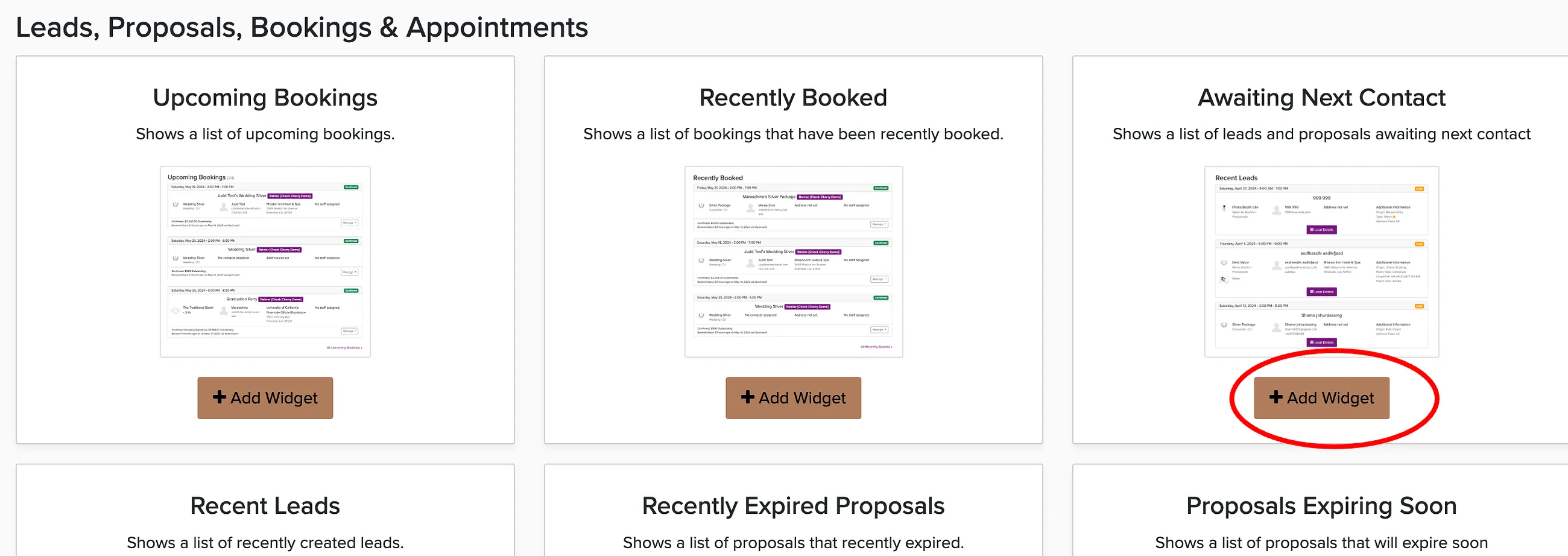
Once you set follow-up dates, you can add a widget to your dashboard to list the leads and proposals with upcoming follow-up dates.
Sorting by Follow-Up Date
Sort your proposals and leads by next follow-up date to prioritize who to contact first. Go to Sales → Leads or Sales → Proposals and select the sort by next follow-up option.
