Some packages or add-ons may need different contract terms than your standard agreement. For example, an open bar package might need liquor liability language that doesn't apply to your other services. Custom terms let you add package-specific sections that only appear when that package is booked.
A quick overview of how our contracts work
- You can add the text of your contract under Manage --> Business Settings --> Terms. This is where you main contract text is and it will be attached to the invoice of every booking.
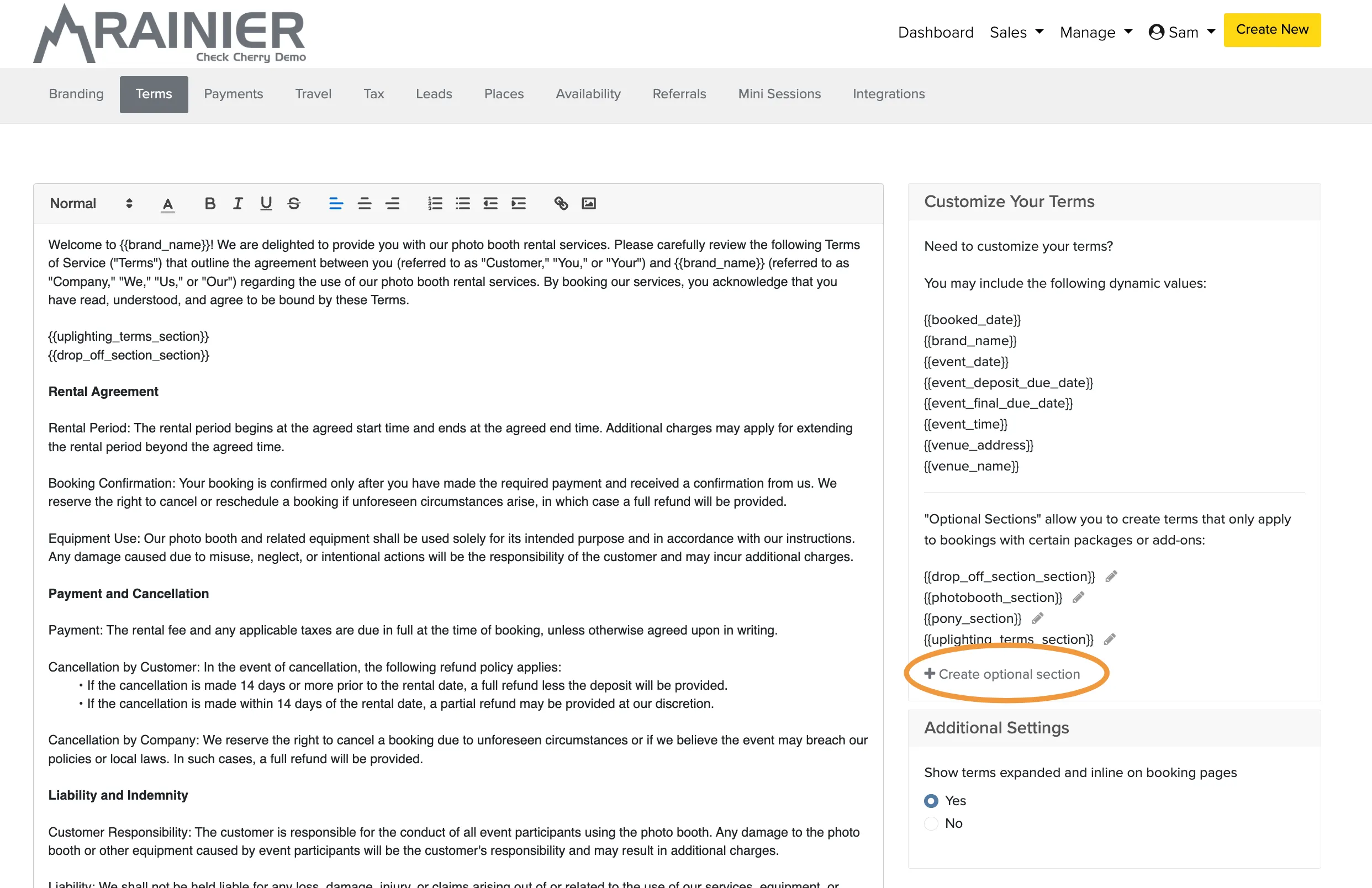
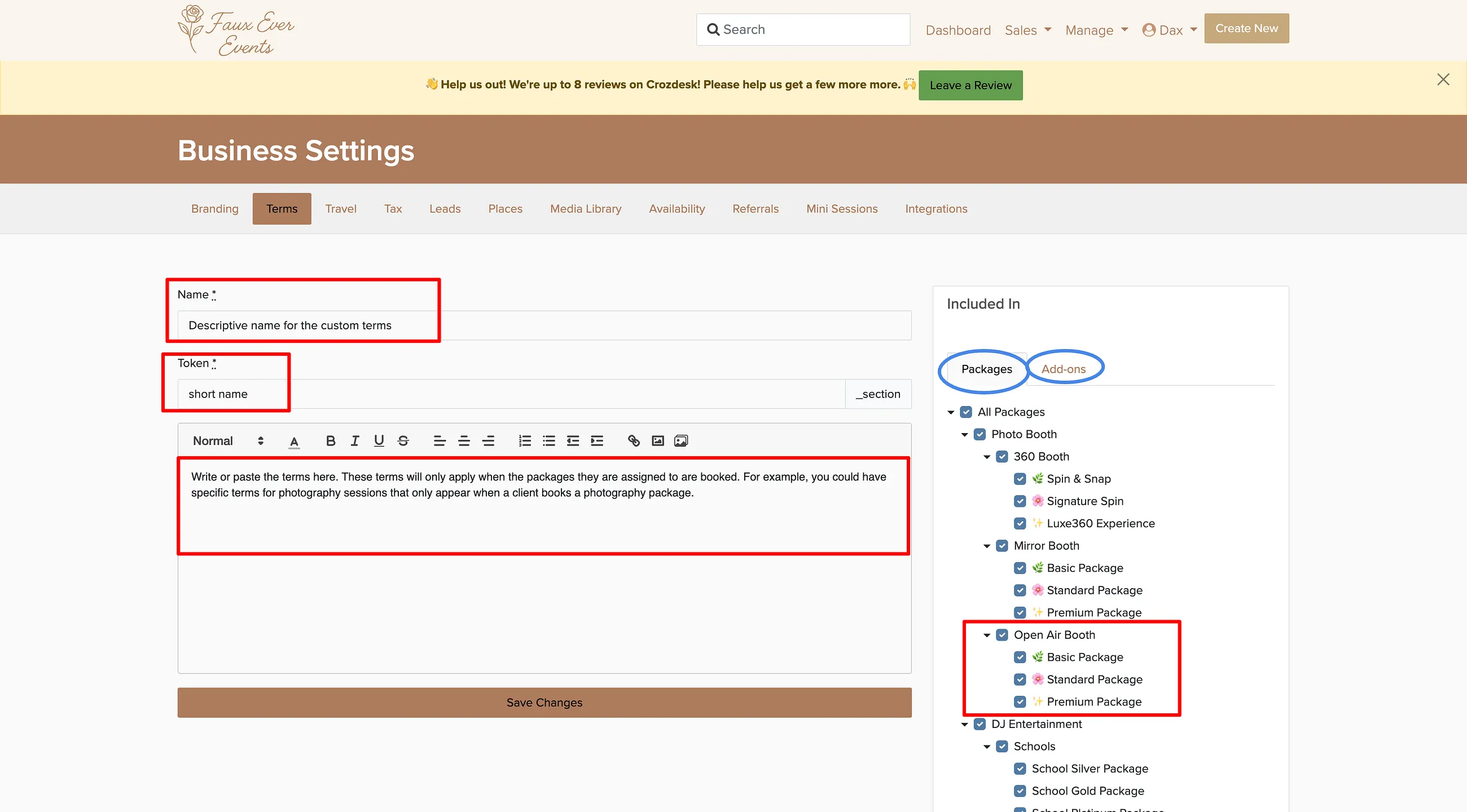
- You can add an entire contract in the Optional Terms section and include it in specific packages
- The Token in the optional terms is a placeholder for using the optional terms in your main contract field
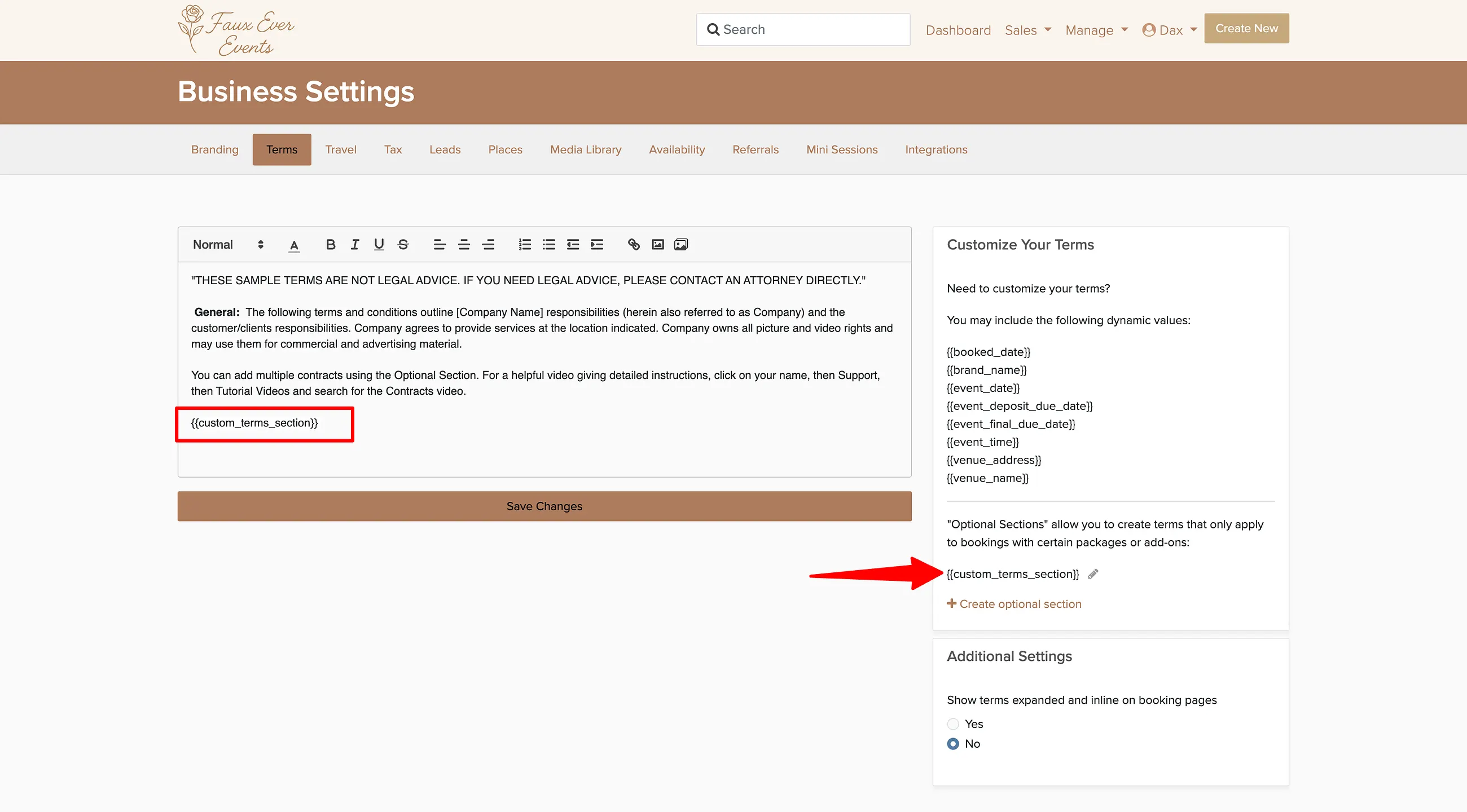
- To use the optional terms, simply paste the token for the terms you want to include into the main terms area
- You can leave the main terms box blank and include only the tokens for your optional terms to have specific terms
First, decide if you want generic terms in the main terms section
If you have a standard contract that that applies to all packages, paste it's text into the main terms box under Manage --> Business Settings --> Terms. If you wish to have specific terms apply to each package, then follow the steps below
How to Set Up Custom Terms
How It Works for Clients
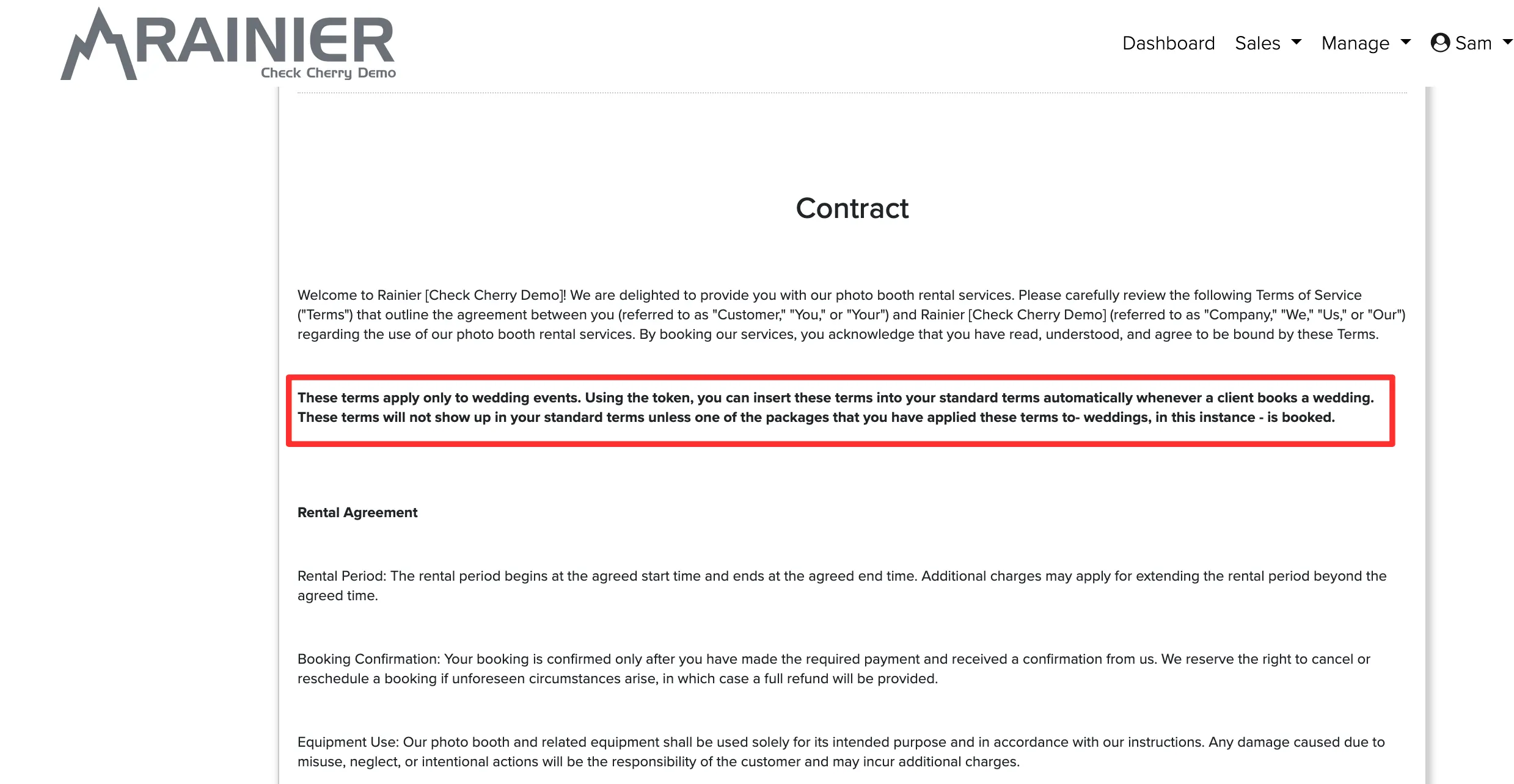
When a client books a package that has custom terms assigned, those terms automatically appear in their contract. If the package doesn't have custom terms, that section is simply hidden.
Watch: Dynamic Contract Terms
Custom terms are covered starting at 5:55 in this video.