Your photo booth contract needs a damage liability section, but your DJ contract does not. Instead of maintaining completely separate contracts, use optional sections that only appear for the right packages.
Manage → Business Settings → Terms
How Contract Terms Work
- Main terms: The base contract text that applies to all bookings (attached below the invoice on every booking).
- Optional sections: Additional terms that only appear when specific packages or add-ons are booked.
- Tokens: Placeholders like
{wedding_terms}that insert optional sections into your main contract.
You can leave the main terms box empty and use only tokens if you want completely different contracts for each package type.
Setting Up Multiple Contracts
First, decide whether you want standard terms that apply to all packages. If so, add those to the main terms section. Then create optional sections for package-specific clauses.
Go to Contract Terms.
Add your standard contract text in the main terms box (or leave blank for package-specific contracts).
Click Create Optional Section in the sidebar on the right.
Name your optional section (like "Photo Booth Terms"). This title will only be visible to you.
Create a token without spaces or dashes (like
photobooth_terms).Add the optional contract text for this section.
Assign the packages and add-ons where these terms should appear.
Copy the token and paste it into your main contract where you want the optional terms to appear.
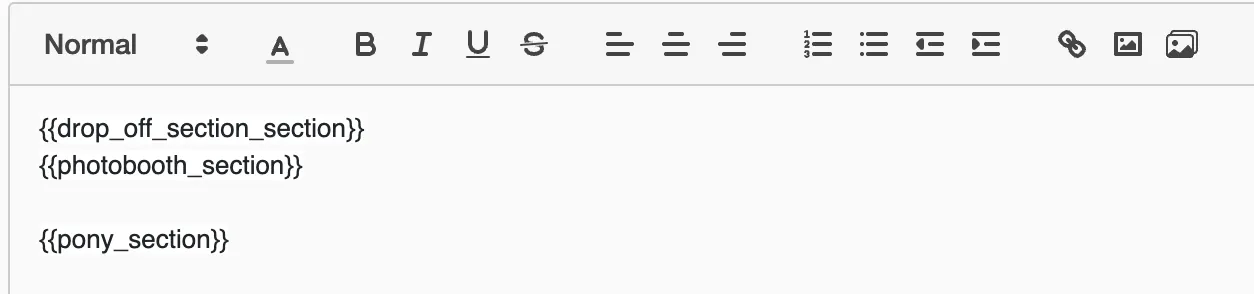
The token acts as a placeholder. When a client books a package with optional terms assigned, the token is replaced with the actual contract text.
Example Setup
An event company might structure their contracts like this:
- Main terms: General booking policies, cancellation terms, payment schedule
- DJ optional section: Music licensing, equipment setup requirements
- Photo booth optional section: Equipment damage liability, space requirements
- Wedding optional section: Timeline coordination, vendor meal requirements
When a client books a wedding DJ package, they see the main terms plus the DJ and wedding sections. A corporate photo booth booking shows main terms plus photo booth terms only.