A contract protects both you and your client by setting clear expectations about what you'll deliver, when payment is due, and what happens if plans change. In Check Cherry, every booking includes a digital contract that clients sign electronically.
Adding Your Contract
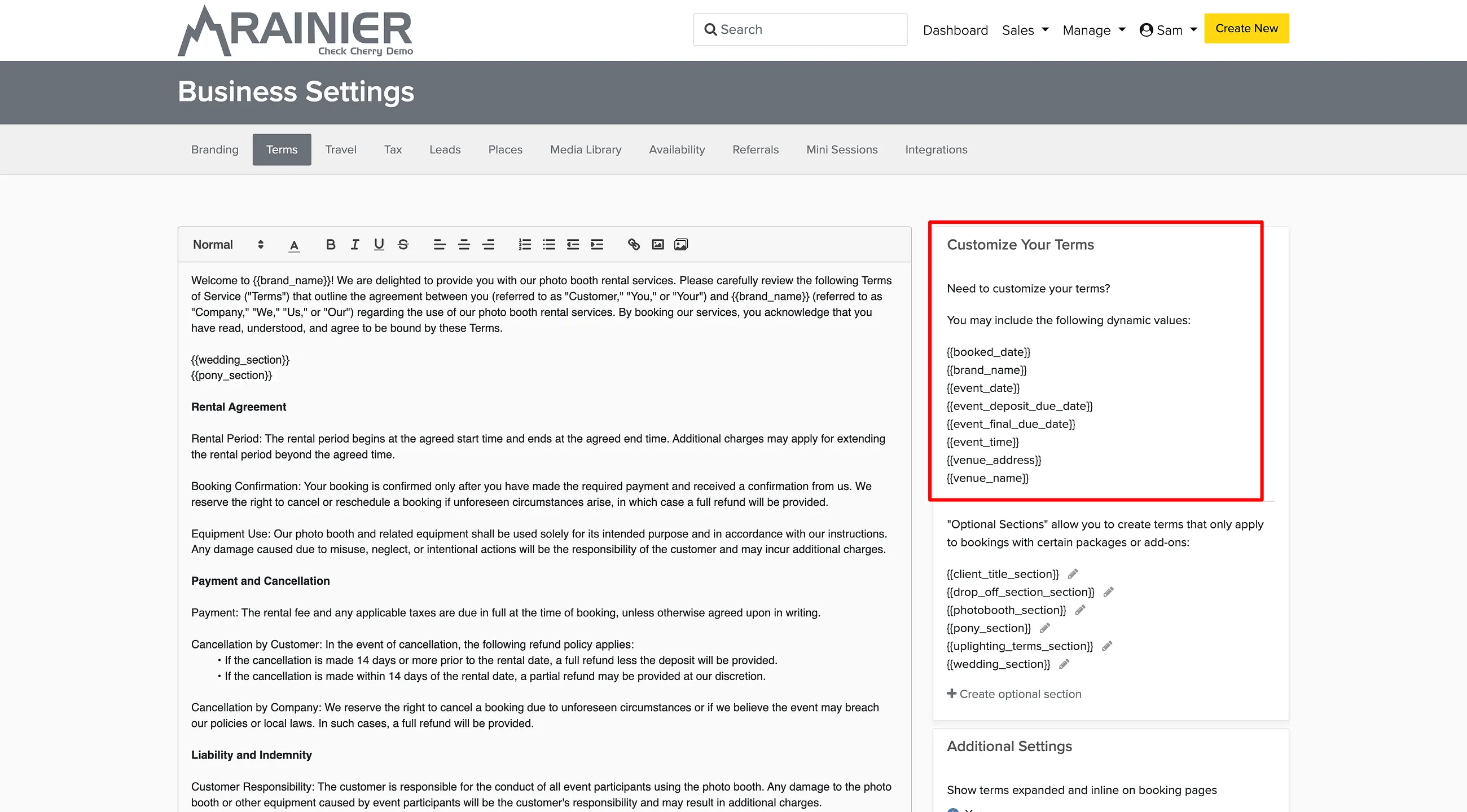
Available Tokens
These are the tokens you can use in your contract:
| Token | Description |
|---|---|
{{brand_name}} | The name of the brand the booking belongs to |
{{booked_date}} | The date the client booked (shows the current date when viewed before booking) |
{{event_date}} | The event date. Multi-day events show a date range, and multiple bookings are listed together |
{{event_time}} | The event start time (omitted for services booked by date only) |
{{event_deposit_due_date}} | The date the deposit is due. This is the booking date, since deposits are due at booking; blank if there is no deposit |
{{event_final_due_date}} | The date the final balance is due, based on your payment settings or the custom due date on the booking |
{{venue_address}} | The venue's full address |
{{venue_name}} | The venue's name |
Wondering why there's no client name token? See Why isn't there a client name token for my contract?
Package-Specific Terms
Different services sometimes need different contract language. A photo booth rental might need different liability terms than DJ services. Use optional sections to add terms that only appear when specific packages are booked.
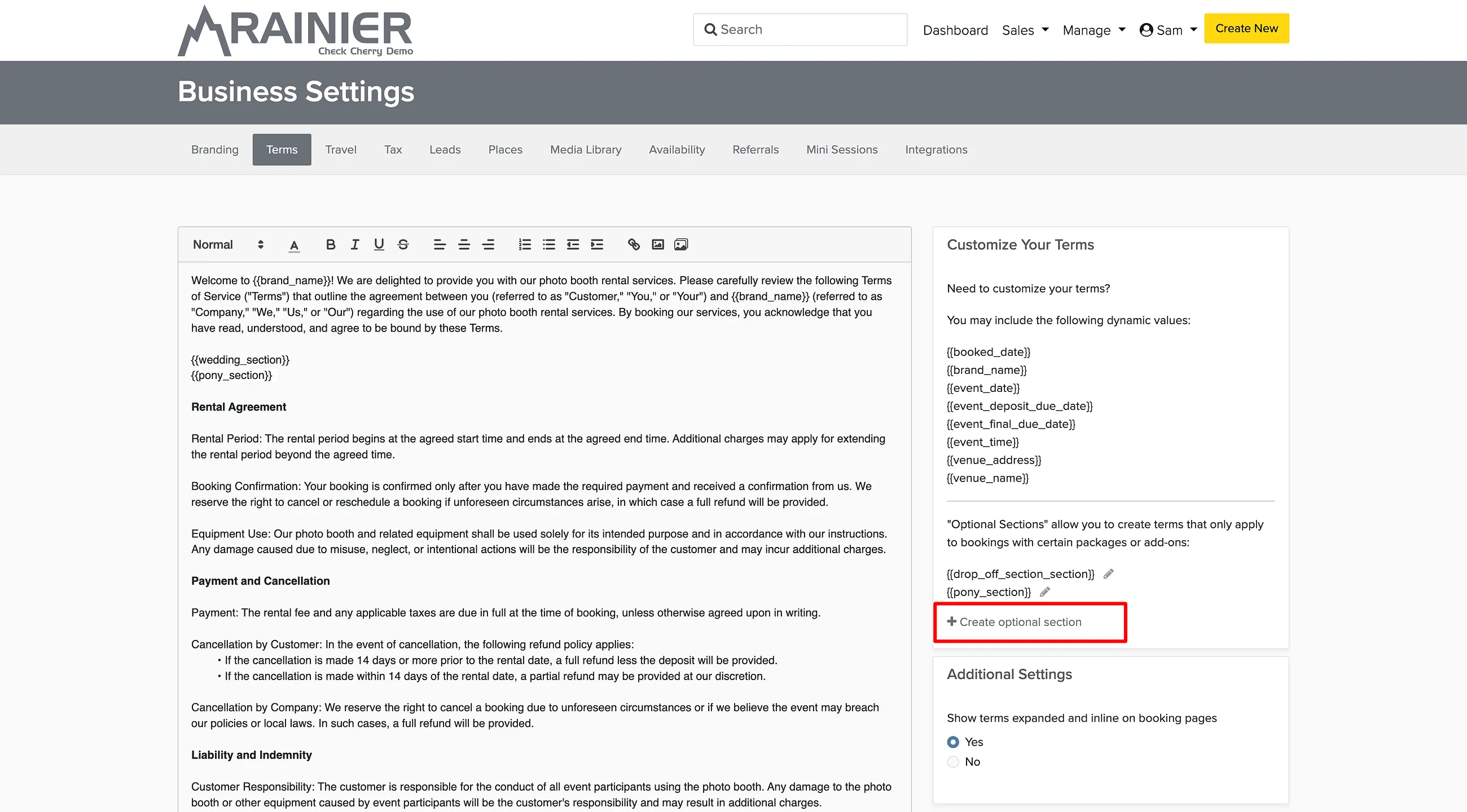
When a client books a package that has optional terms assigned, those terms will automatically appear in their contract.
Counter-Signing Contracts
If you need both parties to sign the contract, you can add your signature after the client signs.
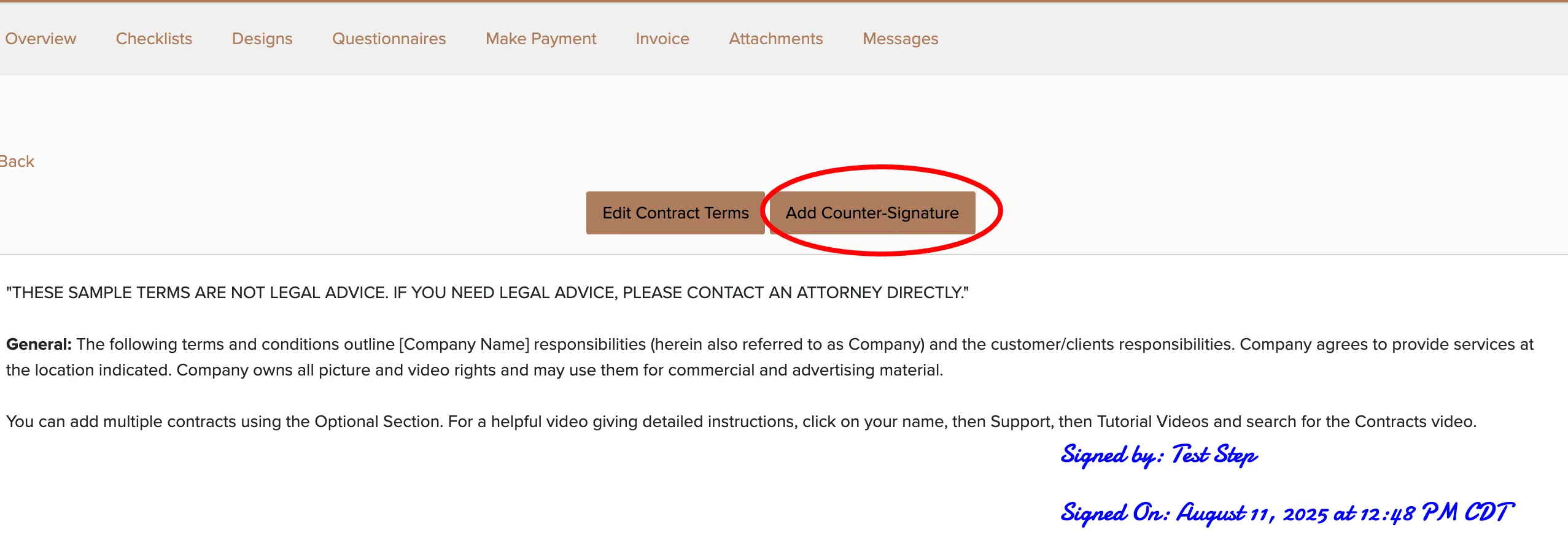
Your signature will be added to the contract and immediately visible to the client when they view their booking.
Customizing Terms for Individual Bookings
Sometimes you need to modify the contract terms for a specific booking or proposal. You can edit the terms without changing your master contract template.