The cover image on a proposal sets the first impression for your client. You can change it on individual proposals or set a default that applies to all proposals for a specific service.
Change the Image on a Single Proposal
Proposals → Select a proposal
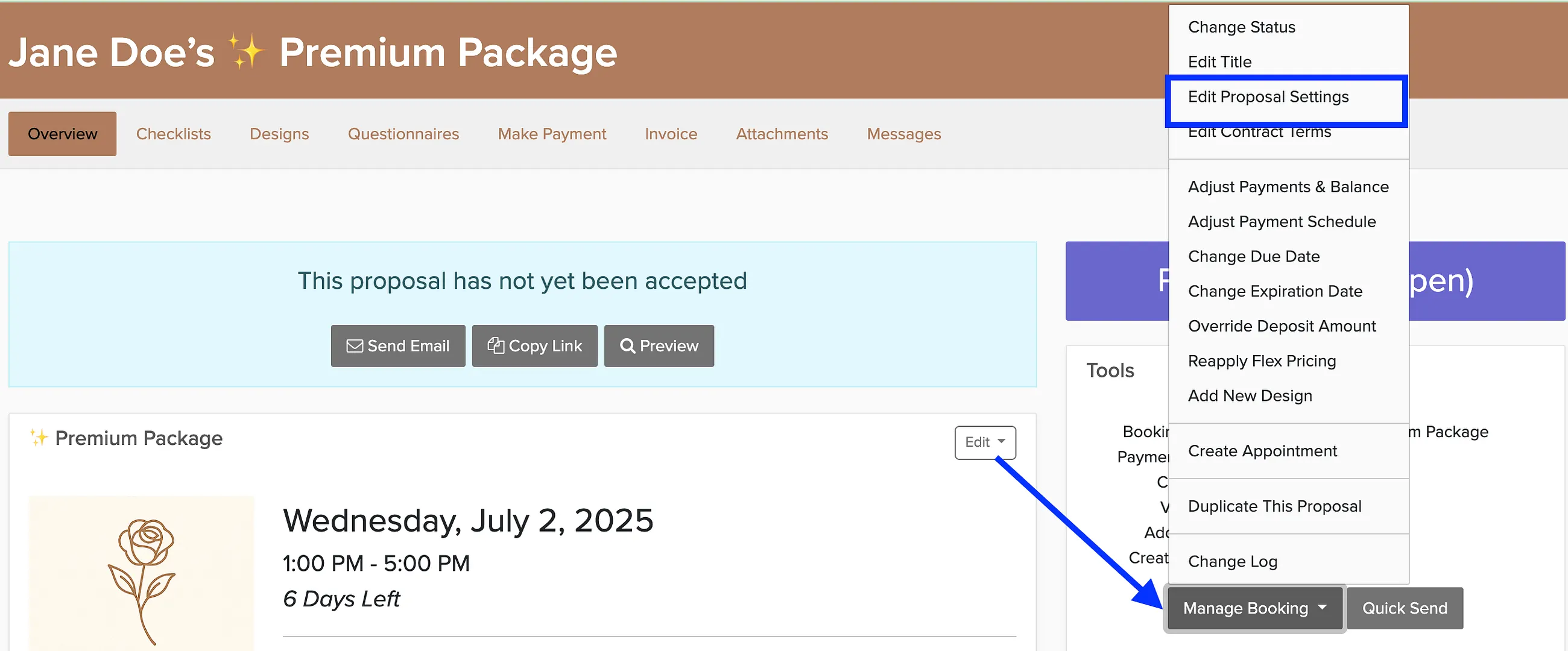
Open the proposal you want to edit.
Click Manage Booking.
Upload a new cover image in the image section.
Click Save.
Set a Default Image for All Proposals
Instead of changing images one by one, you can set a default proposal image that automatically appears on all proposals for a specific service. This is configured in your package settings.
See service settings for details on setting default proposal images.