A client picks their overlay design, you create the artwork, and they want changes. When they request a revision through their booking portal, Check Cherry sends you an email with their name, booking details, and revision notes so you can make the changes.
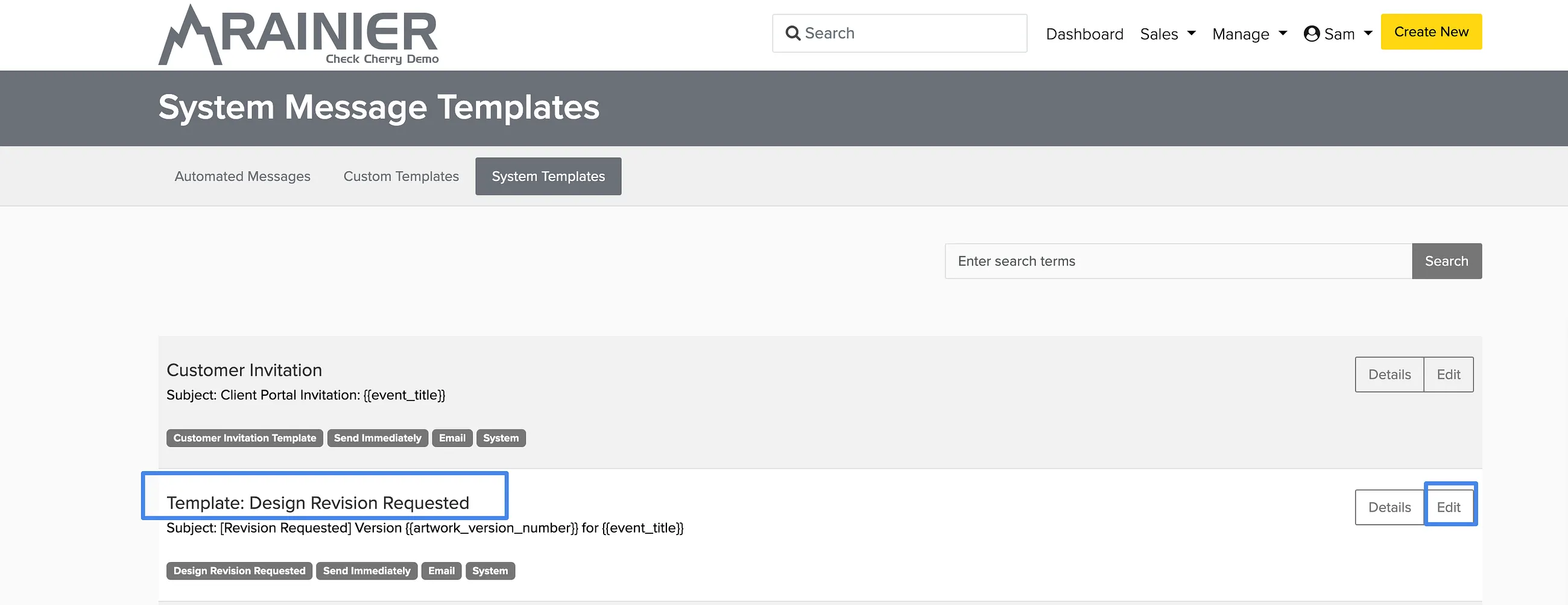
There is a system email template already set up in your account. You can customize it to include any additional information you want. The system will automatically generate emails from this template and send them to your business contact email.
The revision request email is part of the design approval workflow. For the full process, see design collections.
Editing the Template
Automated Messages → System Templates
Go to Automated Messages and click the System Templates tab.
Find the template called Design Revision Requested.
Edit the template as needed, then click Save.