Sometimes you need to return money to a client — a cancelled event, a service change, or a billing correction. Check Cherry handles refunds through your payment processor for credit card payments, while manual payments (cash, check) need to be refunded directly to the client.
Types of Refunds
- Credit card refunds — processed automatically through Check Cherry Payments back to the original card. Takes 5-10 business days to appear on the client's statement.
- Manual refunds — for cash, check, or other payments made outside Check Cherry. You handle returning the money directly and record the refund in Check Cherry for your records.
| Payment Type | Refund Method | Processing Time |
|---|---|---|
| Credit Card | Automatic via Check Cherry | 5-10 business days |
| Cash | Manual return + record in app | Immediate |
| Check | Manual return + record in app | Immediate |
Refunding Credit Card Payments
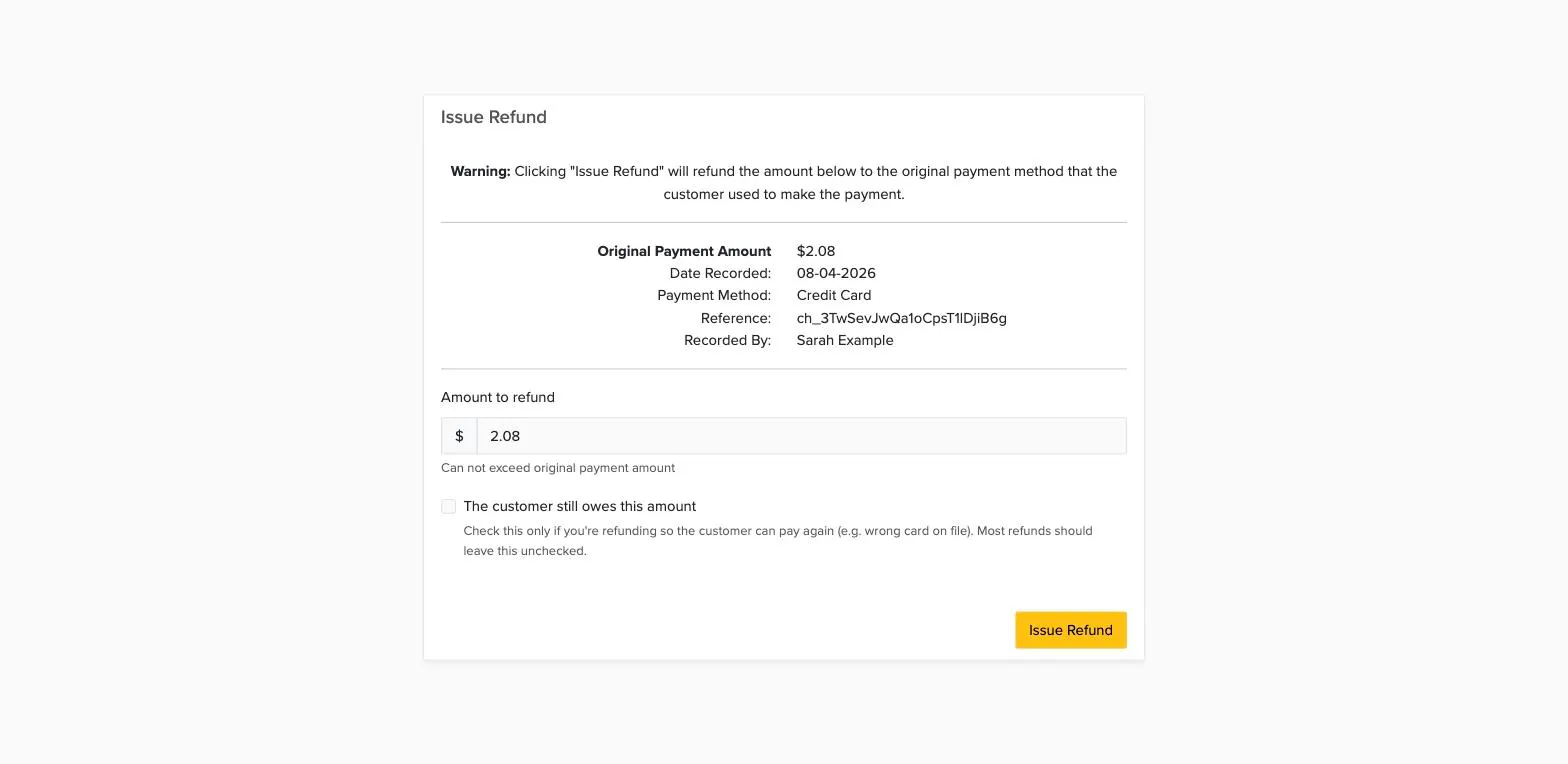
Credit card refunds can be full or partial and are processed back to the original payment method.
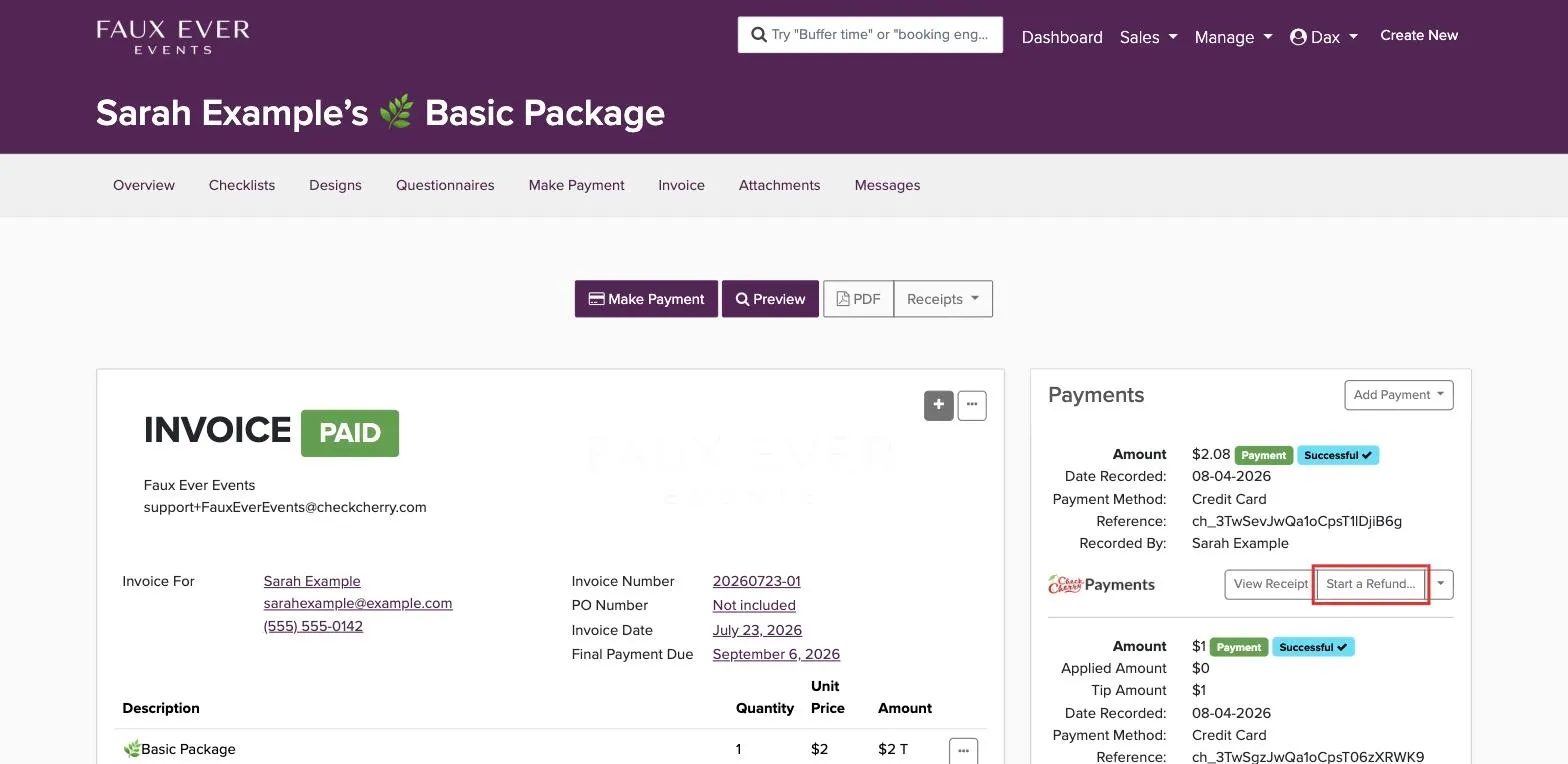
The refund goes back to the original card right away. Check Cherry also adds a credit note that lowers the booking total by the refund amount, so the customer doesn't show a balance due.
Refunding Manual Payments
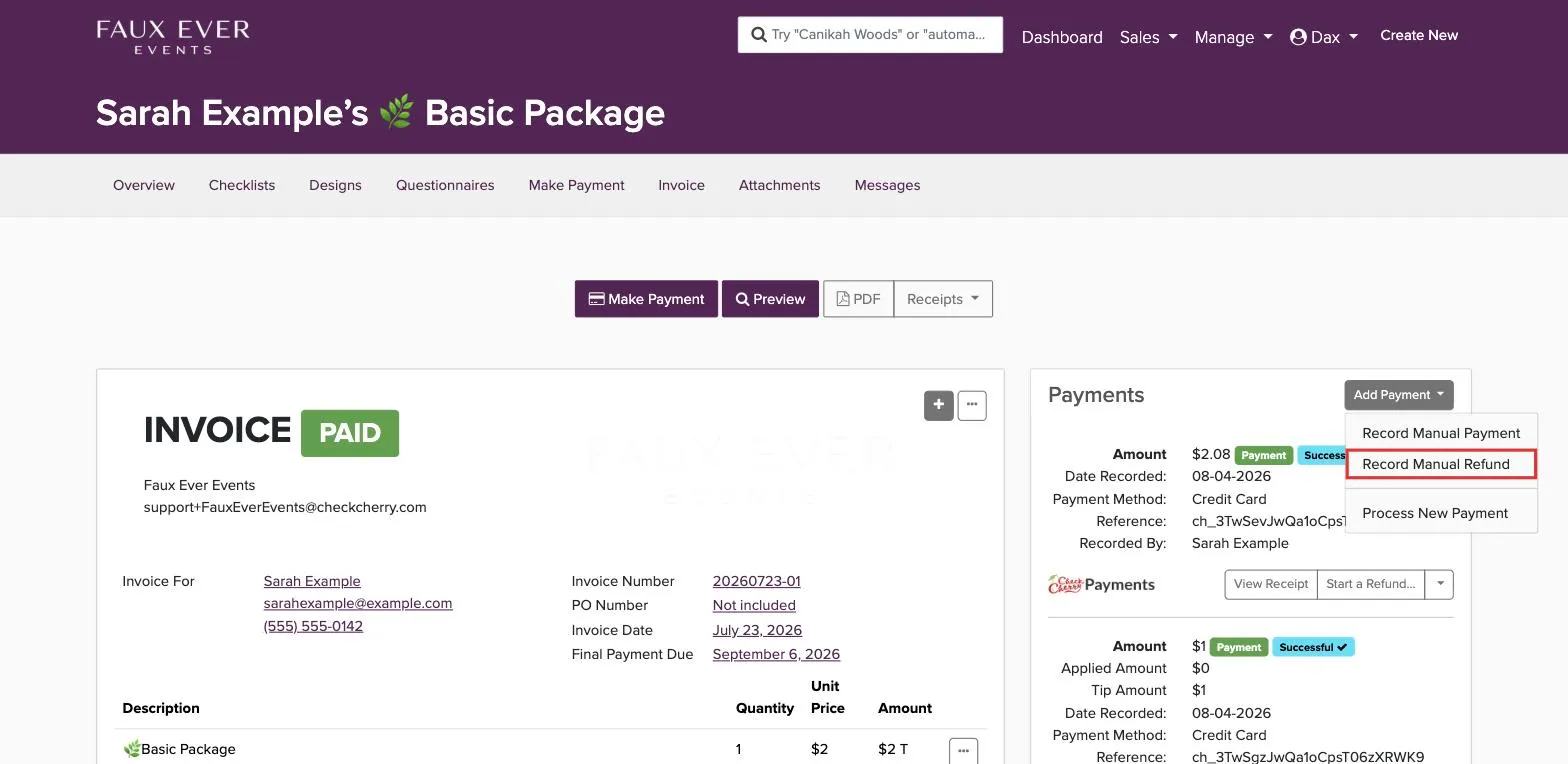
For cash, check, or other manual payments, you first return the money to the client directly, then record the refund in Check Cherry.
What If a Credit Card Refund Fails?
Once a credit card refund is processed, it cannot be cancelled. The money is already on its way to the client's bank. If the client's card is closed or expired, here's what typically happens:
- If the client still has a relationship with the bank (like a new card number), the bank usually forwards the refund to their new account.
- If the account is completely closed, the bank may accept the funds and mail a check to the client.
- If the bank rejects the refund, the money will eventually bounce back to your account (usually within a week).
If the refund bounces back, you'll need to return the money another way — typically by mailing a check. Don't process another refund until you confirm the original one failed.
If the refund doesn't bounce back, the client will need to contact their bank directly for help locating the funds.