When a client paid by cash, check, or another manual method and needs a refund, you'll handle the refund directly (hand them cash, write a check, etc.) and record it in Check Cherry to keep your books accurate.
Sales → Bookings → Select a booking → Invoice
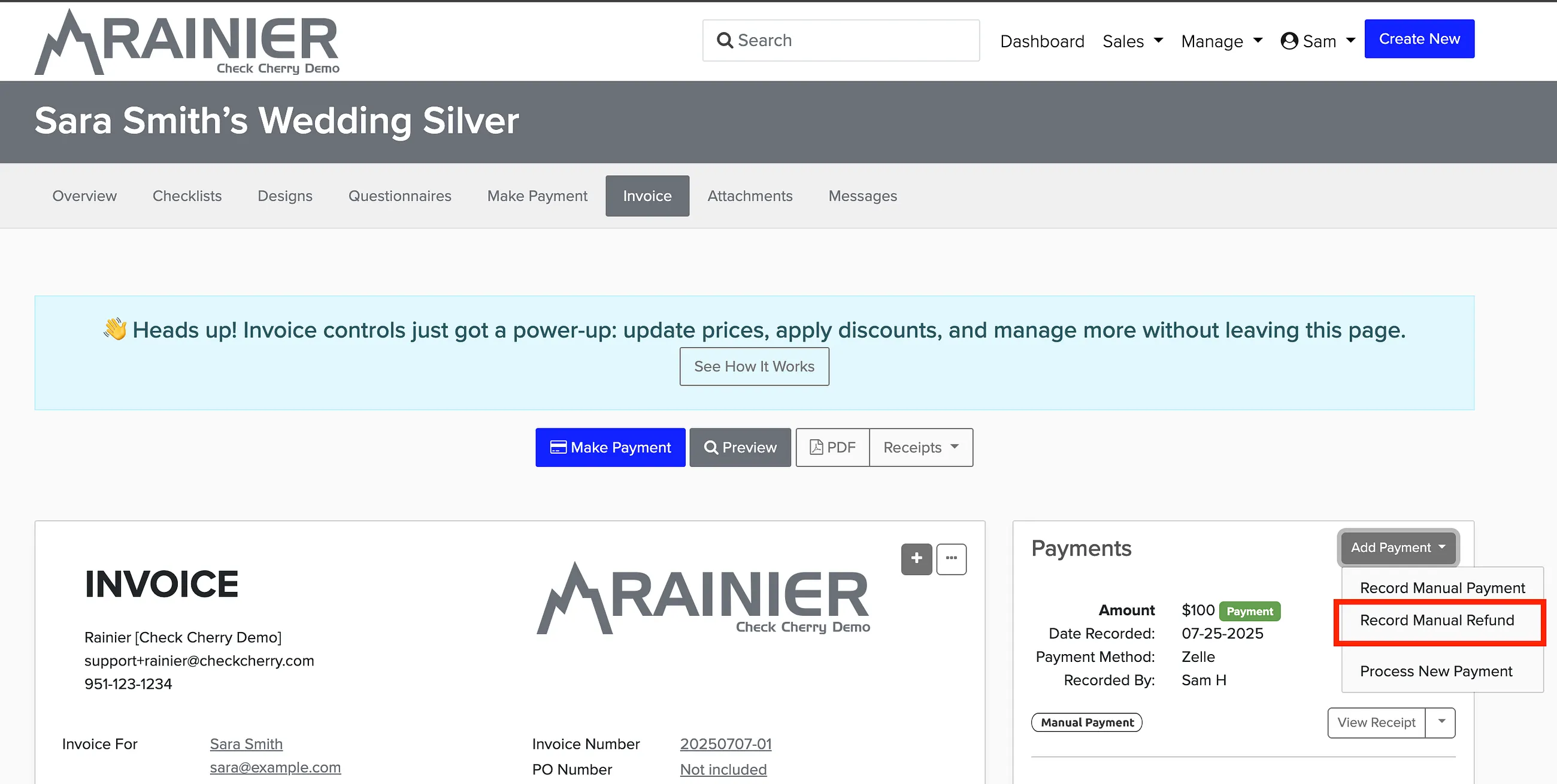
Go to the Invoice tab.
Click the down arrow next to the manual payment you want to refund.
Select Record Manual Refund.
Credit card payments processed through Check Cherry Payments can be refunded directly from the invoice — no need to handle the money yourself.