Auto-attached add-ons are items that come included with a package by default. Instead of the client choosing them manually, they're already part of the package when it's booked. This is useful for things that should always be included — like an audio guestbook with a photo booth package.
When to Use Auto-Attached Add-Ons
Use this when something is always part of a package but you want it to show as a separate line item on the invoice. For example:
- A piece of equipment item included in the base price - microphones included with a DJ package, for example.
- An audio guestbook that is always included with photobook packages.
If the item should be invisible to the client and just baked into the package price, you don't need an auto-attached add-on — just include the cost in the package price. Auto-attach is for when you want it visible as a line item.
How to Set It Up
Go to Packages and select the package you want to edit.
Open the Advanced tab.
In the Add-on section, click Include Add on and start typing the add-on name (or press Space to see all available add-ons).
Select the add-on, set the default quantity and decide whether or not it's included for free.
Click Save.
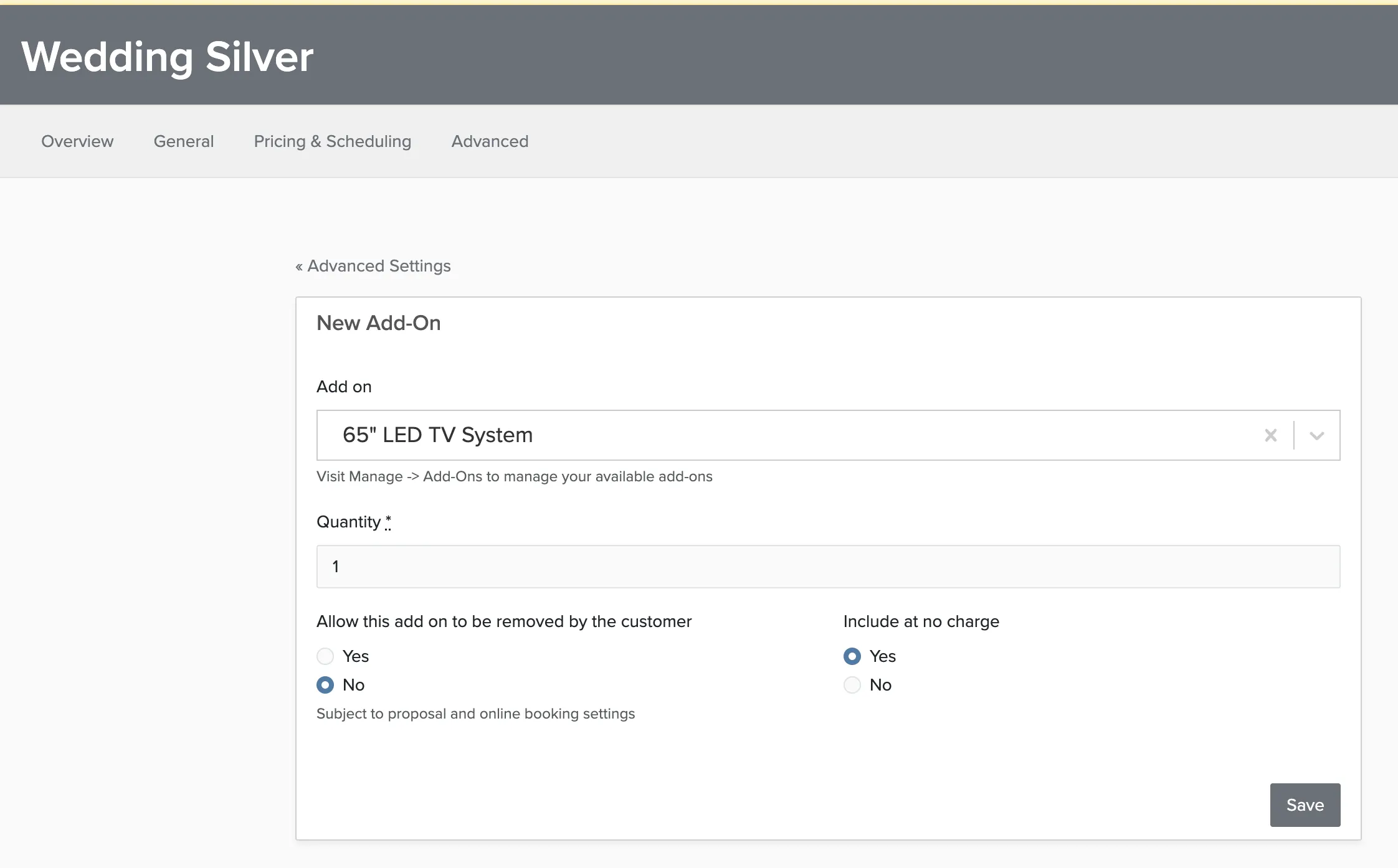
Clients can still remove auto-attached add-ons during booking unless you've disabled that option. To prevent removal, just set the 'Allow this add on to be removed by the customer' to No.