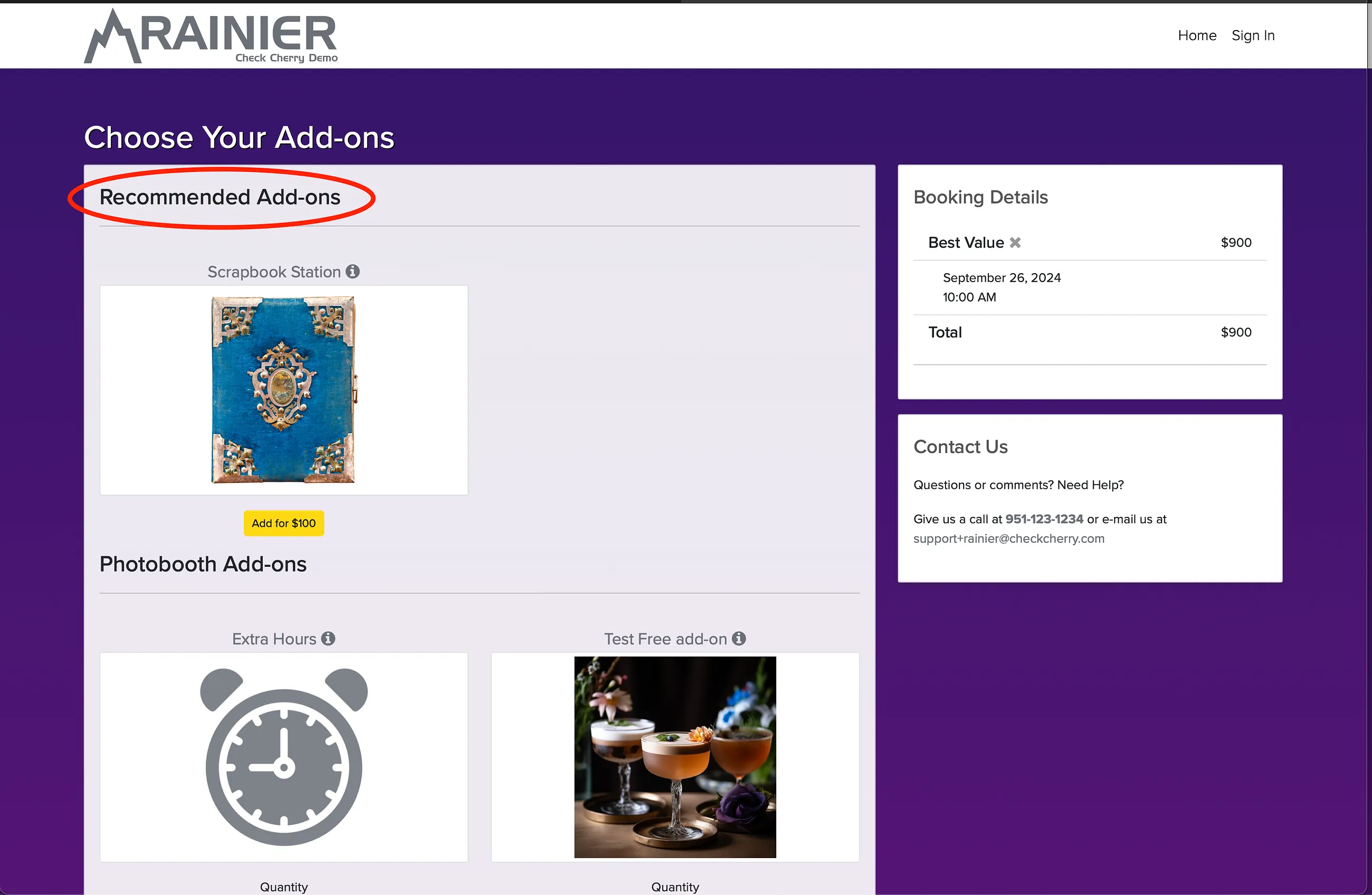
Some add-ons are perfect companions to certain packages. Recommending them puts them front and center during booking so clients are more likely to see them.
Setting Up Recommendations
Manage → Add-ons
Go to Add-ons.
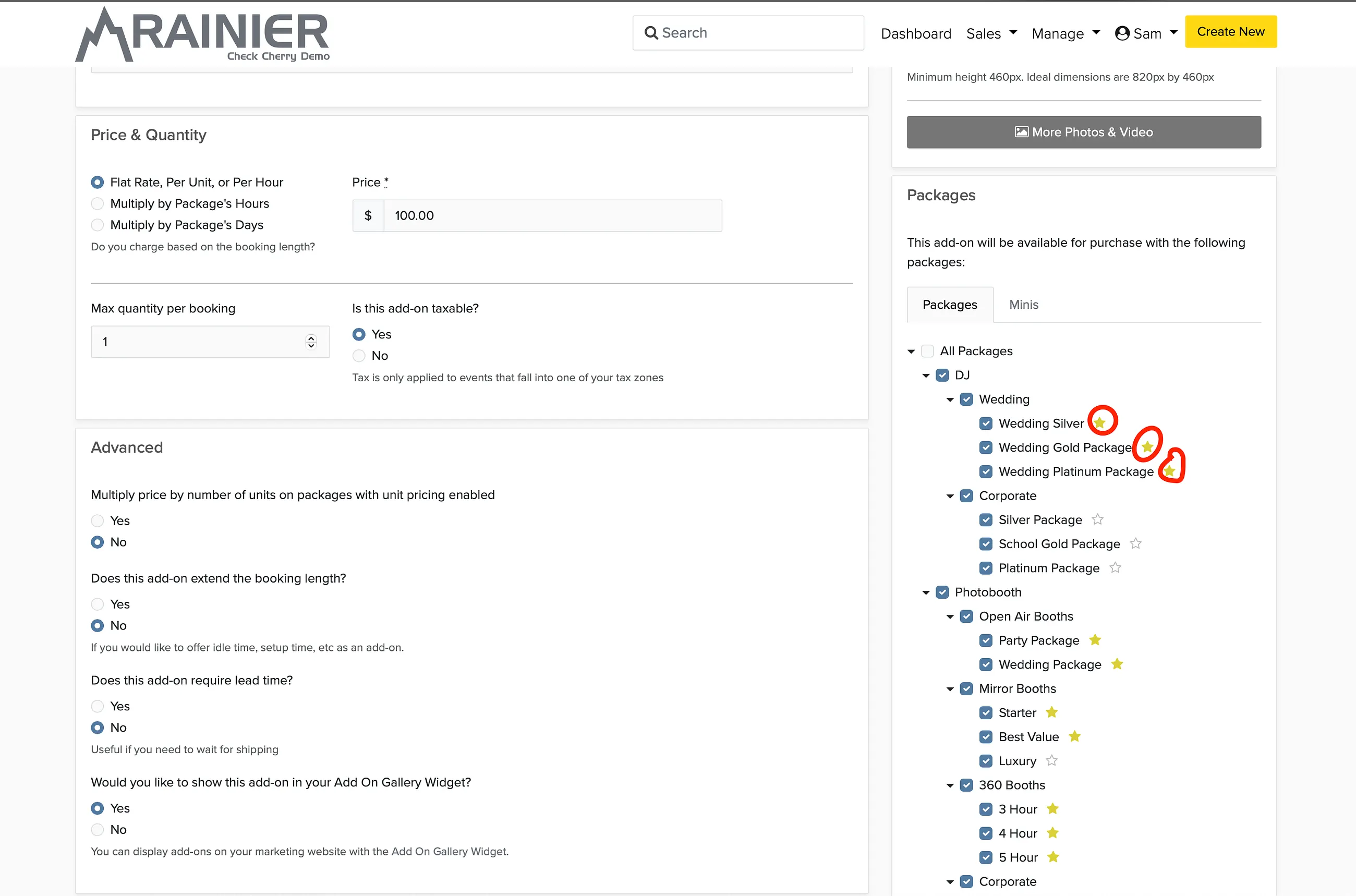
Select the add-on you want to recommend.
Click the star icon next to each package where this add-on should be recommended.
Save.
What Clients See
Recommended add-ons appear in a separate "Recommended" section during booking, before the full add-on list.