When an email can't be delivered, you'll see a bounce status with a reason explaining why. This guide covers what each bounce error means and what you can do about it.
Hard vs Soft Bounces
- Hard bounce: A permanent failure. The address doesn't exist or the domain is invalid. These emails will never be delivered.
- Soft bounce: A temporary issue like a full mailbox or a server timeout. These often resolve on their own.
Checking Bounce Status
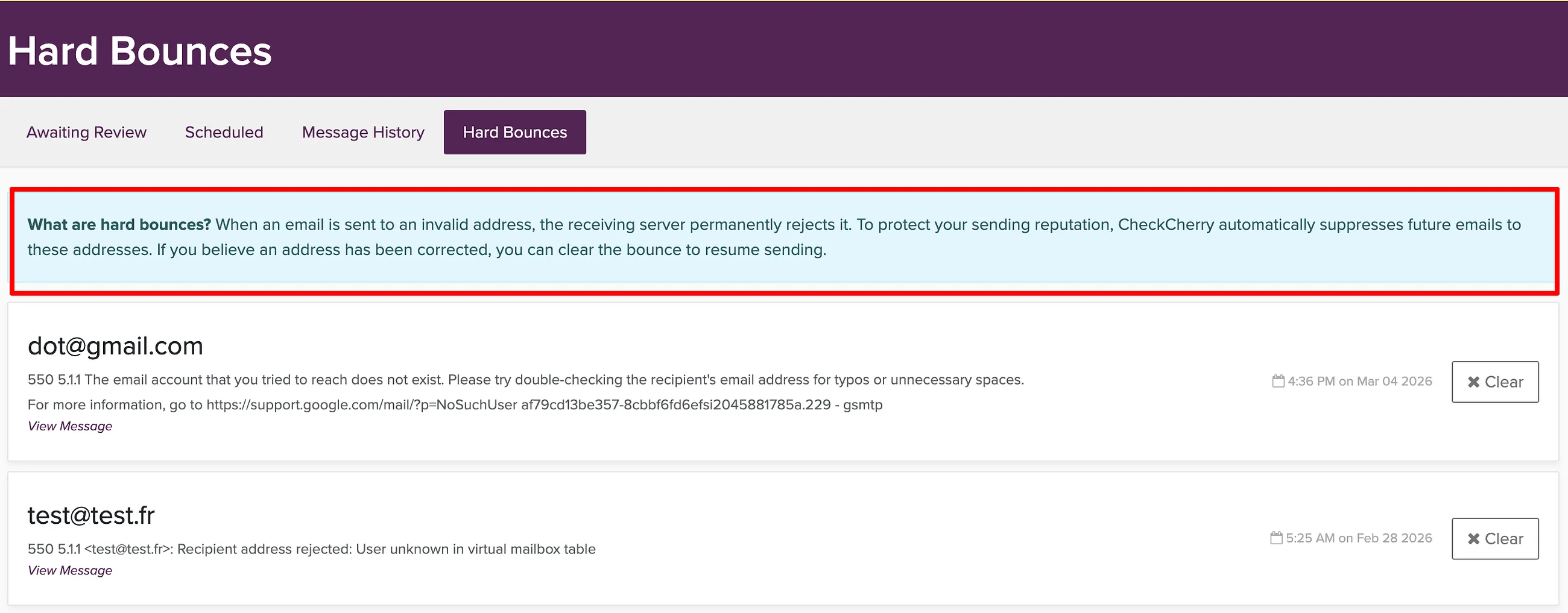
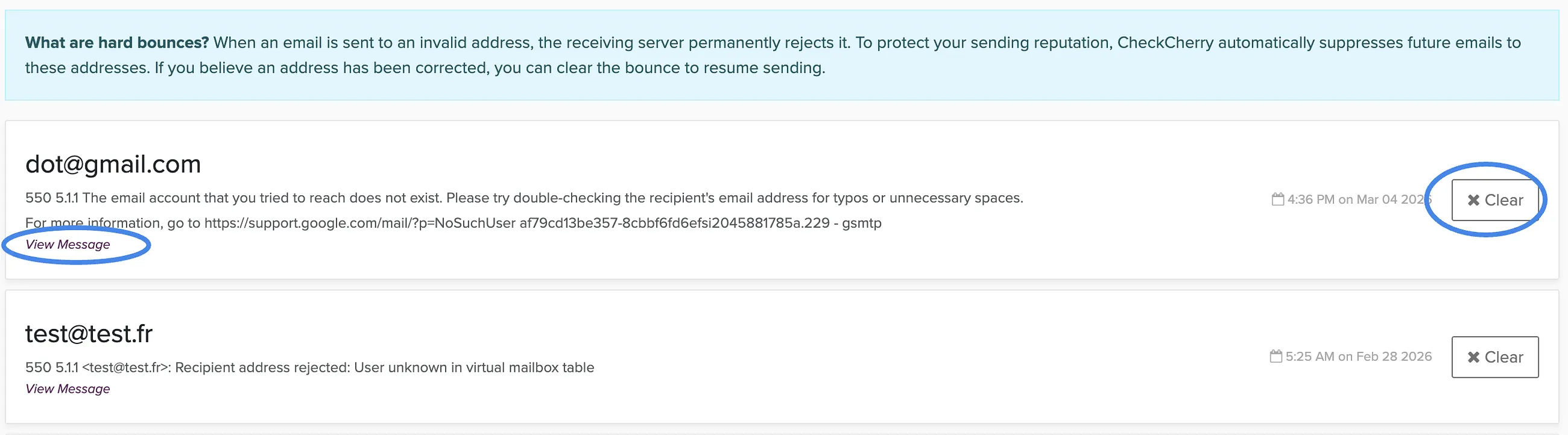
Common Bounce Errors
550 Permanent Failure for One or More Recipients
Error codes: 550 permanent failure for one or more recipients
This is a generic error that means the recipient's email server permanently rejected the message. The specific reason varies, but it's telling you the email won't be delivered and shouldn't be retried.
- Check the email address for typos — this is the most common cause
- Ask the client to confirm their current email address
- Try an alternate email if you have one
- If the address looks correct, their email provider may be blocking messages from Check Cherry. They can contact their IT department to find out why the block is happening
Invalid Email Address / User Not Found
Error codes: 550 5.1.1 User Unknown, 550 Requested action not taken: mailbox unavailable
The email address doesn't exist on the recipient's mail server. Usually a typo, a deleted account, or an old address that's no longer active.
- Double-check the email address for typos
- Ask the client for their current email
- Check if their company changed email domains
Mailbox Full
Error codes: 552 5.2.2 mailbox is full, 452 insufficient storage
The recipient's inbox is at capacity and can't accept new messages.
- Wait a day or two and try again
- Contact the client by phone to let them know
- Try an alternate email address if you have one
Domain or DNS Issues
Error codes: Unable to get MX info, Failed to get IPs from PTR record, BOGON address
The recipient's email domain isn't properly configured to receive email. The domain may have expired, or their DNS records are misconfigured.
- Check the domain for typos (the part after the @ symbol)
- Ask the client if their domain or email provider changed recently
- Try an alternate email address
Policy or Security Rejection
Error codes: 550 5.7.1 Command rejected, Message blocked, Sender verification failed
The recipient's email server is blocking the message based on their security settings. Common with corporate, school, and government email systems.
- Ask the client to add your sending address to their contacts or whitelist
- Send them the proposal link directly from your personal email instead
- Chat with us if you're seeing this across multiple clients
DMARC / SPF Rejection
Error codes: 550 5.7.23 SPF violation, DMARC policy rejection
This usually happens when the recipient has email forwarding set up. Their old address forwards to a new one, but the forwarding server doesn't properly authenticate the forwarded message.
- Ask the client for their direct email address instead of a forwarded alias
- This is a problem on the recipient's end, not something you can fix
Connection Timeout
Error codes: i/o timeout, connection timed out
Our server couldn't connect to the recipient's email server. This is almost always temporary.
- Wait and try again later. This usually resolves on its own.
- If it persists, the recipient's mail server may be down. Try an alternate address.
FAQ
Will bounced emails be retried automatically?
Soft bounces (mailbox full, timeouts) may be retried automatically. Hard bounces (invalid addresses) will not, and the address is suppressed from future sends.
How can I prevent bounces?
Confirm email addresses with your clients when they book. Ask them to double-check spelling. Most bounces come from typos or outdated addresses.
A client says they didn't get my email but there's no bounce. What happened?
The email was likely delivered but filtered to another folder like Promotions, Spam, or Junk. Ask the client to check those folders and add your sending address to their contacts.