Email tracking isn't perfect. If an email shows as "opened" when you know your client hasn't read it, you're seeing one of the quirks of how tracking works behind the scenes.
How Open Tracking Works
Open tracking uses a tiny invisible image (called a tracking pixel) embedded in each email. When someone's email app downloads this image, it registers as an "open." Here's the process:
An invisible tracking pixel is included in your email
When someone opens the email, their email app downloads this pixel
The download tells Check Cherry that the email was opened
Why Opens Can Be Inaccurate
- Auto-preview by email apps: Gmail, Apple Mail, and Outlook often automatically load email previews and their images — including tracking pixels — which registers as an open even if the person never actually read it
- Security filters: Spam filters and antivirus software scan incoming emails and load tracking pixels as part of their security checks
- Apple Mail Privacy Protection: Apple pre-loads tracking pixels for all emails to protect user privacy, making open rates appear higher than actual
- Sending a copy to yourself: If you have emails set to copy you (like payment reminders), your own email app might trigger the "opened" status automatically
Check Cherry marks an email Auto Opened when a machine opened it instead of a person, like an email security scanner or Apple Mail Privacy Protection. If your client opens it later, the status changes to Opened. Apple Mail users may stay at Auto Opened even after reading, because Apple loads the email once in advance.
How Click Tracking Works
Click tracking is generally more reliable than open tracking because it requires deliberate action. Here's how it works:
Links in your email are modified to route through Check Cherry's system first
When someone clicks a link, they briefly go through Check Cherry's tracking system
The click is recorded
The person is redirected to the original destination
Corporate security programs like Microsoft Defender click every link in an email to check it before delivery. Check Cherry recognizes these scanner clicks and shows them as Auto Opened instead of Clicked. They also don't count as proposal views, so you only get a "proposal viewed" alert when a person opens it.
Disabling Email Tracking
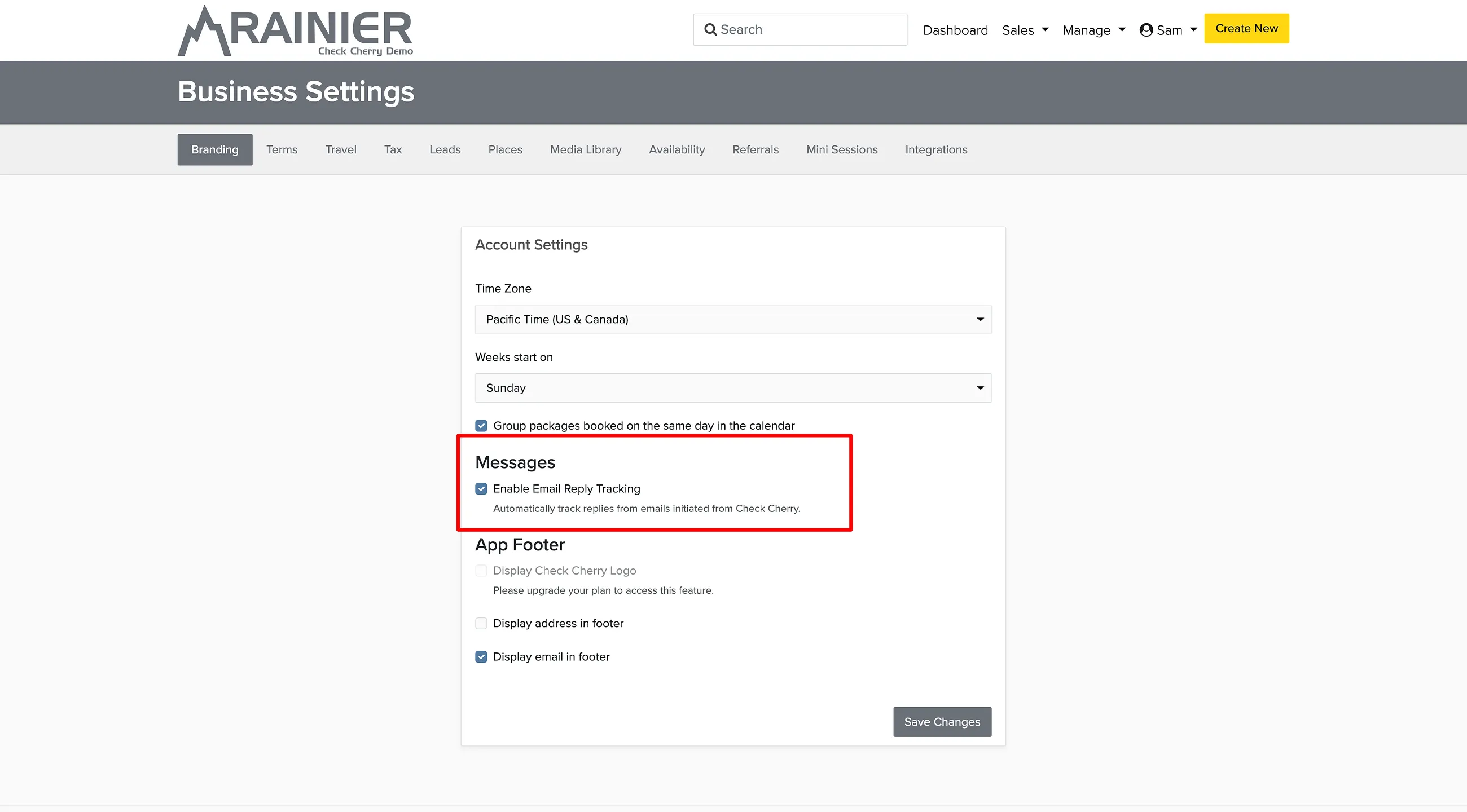
Email tracking is enabled by default in your Check Cherry account. While we recommend keeping it enabled for insights into client engagement, you can disable it if needed.
Manage → Business Settings
Click Edit Settings
Find the email tracking options and adjust as needed