The event is over and the client is still excited. That's the perfect moment to ask for a review. Set up an automated email that does it for you.
Manage → Automated Messages
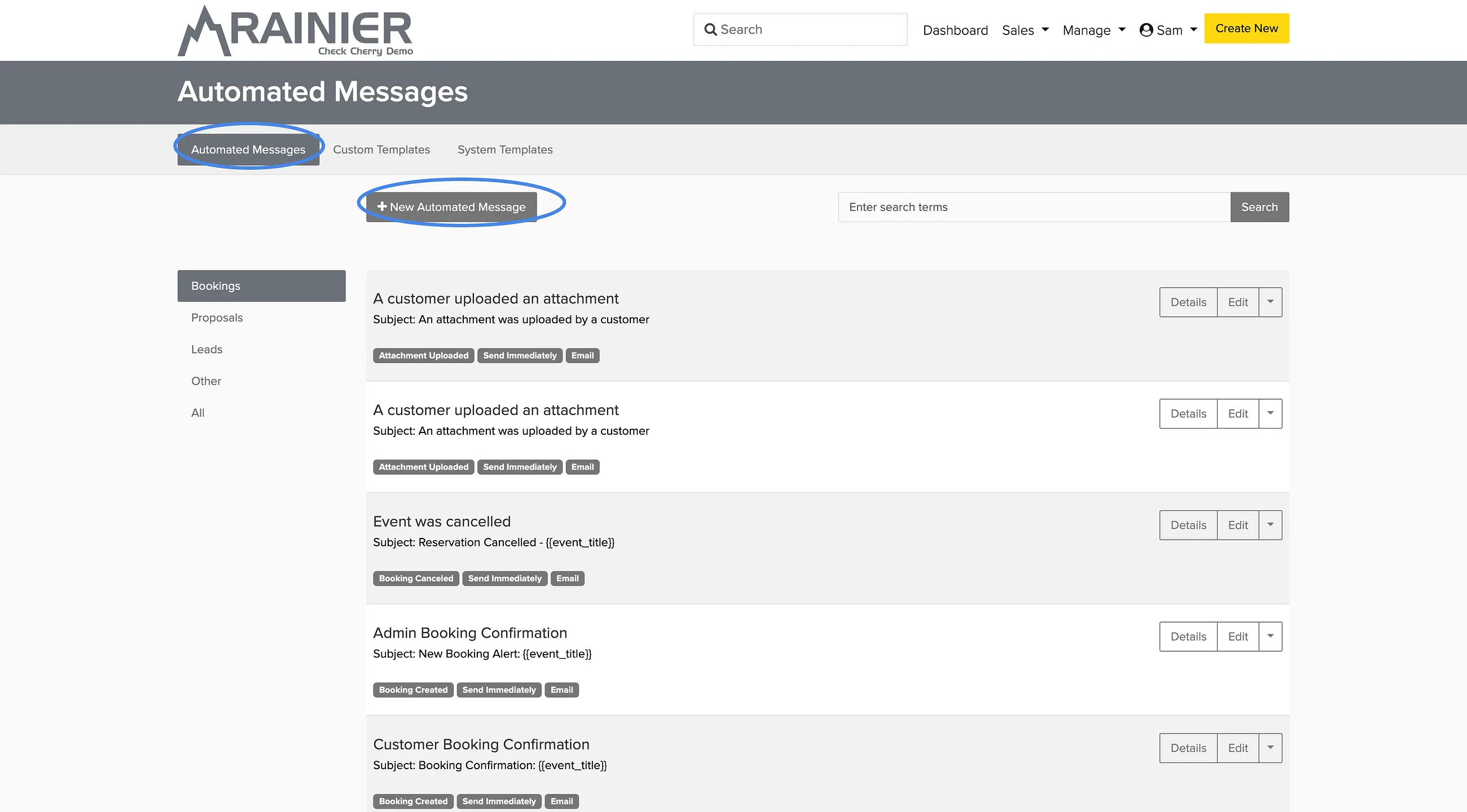
Go to Automated Messages.
Click New Automated Message.
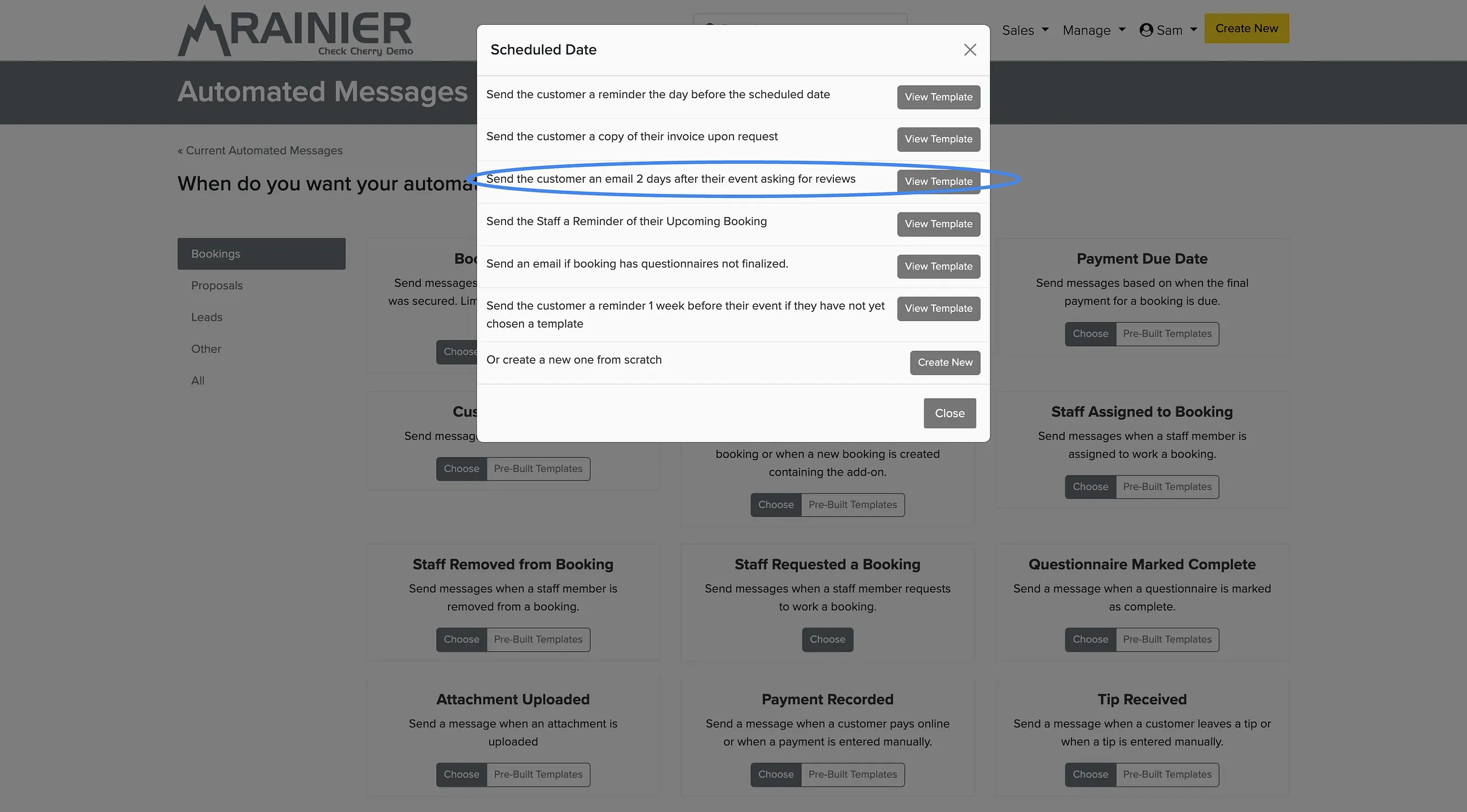
Select the Pre-built templates button under "Scheduled Date".
Choose the template with subject line "Send the customer an email 2 days after their event asking for reviews".
When you click View Template, you can customize the message, apply it to specific packages and brands, and choose whether to send the messages automatically or send them to a review queue first.
Include a direct link to your Google Business Profile or review site so clients can leave a review with one click.