If you play the same bar every Tuesday or host trivia every Thursday, you don't need to enter each night by hand. Make the first booking recurring and Check Cherry adds the upcoming dates for you.
Recurring bookings are for the same client on a set schedule. To block off your own time, like a monthly staff meeting, use blockout dates. For a client who books again next year, duplicate the booking.
Make a booking recurring
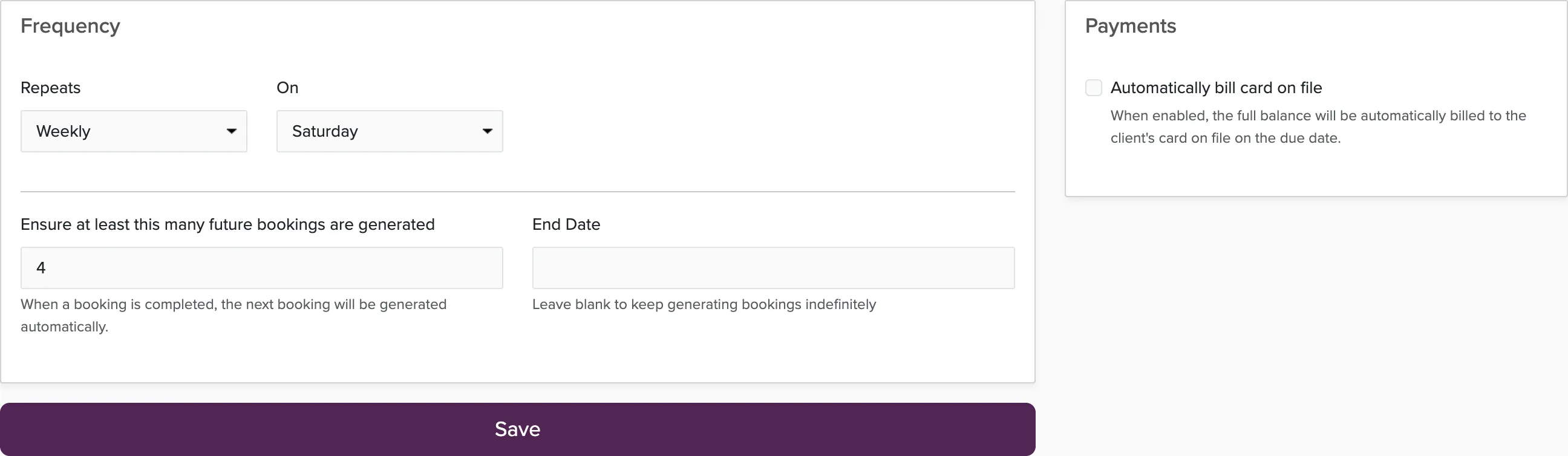
Proposals and bookings that span more than one date can't be made recurring.
When the bookings show up
New bookings are added each morning. If you just set up a series and want the dates now, open it and click Generate Now.
Each date is a normal booking with its own invoice, due date, and payments. It gets the same client, packages, staff, notes, and contract terms as the series, syncs to your calendar, and sends your New Booking automated messages to the client.
Changing the series
Every series has a template booking, numbered REC-001, REC-002, and so on. New dates are copied from it. It isn't a real date, so it never takes payment and stays out of your reports.
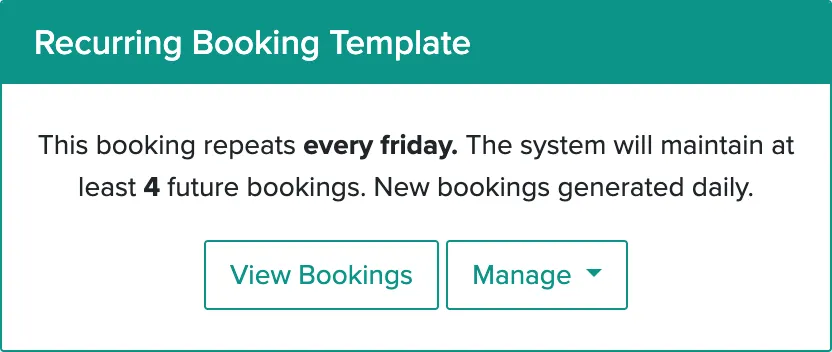
To change the package, price, staff, or terms going forward, edit the template. Dates that are already on your calendar keep what they had, so update those individually if you need to.
Answers to booking questions get copied too. If the template has something that only applies to one night, like a PO number, clear it out.
Charging the client automatically
Turn on Automatically bill card on file and each booking's balance is charged to the client's saved card on its due date. The client needs a card saved first. Payment plans covers how cards get saved.
Managing a series
All your series are on the Recurring Bookings tab. Open one to see its dates, change the schedule, or turn auto-pay on or off.

Pause stops new dates from being added and leaves the ones you have. Delete ends the series and asks whether to remove its upcoming bookings too. If you lower the number of upcoming bookings, use Remove Excess Bookings to clear the extras.
Skipping a night
Cancel that booking rather than deleting it. A deleted booking can get added back the next morning, and a canceled one won't. Uncheck Send automated messages on the cancel screen if you don't want the client to get a cancellation email.
Common questions
Do recurring bookings count toward my booking limit?
Yes, each date counts. The template doesn't.
Can I repeat every other week, or on more than one day a week?
Not right now. If you work Tuesdays and Fridays at the same place, set up a series for each day.