Extra questions let you collect more than the basics during online booking or on lead forms: how they heard about you, guest count, event theme, or anything else you need before the job. Instead of emailing back and forth, you get the answers up front.
Adding Extra Questions
Built-in Questions
Check Cherry includes common questions you can turn on with one click:
- Customer Address
- Business Name
- Event Type
- Estimated Guest Count
- Lead Source (How did you hear about us?)
- Setup At (Date & Time)
- Dropoff At (Date & Time)
- Stair Setup
- PO Number
- Setup Location
- Pickup Location
- Contact Preferences
- Estimated Budget
Custom questions let you write your own prompt and pick the input type: text field, dropdown, radio buttons, checkbox group, or address.
Adding Questions to a Lead Form
Open your lead form in the form designer, click Add to form, and pick the question under Custom fields. Drag it where you want it and set whether it's required. See creating lead forms for more.
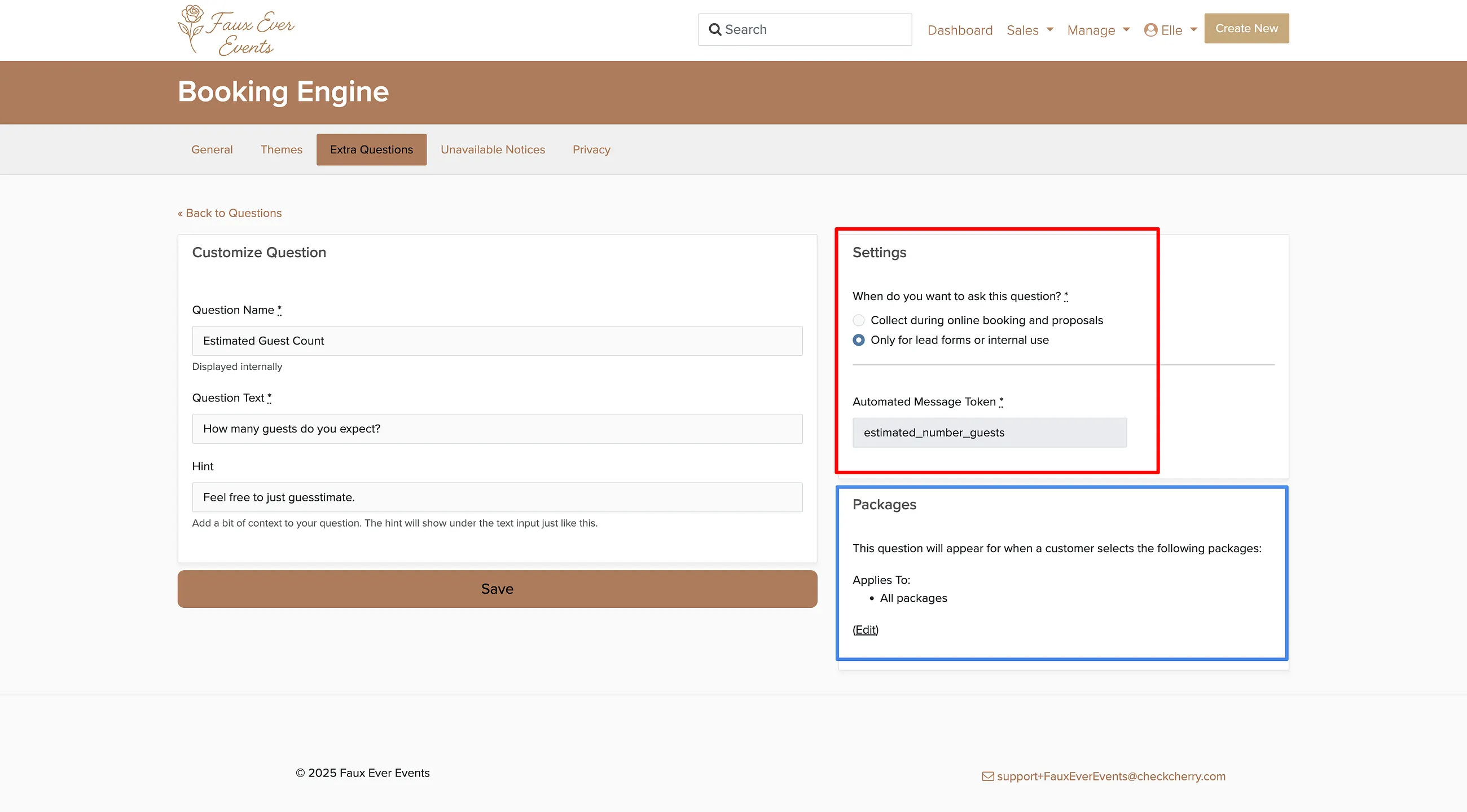
Questions set to Only for lead forms or internal use never appear during online booking or on proposals. Use this for questions that only make sense before someone books.
What Clients See During Online Booking
Extra questions appear as their own step after the client picks their package and options. Required questions must be answered before they can continue. Optional questions can be skipped.
Using Answers in Messages
Each custom question creates an automated message token. If you ask "What's your event theme?", you get a [whats_your_event_theme] token to use in emails and text messages.
Use tokens to personalize follow-ups, such as "We'll see you on [event_date] for your [event_theme] celebration!"
Where to Find the Answers
Open the booking and look for the Additional Info section at the bottom of the Overview page. Answers from lead forms appear on the lead the same way.
