Someone tries to book your services for an event tomorrow, but you need at least a week to prepare properly. Lead time settings prevent these last-minute bookings automatically, so you only get inquiries you can realistically handle.
Setting Minimum Lead Time
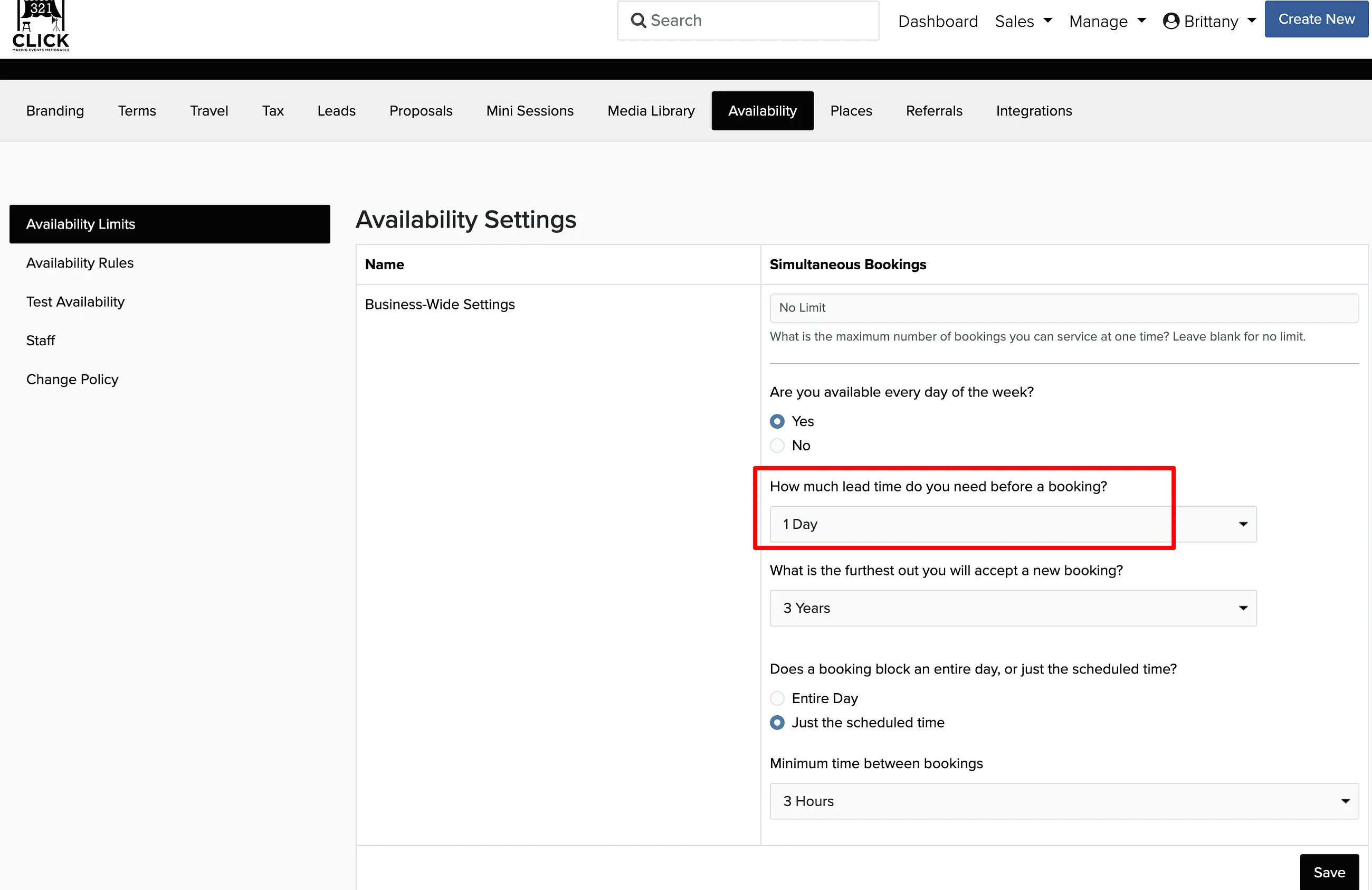
Manage → Business Settings → Availability
Find How much lead time do you need before a booking?
Enter the minimum time needed, from 3 hours to 1 month.
Click Save.
If you set lead time to 1 week, clients cannot book events with dates less than 1 week away. Most event professionals use 3-7 days depending on their prep requirements.
Maximum Booking Window
You can also limit how far into the future you accept bookings. This is useful if you don't want to commit to events more than a year or two out.
Find What is the furthest out you will accept a new booking?
Set your maximum booking window, from no limit to 3 years.
Click Save.
Most businesses either set no limit or cap bookings at 2-3 years. Wedding photographers often use longer windows, while corporate event services might prefer shorter ones.