You'll often need to follow up with clients about details, send reminders, or answer questions. Instead of switching to your email app or copying contact info, you can send messages directly from any booking in Check Cherry.
You have two options: write a message from scratch or use Quick Send to choose from your pre-written templates with one click.
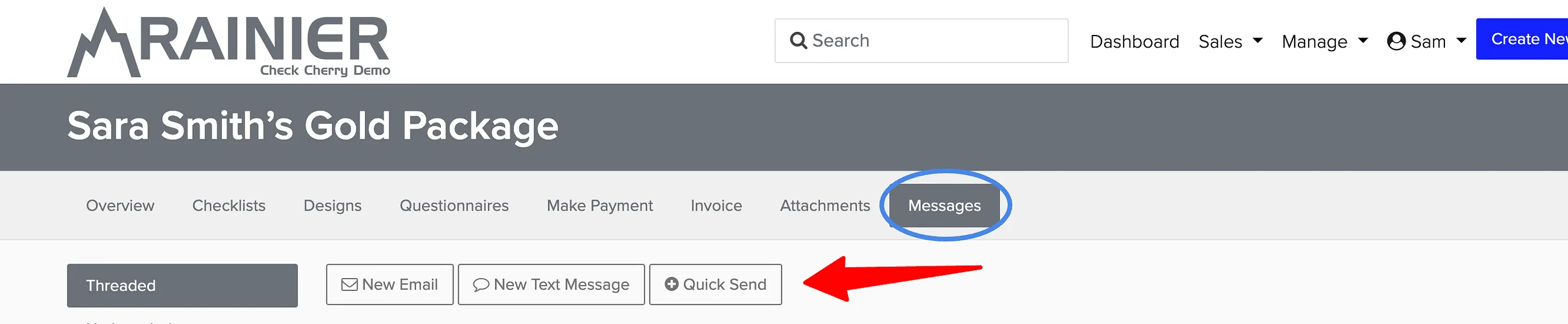
Sending a Custom Message
For one-off messages specific to this booking, click New Email or New Text Message (Requires a Twilio or Quo integration) to write from scratch. This opens a composer where you can write your message and send it directly.
Using Quick Send for Templates
Quick Send is faster when you have common messages you send regularly — like timeline requests, setup questions, or thank you notes. Click Quick Send on any booking to see your available templates.
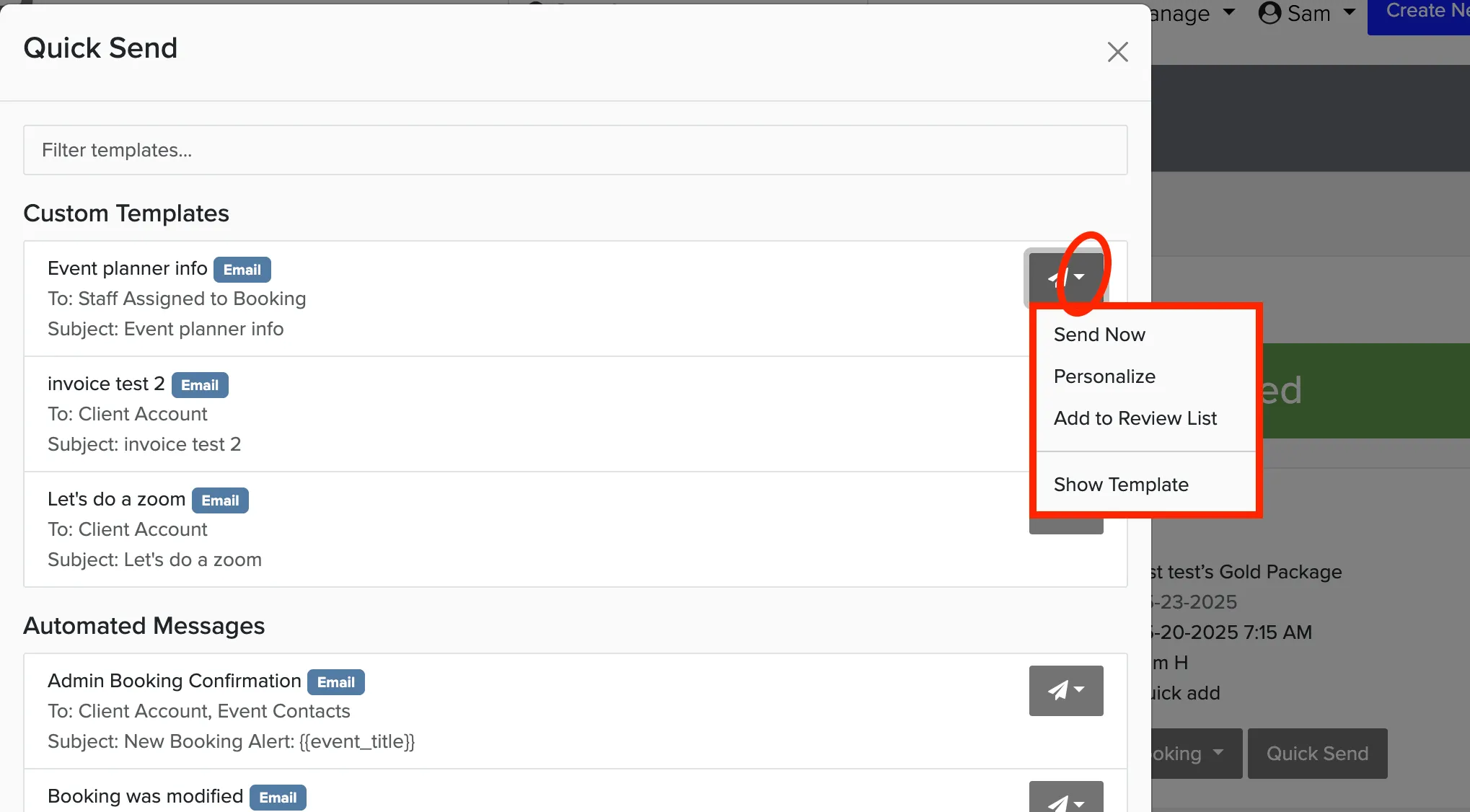
Templates are organized into three categories:
- Custom Templates — Templates you created specifically for manual sending
- System Templates — Built-in templates from Check Cherry
- Automated Messages — Templates that are also used for automated sends (only appear if active)