Messages set to "review before sending" appear in a queue where you can approve, edit, or delete them before they go out.
Turn on review for a message
Review is set per message on your automated messages, so you can require review on the ones that matter and let the rest send automatically.
Go to Manage → Automated Messages.
Open the message you want to review before it sends.
In the Review Messages panel, set Would you like to review these messages before they are sent? to Yes.
Save the message.
Now any time that message is triggered, it lands in the review queue instead of sending right away.
This option is available on your own automated messages. Built-in system messages always send without review.
Finding the Review Queue
Sales → Messages
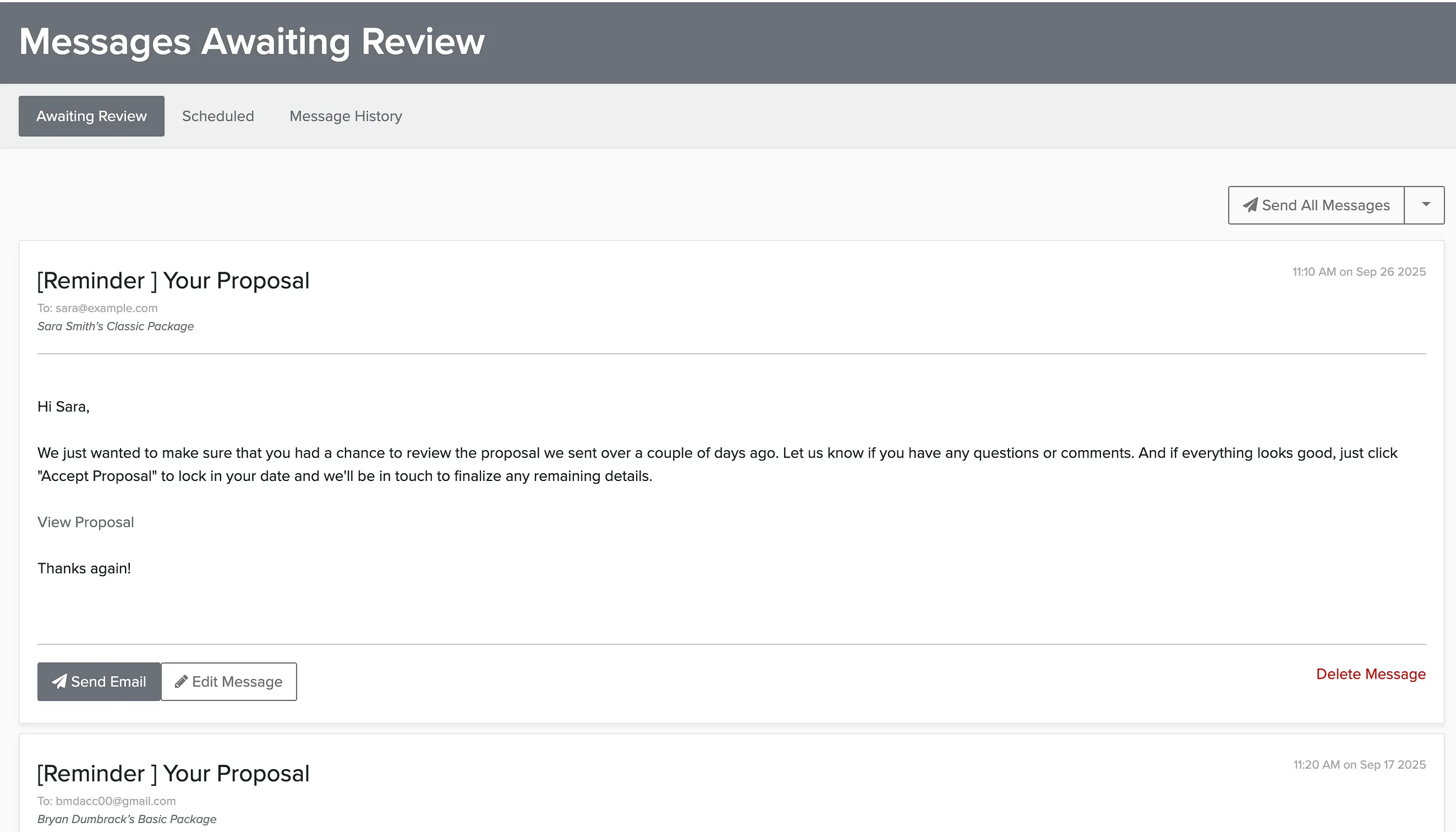
The first tab shows messages awaiting review. From here you can:
- Send the message
- Edit the message and add attachments
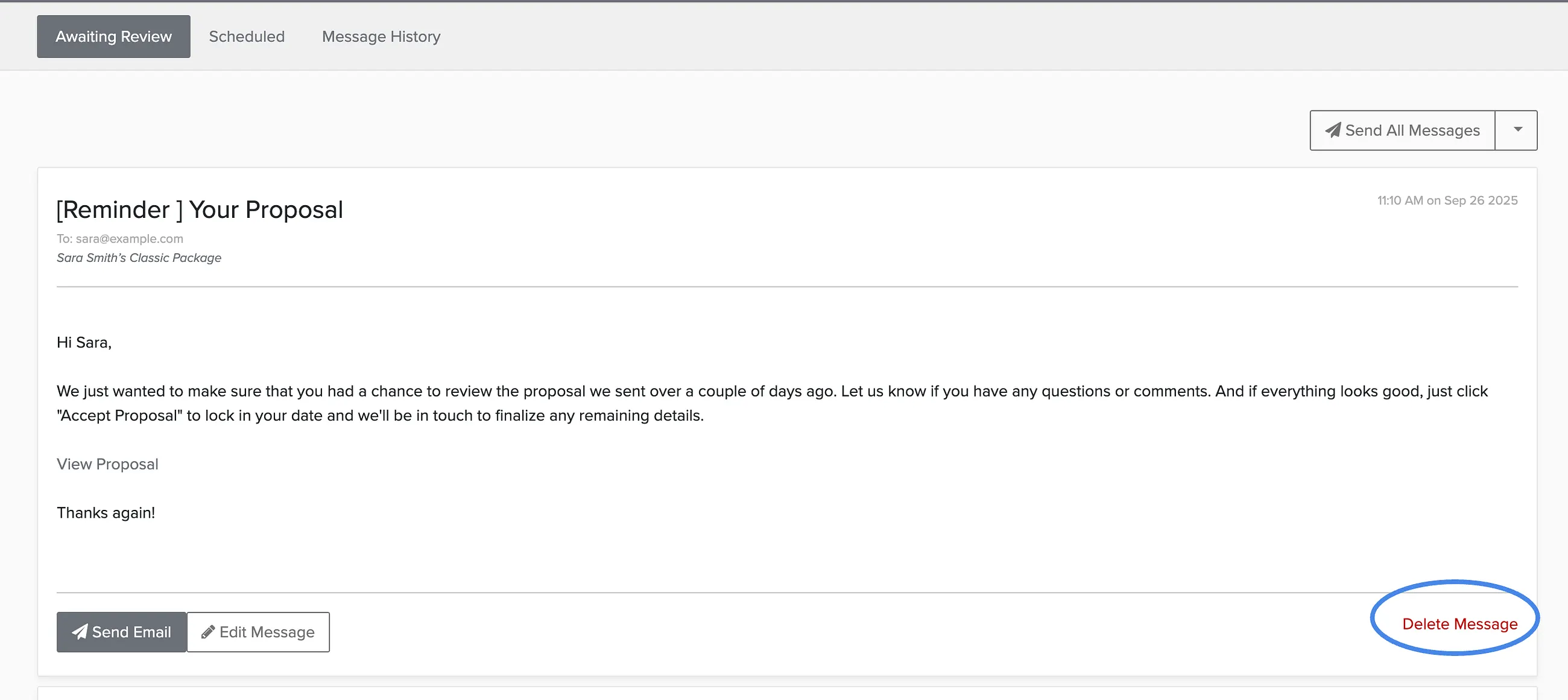
- Delete the message
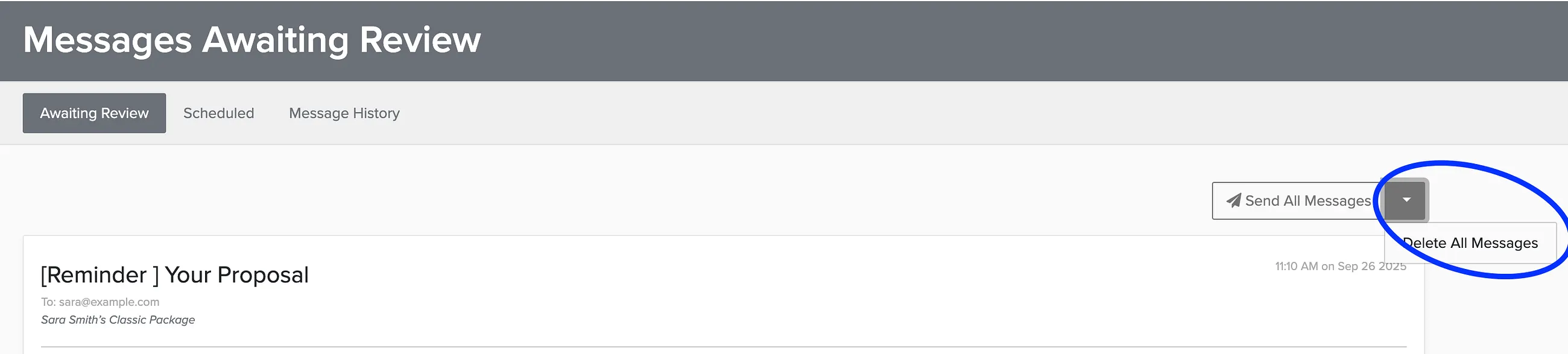
- Send or delete all messages at once
Deleting Individual Messages
To remove a single message from the queue:
Bulk Actions
Use the buttons at the top to send or delete all queued messages at once:
If you regularly need to edit messages before sending, consider updating your message templates to reduce the need for manual review.