An automated thank-you email is about to go out, but you want to personalize it first. Setting messages to review mode lets you check and edit each one before the client sees it.
Enabling Review
Manage → Automated Messages
Select the email template you want to edit.
Click the menu button to the right of the message and select Edit.
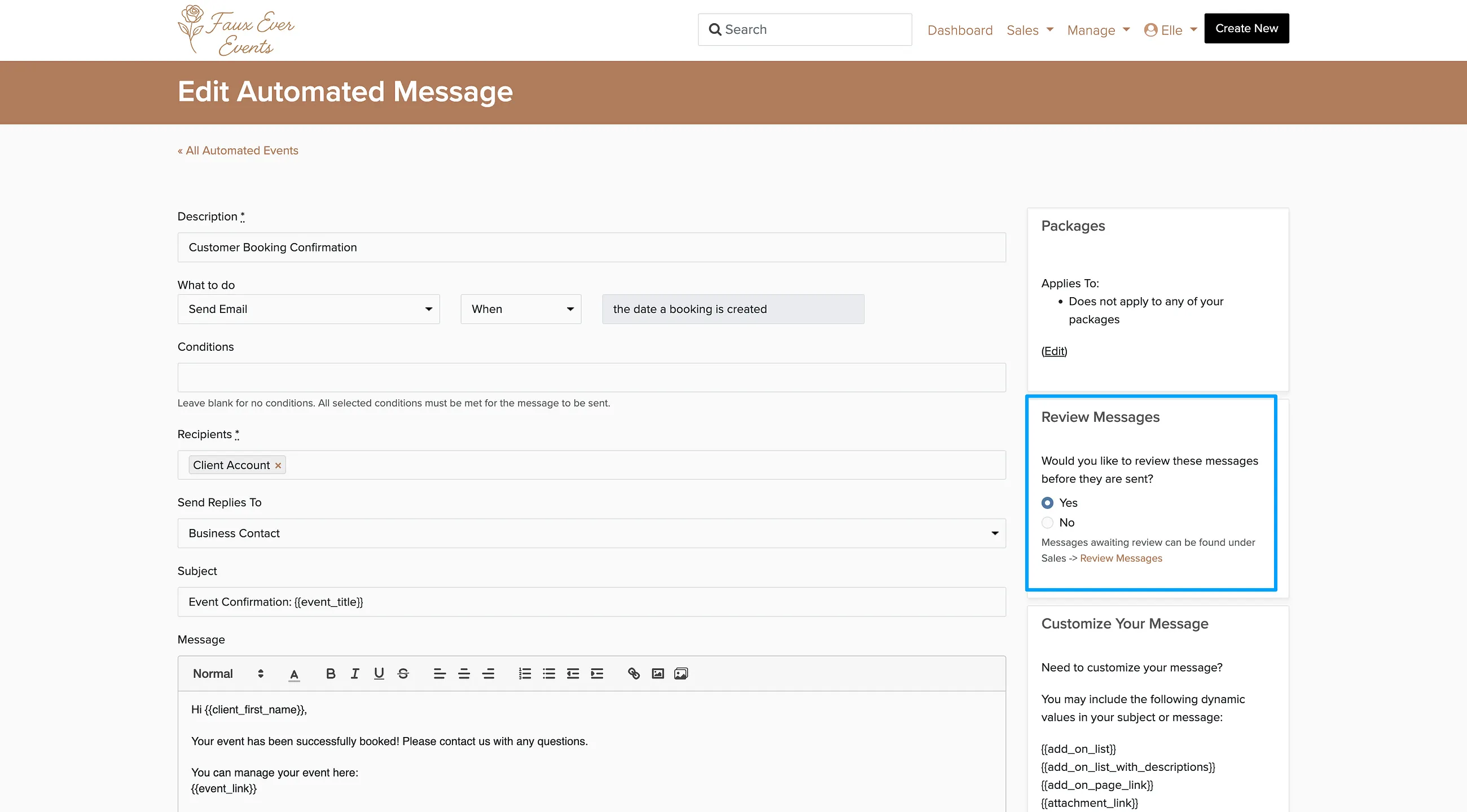
In the right sidebar, click Yes under Review Messages.
Click Save on the email.
Reviewing Queued Messages
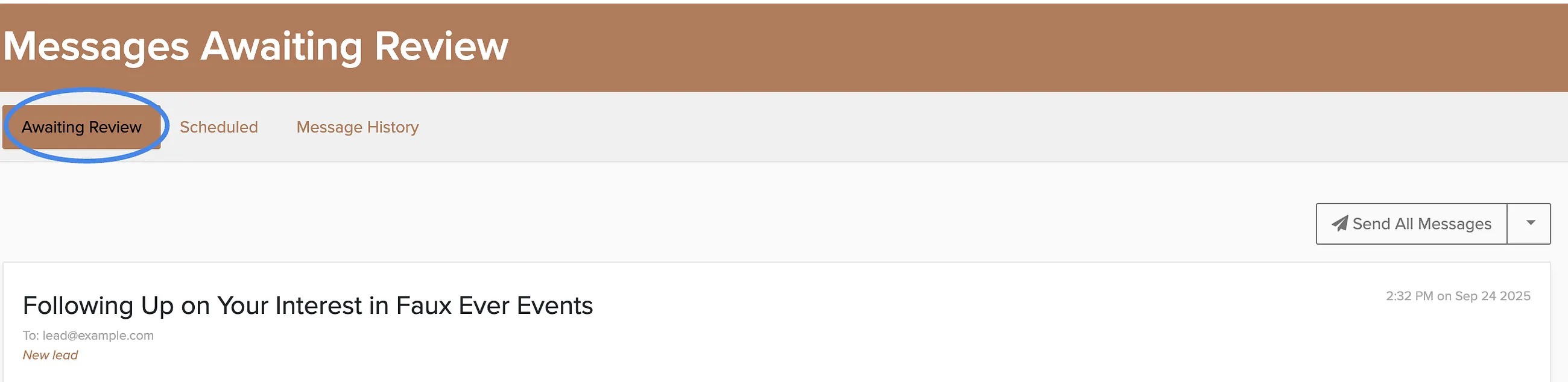
Once a message is scheduled for review, you can find it under Sales → Messages → Awaiting Review. From there you can send, edit, or delete each message before it reaches your client.
Emails sent to your admin or login email address will be delivered normally to your inbox. Keep in mind that email replies on messages sent from the business owner to the business owner will not appear in your inbox.
Scheduling Emails for Later
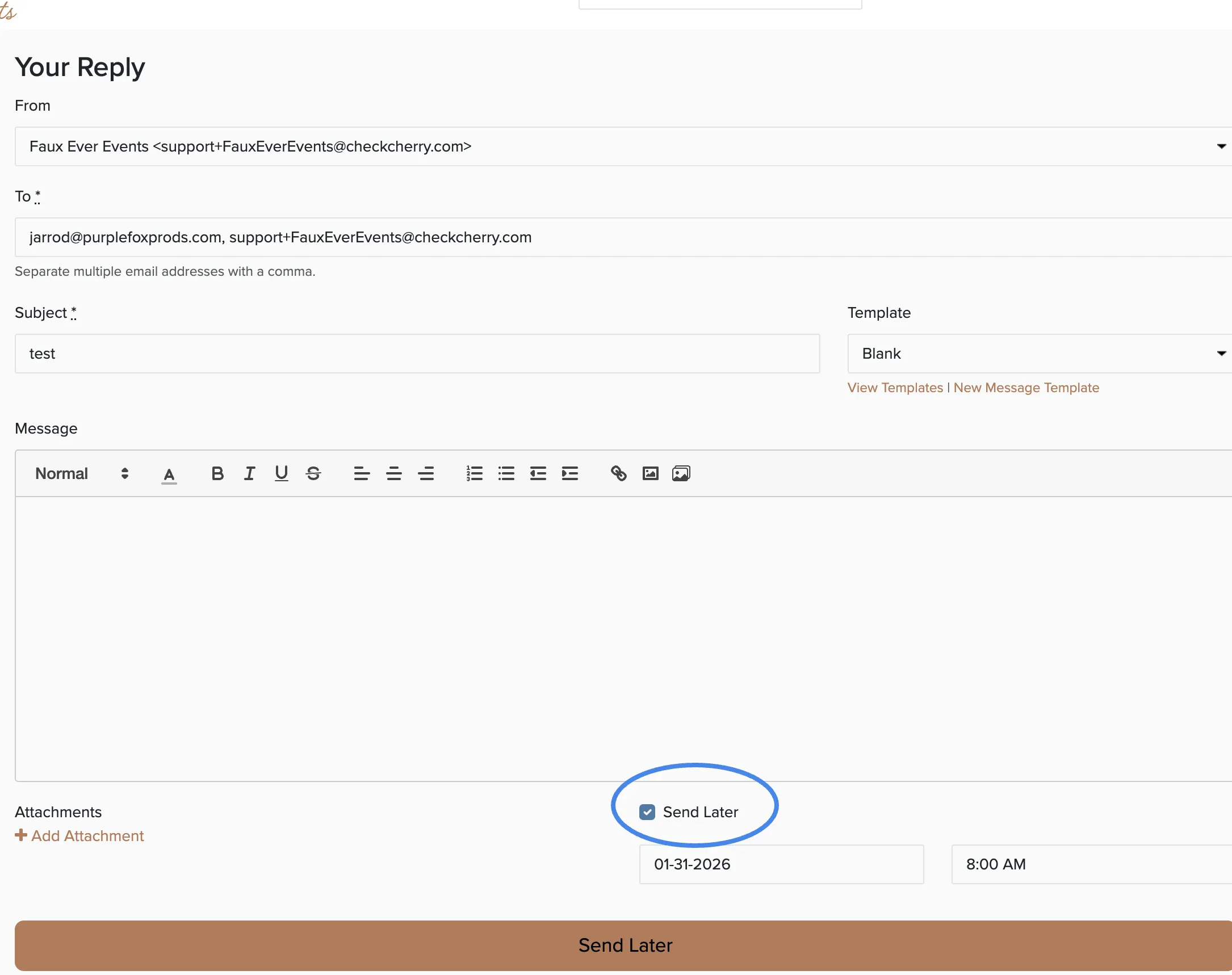
When replying to a message, you can schedule it to be sent at a later date and time by selecting the send later option at the bottom of the reply screen.