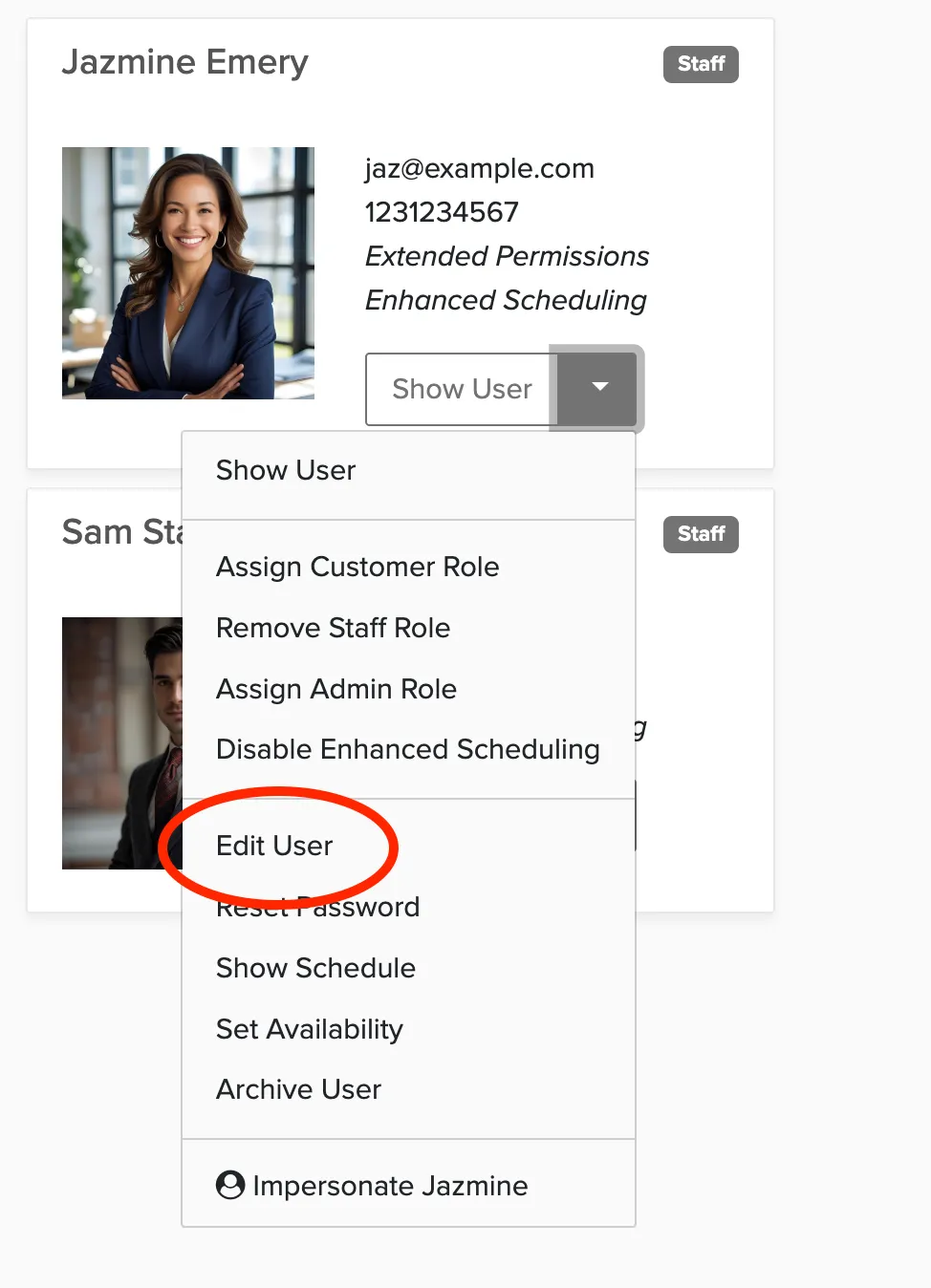
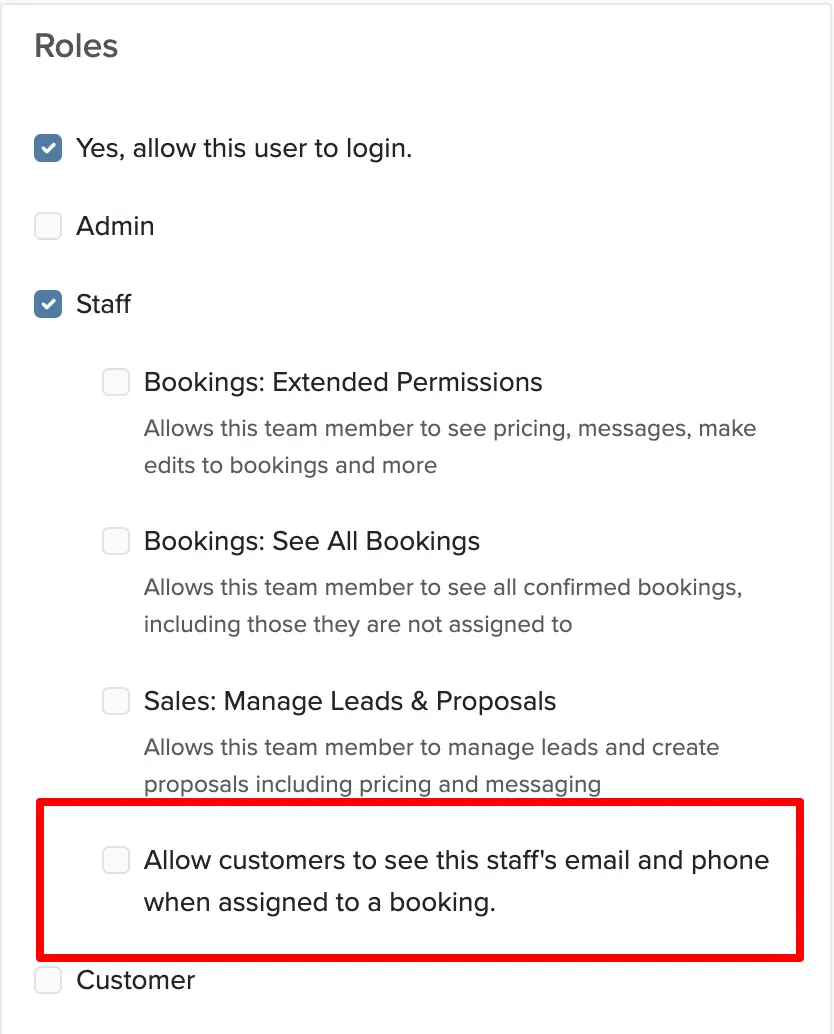
To hide a staff member's contact info from clients, edit their user account and uncheck the setting 'Allow customers to see this staff's email and phone when assigned to a booking.'
Manage → Users → Edit a user account
Go to Users.
Click Edit on the staff account.
Uncheck 'Allow customers to see this staff's email and phone when assigned to a booking.'
Save the account.