Two-factor authentication (2FA) adds a second layer of protection to your Check Cherry account. Even if someone gets your password, they still need access to your phone to log in. It takes about a minute to set up and is worth doing.
How it works
When 2FA is enabled, logging in requires two things: your password and a verification code sent to your phone via SMS. Without both, access is denied — even with the correct password.
If you share your account with staff members, each person manages 2FA through their own profile. Encourage anyone with admin access to enable it.
Set up two-factor authentication
Click your name in the upper right corner of the app and go to My Profile.
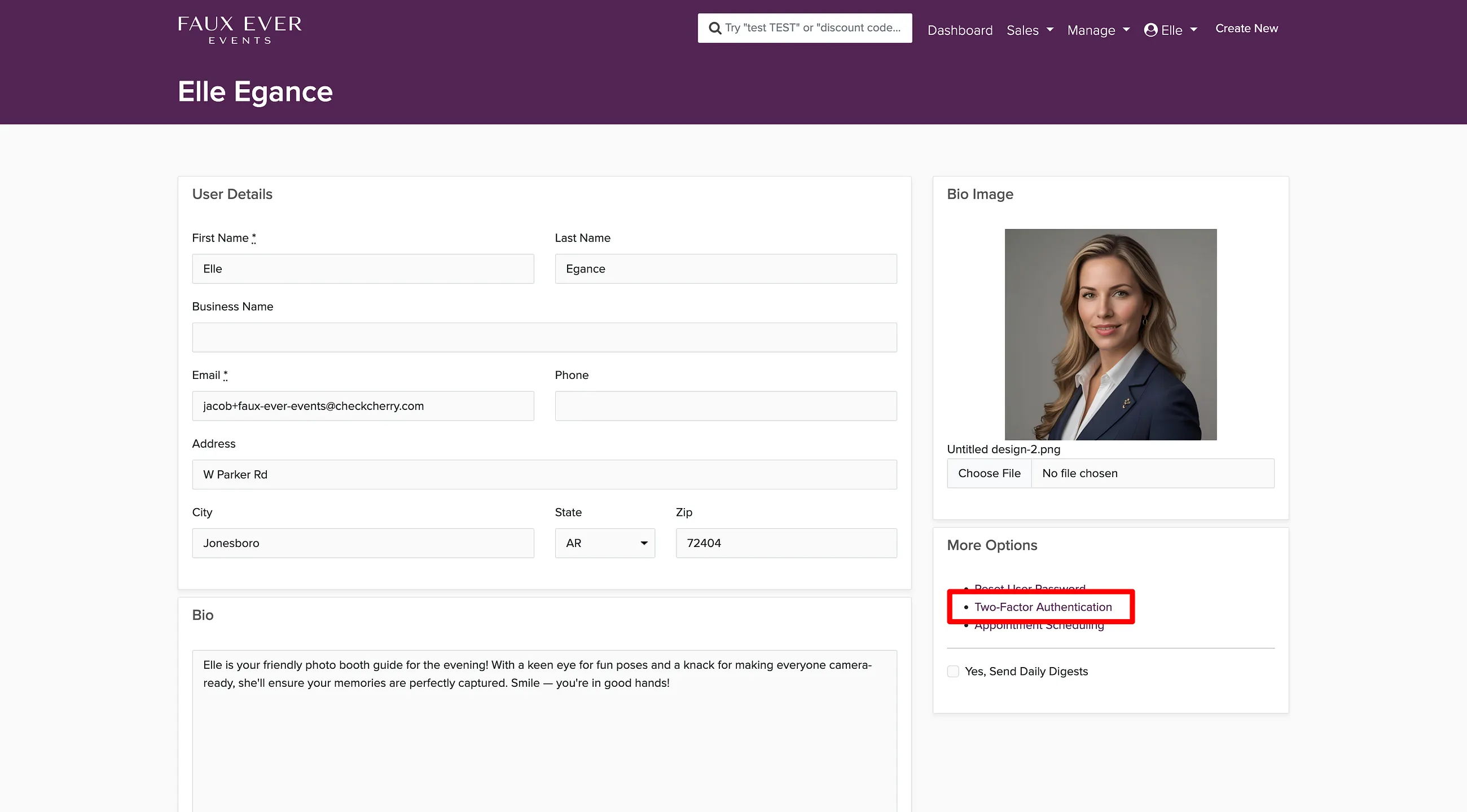
Scroll to the More Options section on the right side of the page.
Click Two-Factor Authentication.
Enter your phone number and follow the prompts to complete the verification process.
Make sure the phone number you enter is one you have reliable access to. If you lose access to that number, you may be locked out of your account. Contact support via the chat bubble in the lower right if that happens.