Once you have your sessions set up, sharing the booking link is how clients find available time slots, choose one, and pay to reserve their spot — all without any back-and-forth. You can share the link on social media, in emails, or anywhere else you promote the event.
Finding the booking link
There are two places to grab the link: directly from the booking list, or from inside the session itself.
Option 1: From the booking list
The share link appears right in the booking list, so you can grab it without opening the session.
Bookings
Go to Bookings.
Click the Sessions filter or search for the session title.
Find the Share Link at the bottom right of the session in the list.
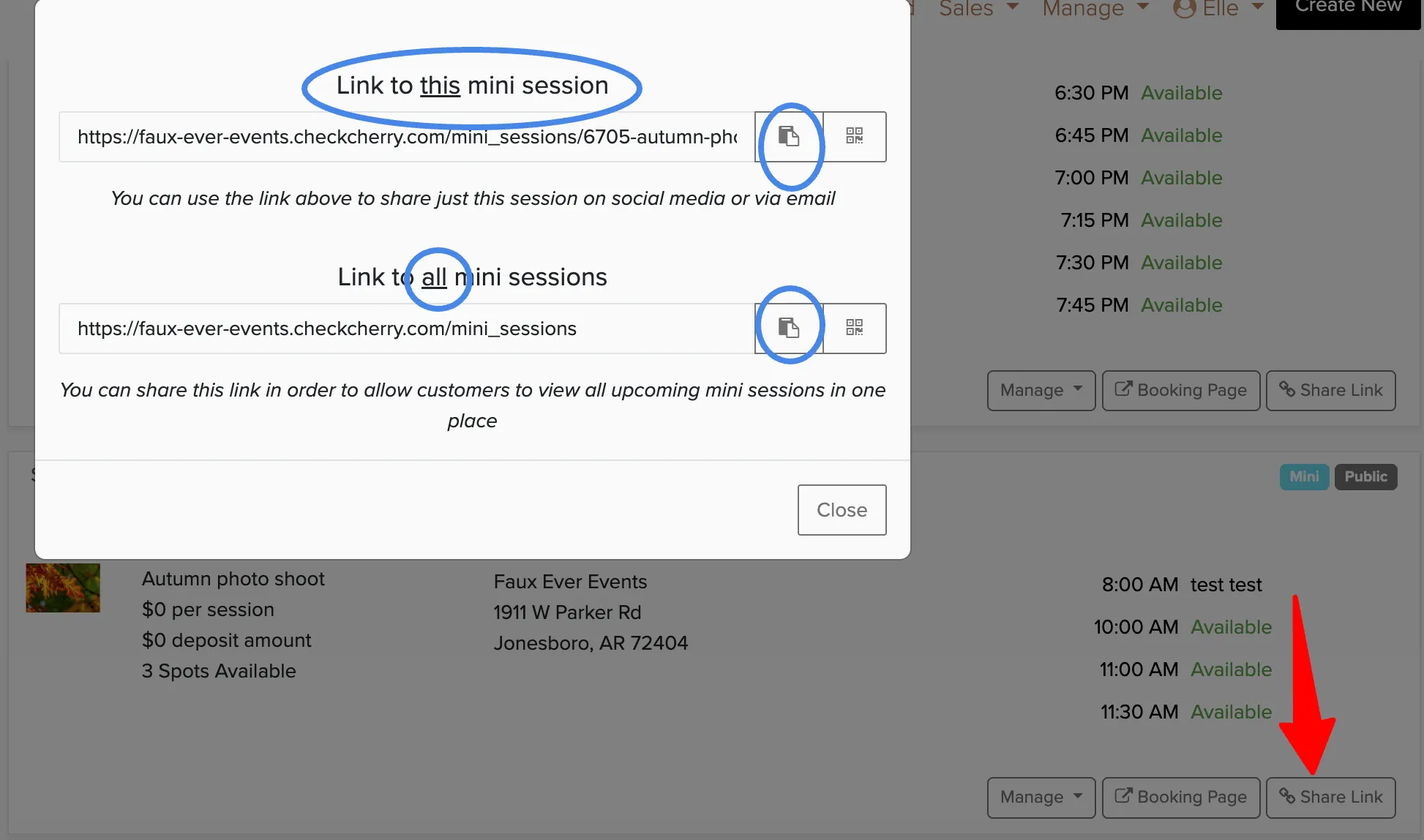
Option 2: From inside the session
You can also get the link from within the session settings.
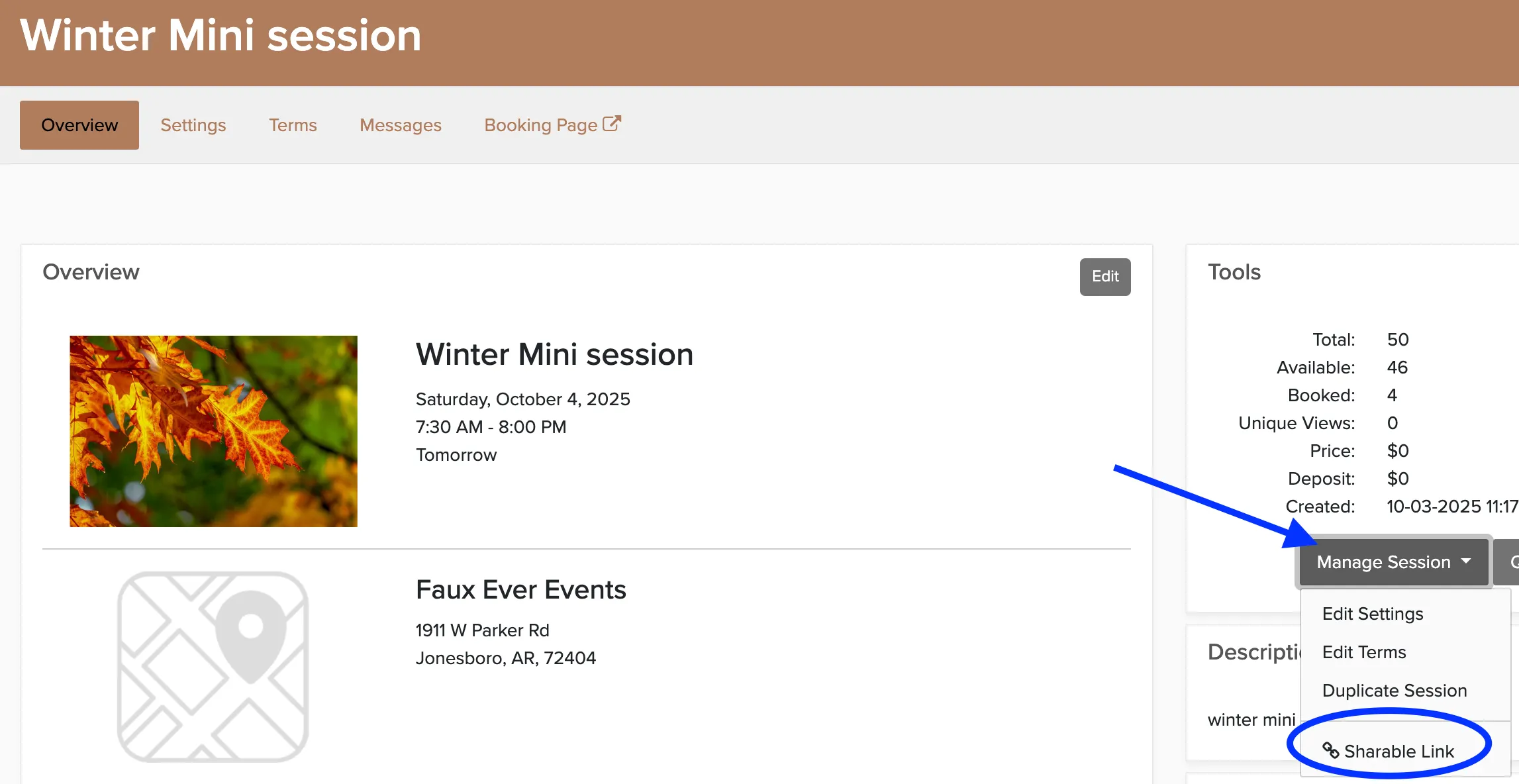
From the booking list, click on the session to open its overview page.
Click Manage Session.
Copy the share link from there.
You can set up automated messages to send when a client books a slot — useful for confirmations, reminders, and pre-session details. Set these up in your messaging templates.