American Express cards have two security codes, and most people grab the wrong one. The 4-digit code on the front is what they see first, but online payments require the 3-digit code on the back.
The Two AMEX Security Codes
- 4-digit CID: On the front of the card, above the card number. This is NOT the code to use for online payments.
- 3-digit CVV: On the back of the card. This is the correct code.
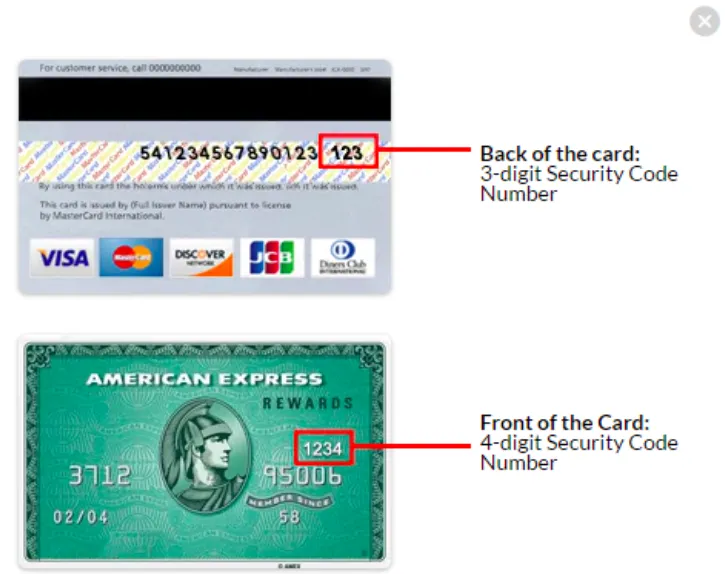
Most payment errors with AMEX cards resolve once the client uses the 3-digit code from the back instead of the 4-digit code from the front.
If the Payment Is Still Declined
Confirm the client is using the 3-digit code from the back.
Ask them to try a different card.
Have them contact their card issuer to make sure the card is not blocked for online transactions.