With TemplatesBooth connected, clients pick a photo booth template on their booking and personalize it themselves. The finished design is saved to the booking as approved artwork.
Each widget you build in TemplatesBooth can be added to Check Cherry as its own design collection. That lets you offer strips on one package and 360 overlays on another.
Before you start
- An active TemplatesBooth membership with at least one widget.
- A Check Cherry admin login. Staff logins can't connect integrations.
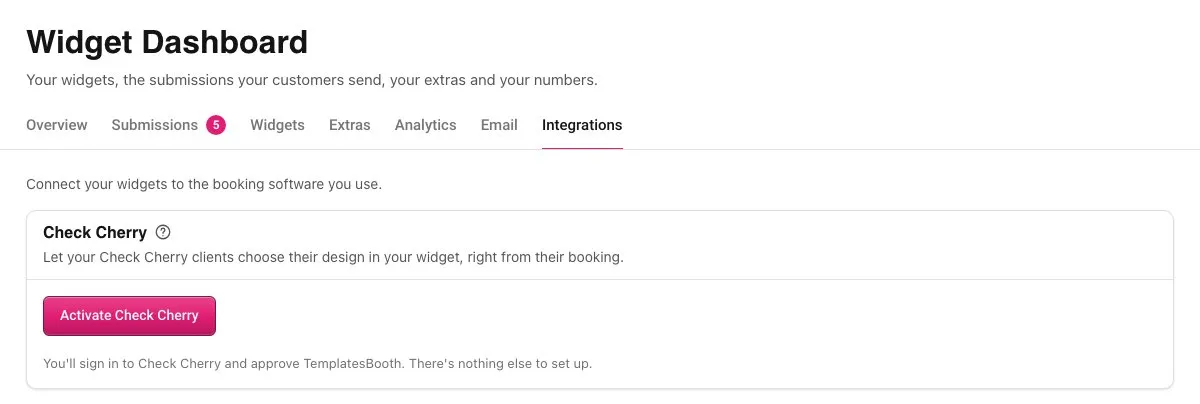
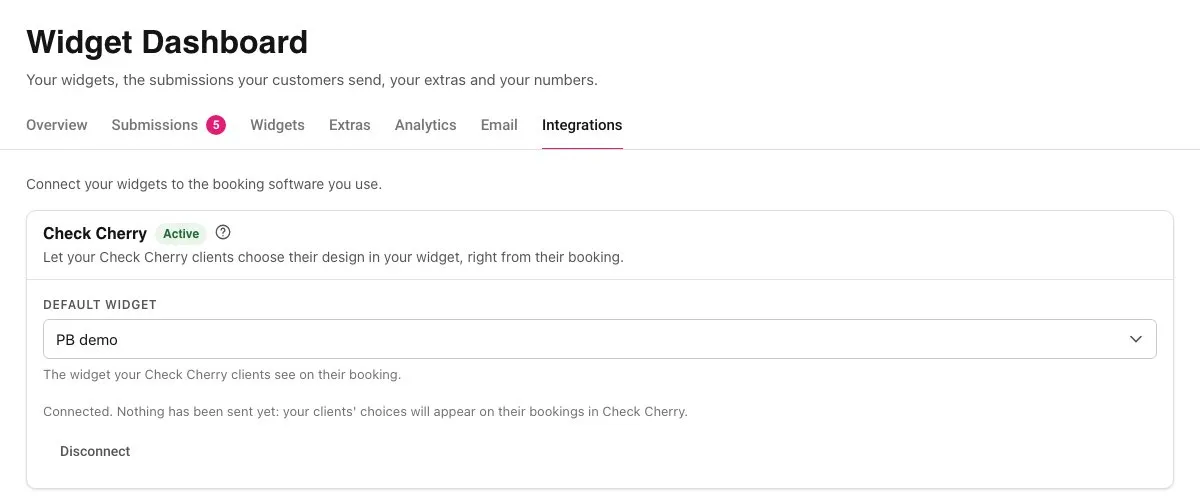
Connect TemplatesBooth
Add your widgets as design collections
Clients don't see anything until you add a widget as a design collection.
Show the right widget for each package
A new collection is offered on every package. If you have a widget for each product, limit each collection to the packages it fits.
To tie a collection to an add-on, see How do I show design templates when a specific add-on is booked?
What your clients see
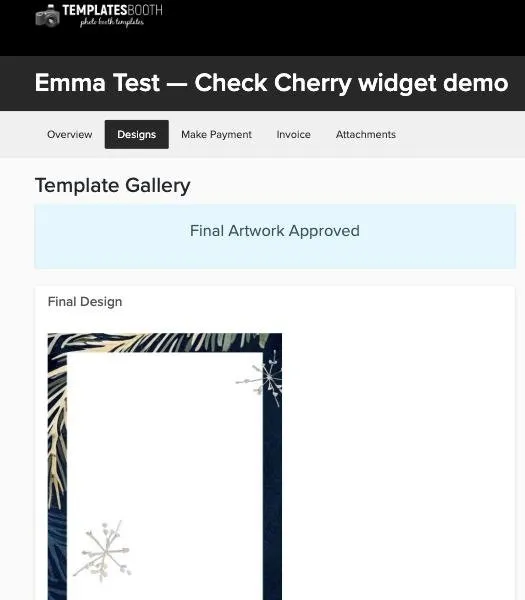
The widget opens on the Designs tab of the booking.
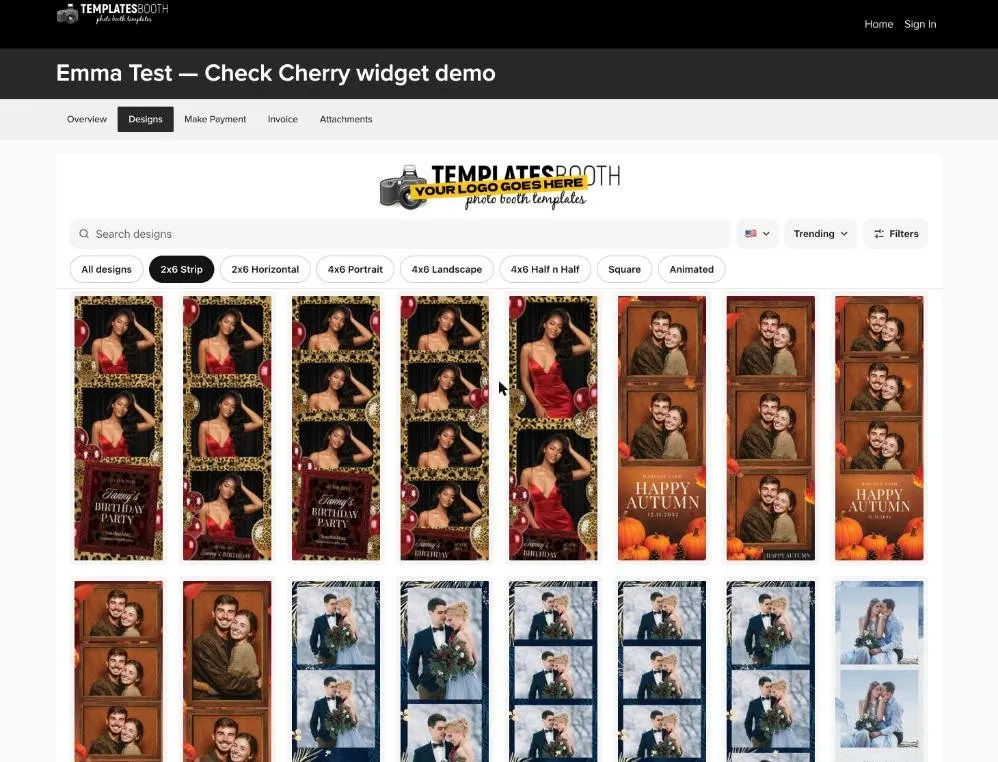
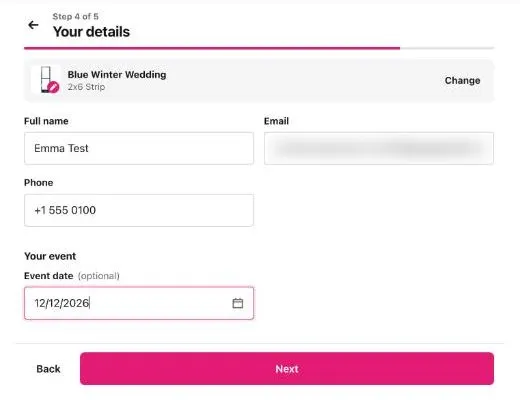
The client chooses a template and, if your widget allows editing, personalizes it in the TemplatesBooth editor. Their name, email, phone and event date are filled in from the booking.
The choice is saved to the booking with the template name, a preview, the text they added and a link to the print files. A personalized design is marked Final Artwork Approved. If the client chooses again, the new design replaces the earlier one.
Switching from TemplatesBooth (Deprecated)
TemplatesBooth (Deprecated) is the earlier integration. It uses a pasted API key and has no editor. Its collections don't carry over, so connect TemplatesBooth and add your collections again.
Disconnecting
In Check Cherry, open Integrations, click Configure on TemplatesBooth and choose Disconnect. In TemplatesBooth, click Disconnect on the Integrations tab. Either one works.
TemplatesBooth loses access to your account and new choices stop coming through. Designs already on bookings stay. See What will happen if I disconnect a template provider integration?
Troubleshooting
A widget is missing from the list
Paused widgets aren't listed. Unpause the widget in TemplatesBooth, then reload the page in Check Cherry.
Clients see a "Members only" notice
Your TemplatesBooth membership has lapsed. Renew it and the widget comes back. You don't need to reconnect.
Connecting a second TemplatesBooth account disconnected the first
One Check Cherry account connects to one TemplatesBooth account. Connecting a different one replaces the first.