A client asks "are you available on June 14?" Instead of scrolling through your calendar, Check Cherry gives you a few ways to see what's scheduled for any date — including leads that might conflict.
Check from Calendar
Sales → Calendar
Go to Calendar.
Click Check Availability in the upper left.
Select a date, time and package, add on, etc. to see if it's available.
Check from any proposal or booking
You can also check availability while working on a specific event. From any proposal or booking overview page, click on the event date to see a popup of everything scheduled that day — including other proposals and leads.
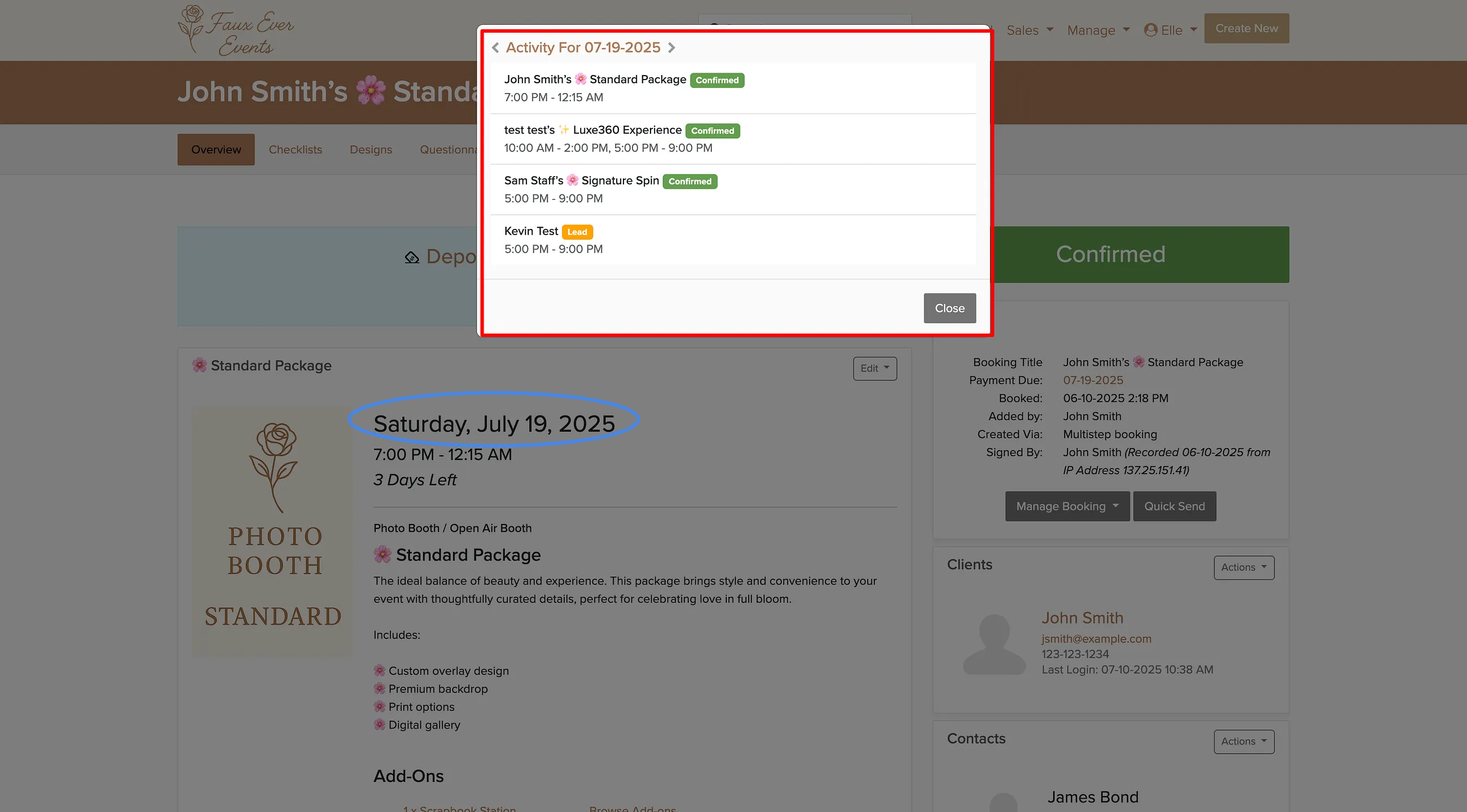
This works from both proposals and confirmed bookings:
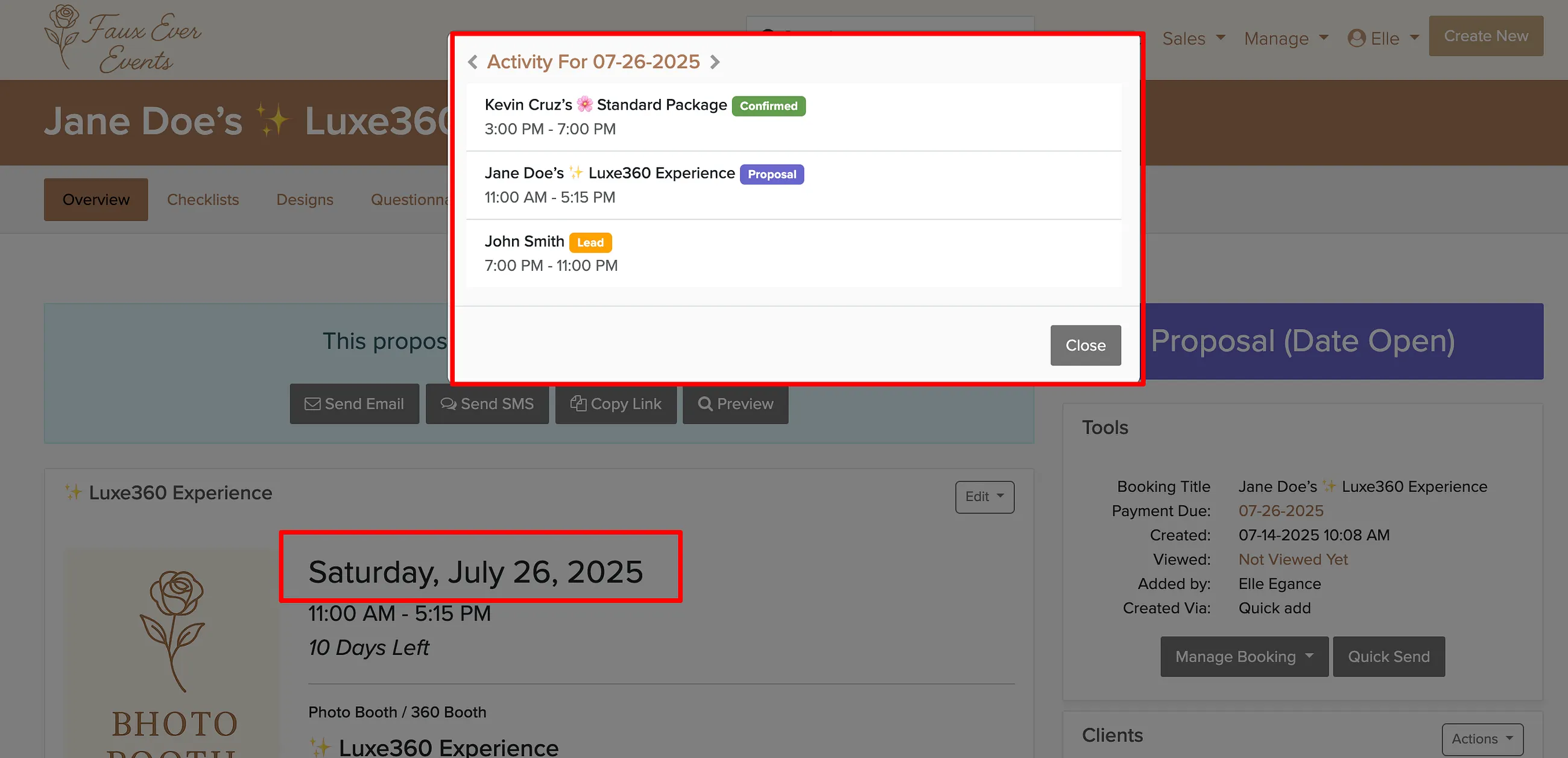
The popup shows leads too — useful for spotting potential conflicts before they become double bookings.