Staff want to see their assigned bookings on their phone calendar, but they shouldn't need admin access to set it up. They can subscribe from their own dashboard.
How to connect
Staff logs into their Check Cherry account.
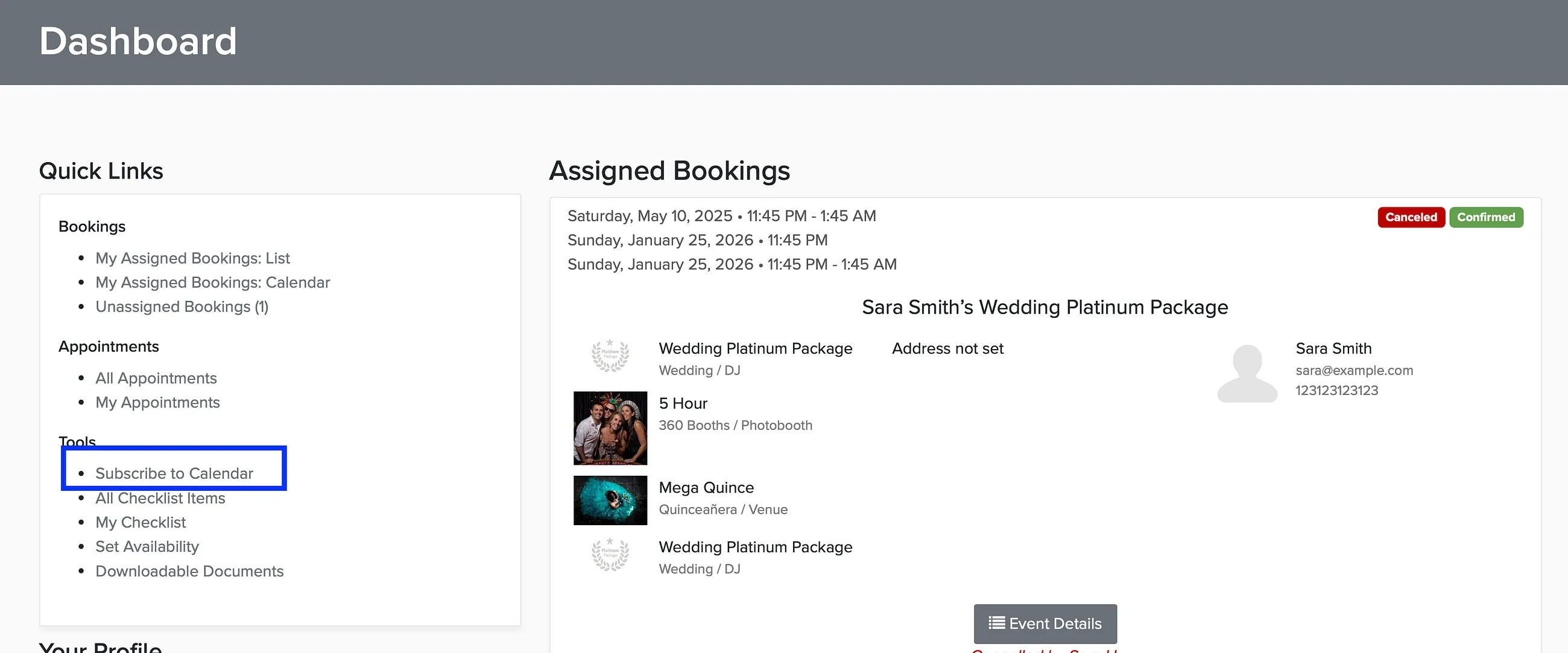
From the dashboard, click Subscribe to Calendar.
Choose what to sync — assigned bookings only, or bookings and time off.
Copy the URL from step 2.
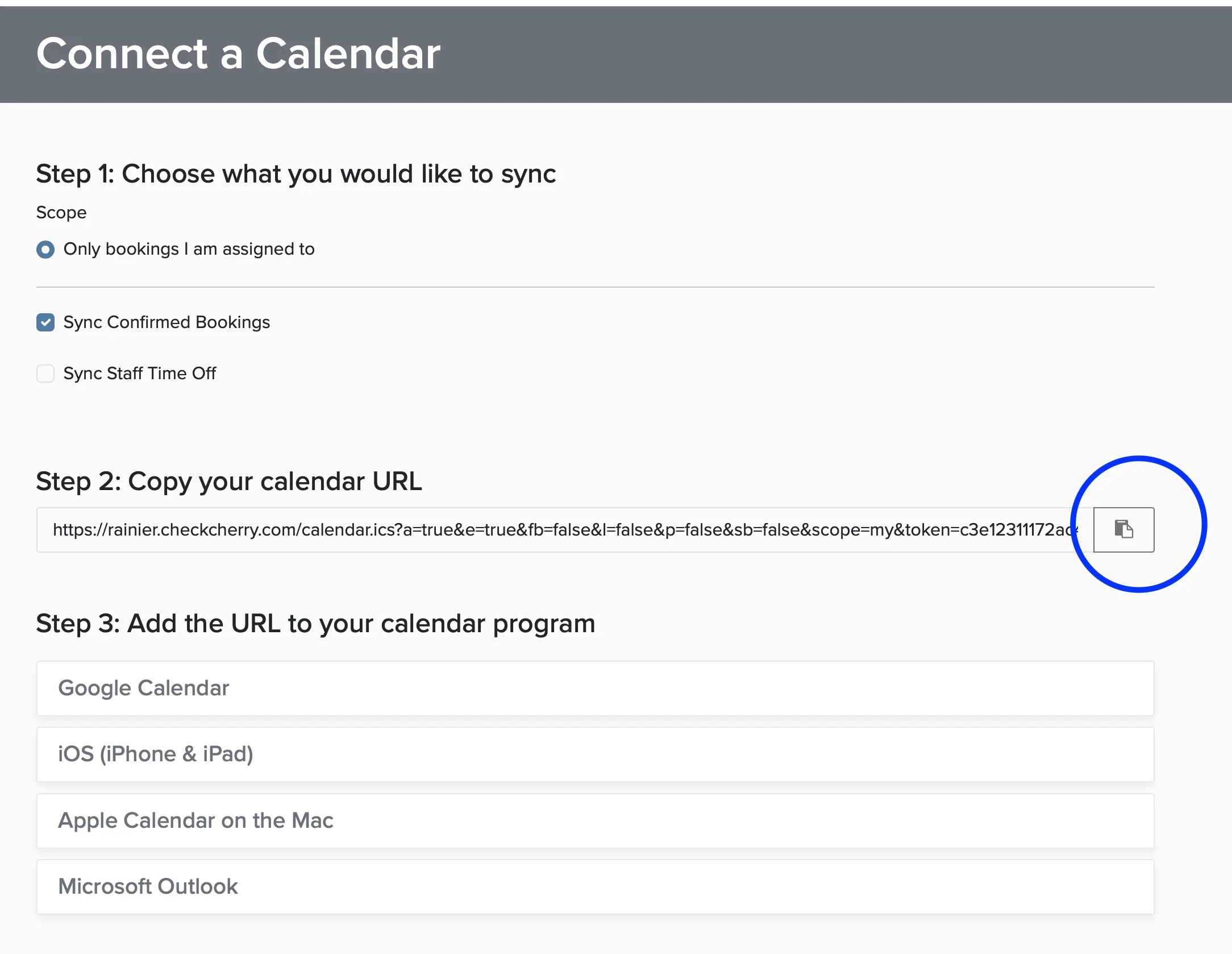
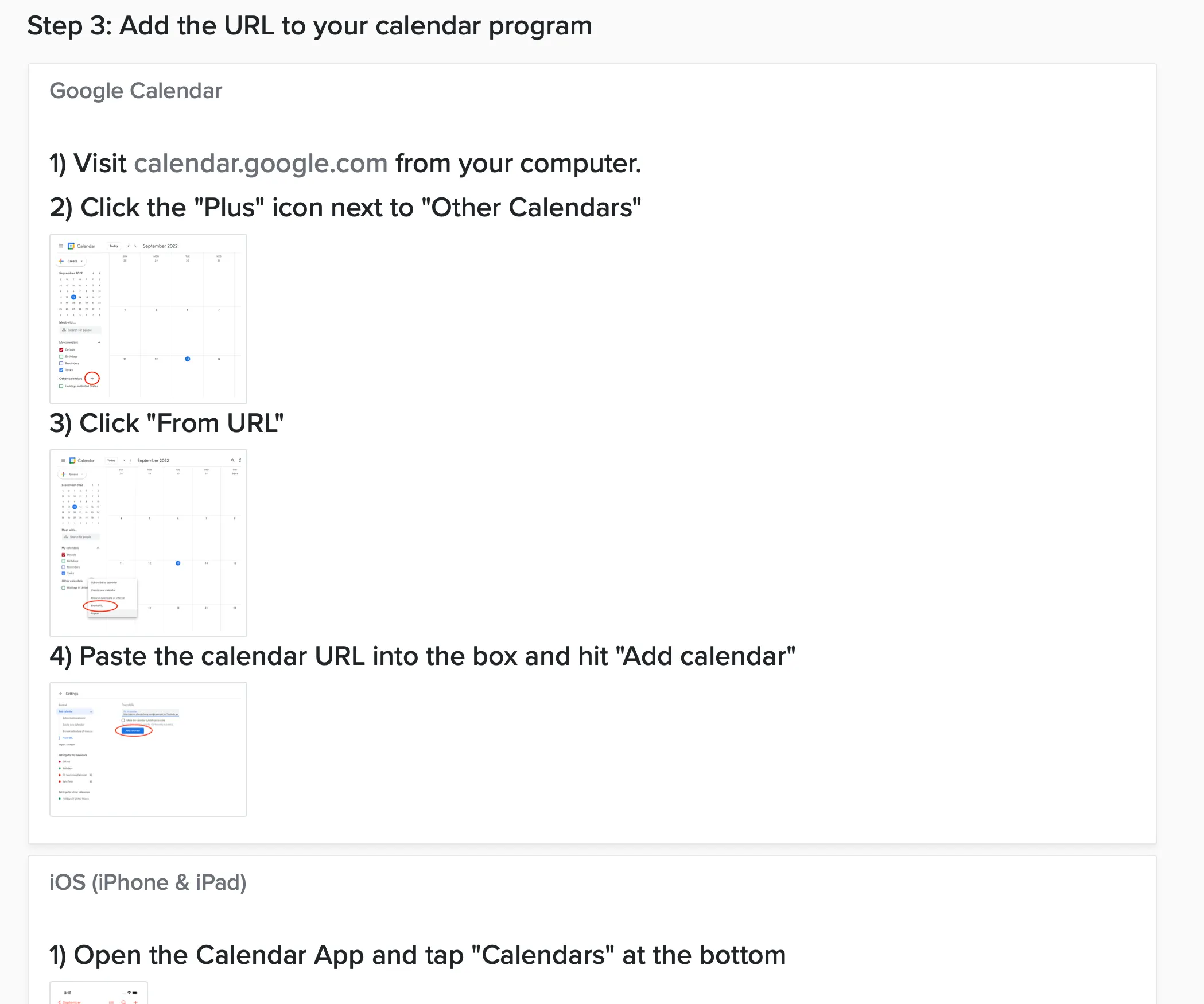
Step 3 shows instructions for several different calendar apps. Choose your calendar and follow the specific instructions.
As an admin, you can also set this up for them by impersonating their account. See syncing the company calendar.