A client wants the same setup as last year, or you need to create several similar proposals for different dates. Duplicate an existing one instead of starting from scratch — it copies the packages, add-ons, and pricing while letting you change the date and client details.
Open the booking or proposal.
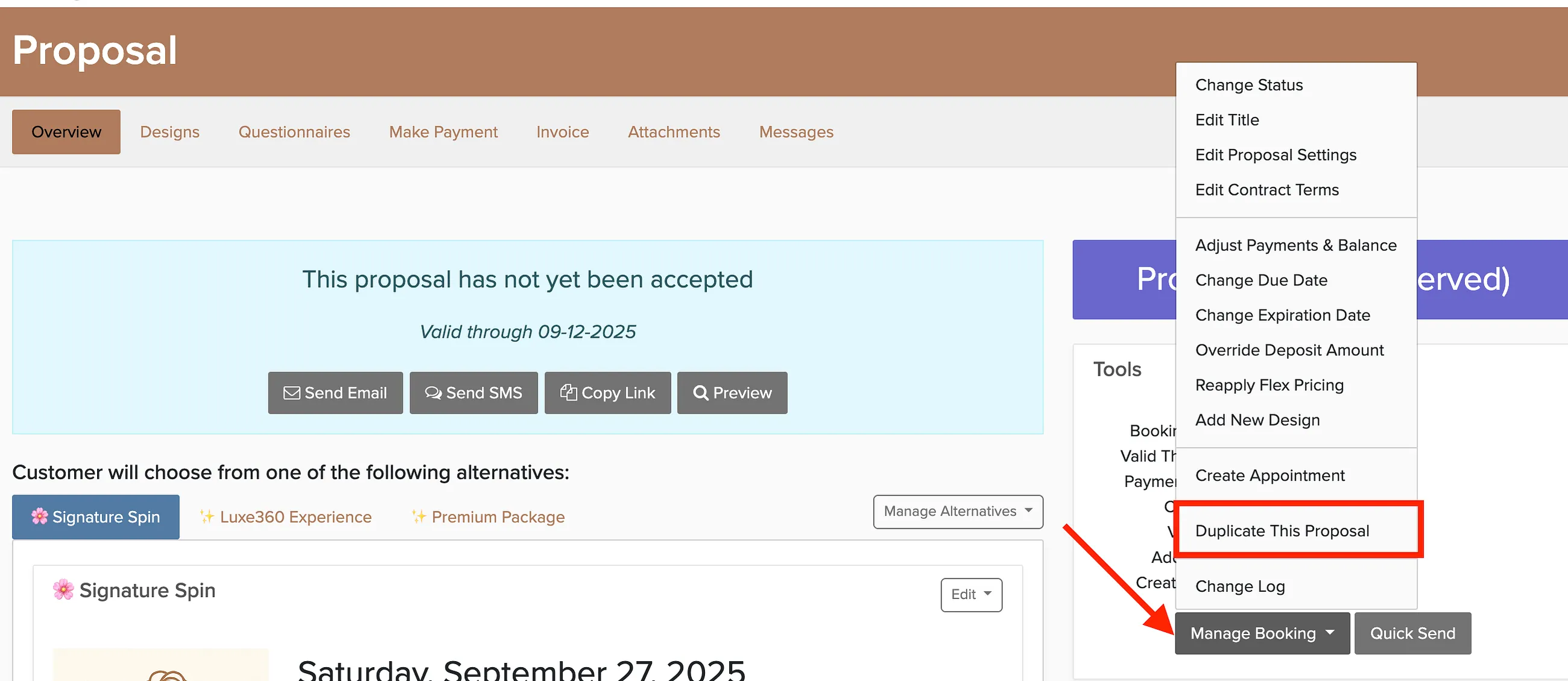
Click Manage Booking.
Select Duplicate this Booking / Proposal.
Choose the status for the new booking (Date Open, Date Reserved, Confirmed, or Confirmed Awaiting Signature).
Update the date, client info, and any other details.
What gets copied
- Packages, add-ons, extras, and photo booth backdrops
- Pricing, discounts, and fees
- Client and additional contacts
- Venue and event details
- All proposal alternatives
What doesn't
- Payments and payment schedules
- Staff assignments
- Notes, files, and message history
- Signatures. The copy is unsigned.
- Questionnaire answers. Your default forms are added fresh.
- Checklist progress
The copy uses your current terms, a new invoice number, and a fresh proposal expiration date. See booking statuses for details on which status to choose.