You have multiple lead forms on your website and a lead just came in. Which form did they fill out? The leads list shows the source of each lead so you can see which marketing efforts are working.
How to find lead sources
Sales → Leads
The leads list shows the source of each lead in the rightmost column. Leads can come from three places:
- A contact form on your website
- A package set to "Lead Form" booking method when someone clicks Book Now
- An incomplete online booking (someone started but didn't finish)
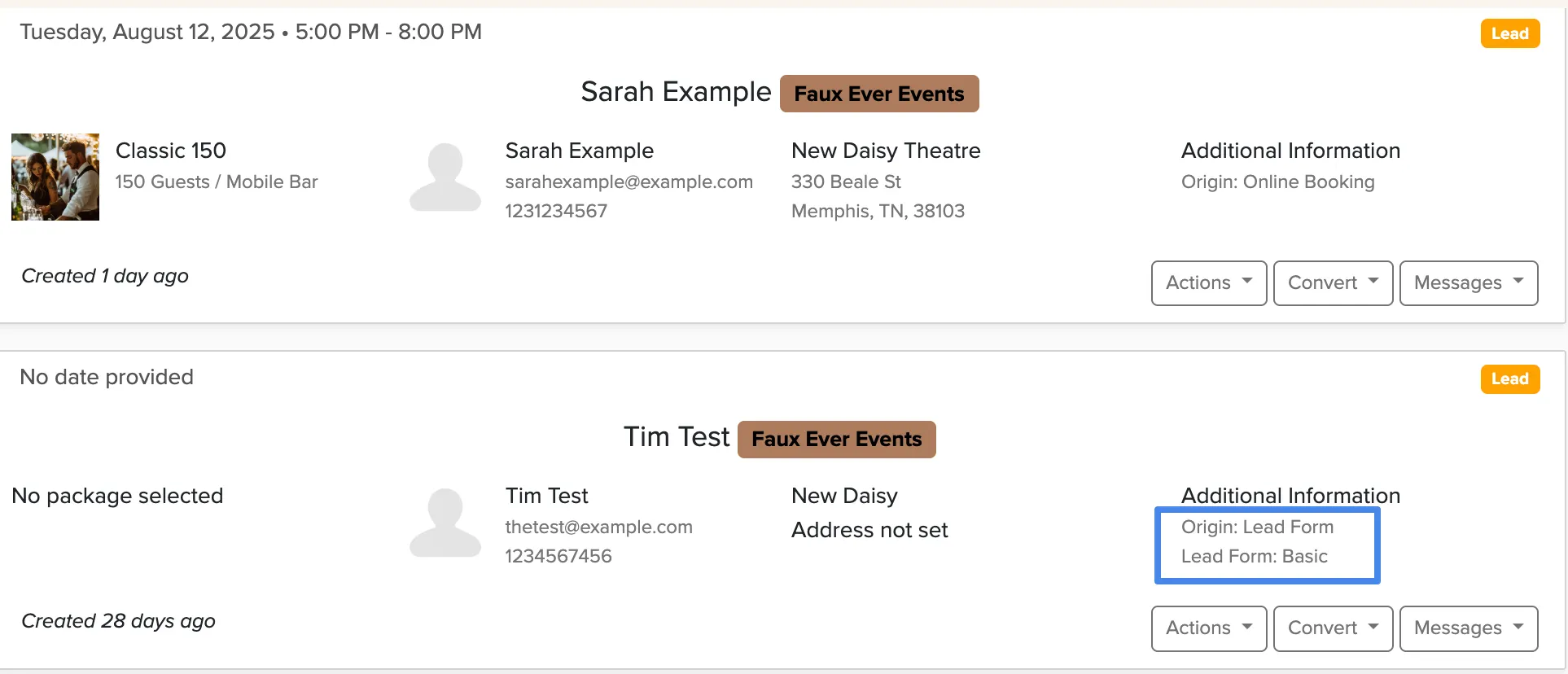
The source field tells you exactly which form was submitted or if it came from an abandoned booking. This helps you see which lead forms are getting the most submissions and where to focus your marketing efforts.
If you have leads coming from multiple sources, consider creating separate lead forms for different marketing campaigns to track which ones work best.