The consultation went well and the client wants to move forward. Create a proposal directly from the appointment so you don't have to re-enter their info.
Your profile menu → My Appointments
Find the appointment and click on it to open the details.
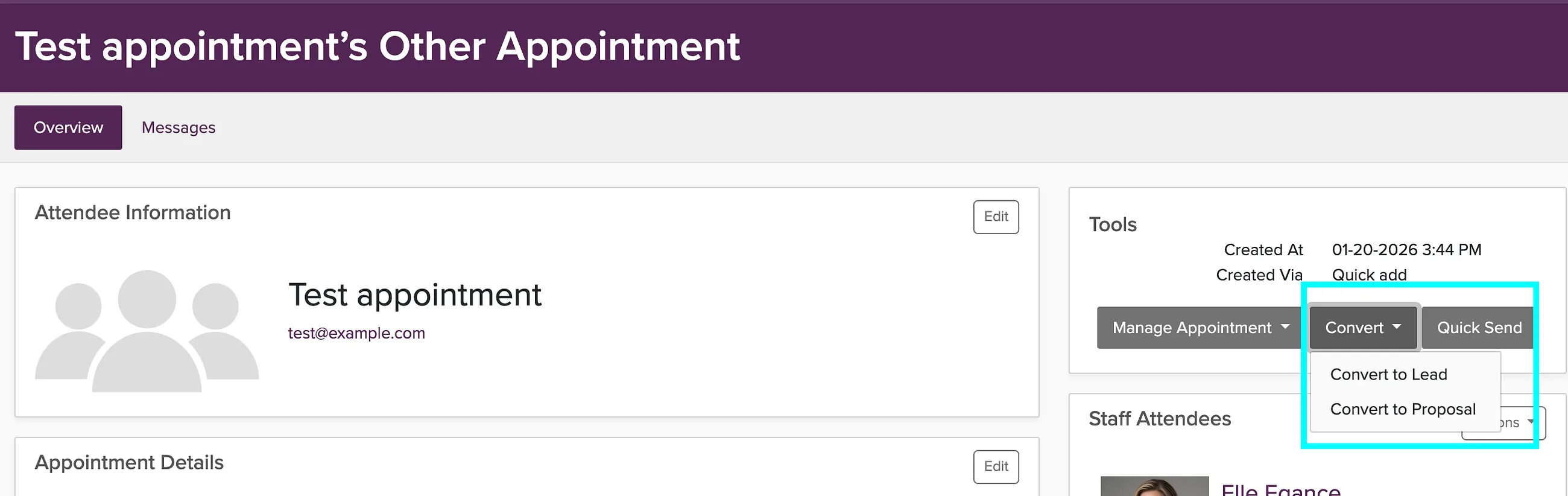
Click the Convert button and choose Proposal.
The client's contact information and event details will carry over to the new proposal.
Add packages, set pricing, and send the proposal to your client.
Once you send the proposal, your client can review it, sign the contract, and pay their deposit to confirm the booking.