The Check Cherry app for iOS and Android shows your upcoming bookings by default. Here's how to view past bookings and use filters to find specific events.
Viewing Past Bookings
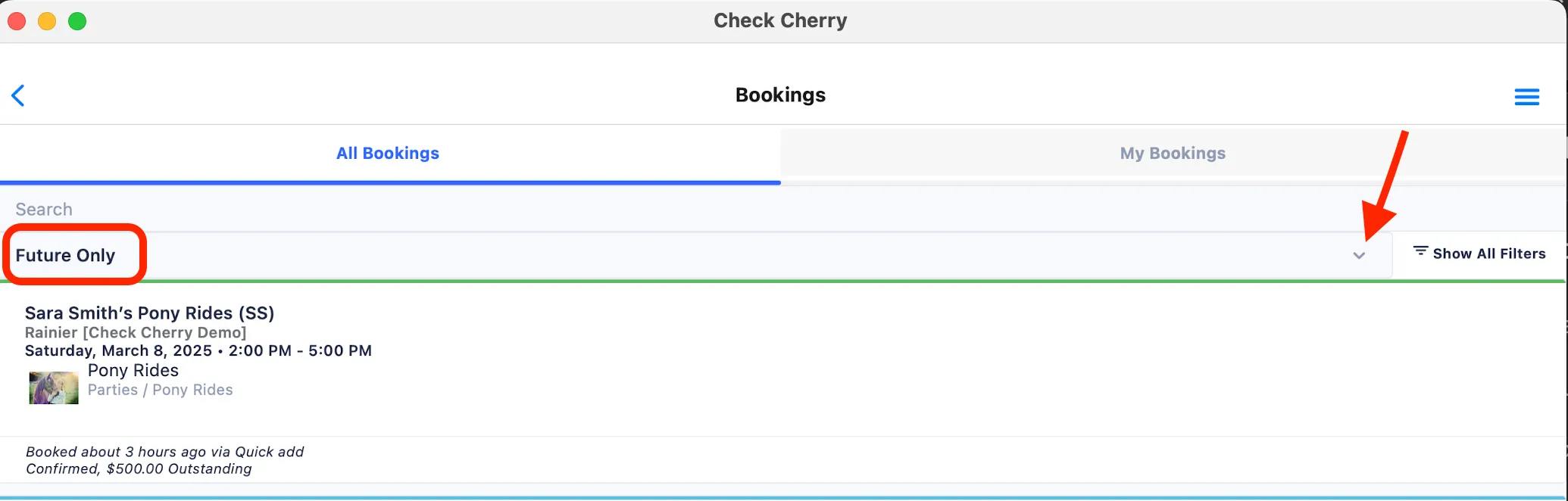
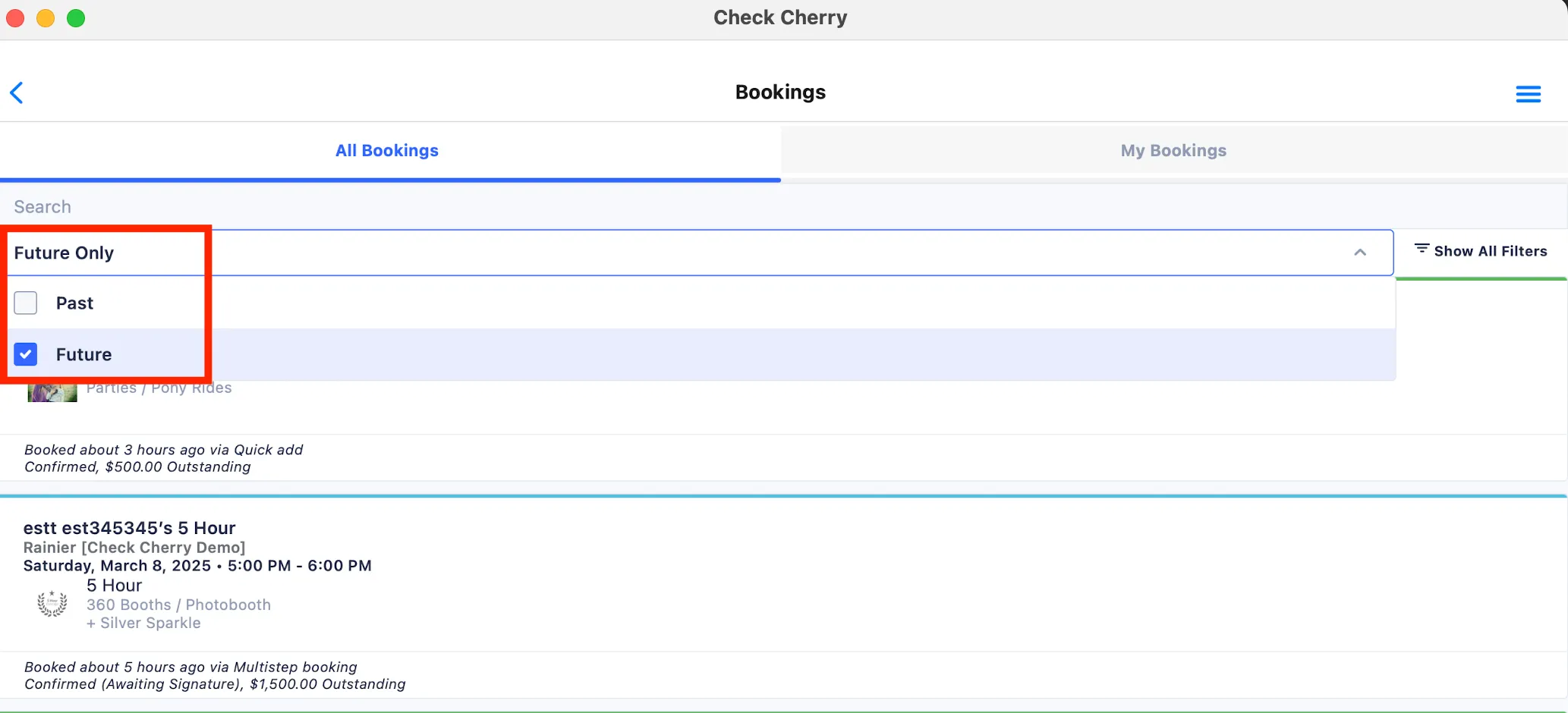
The bookings page shows future confirmed bookings by default. To see past bookings, tap the down arrow in the upper right next to Show All Filters.
Then tap on the Past box to see past bookings.
Using Filters
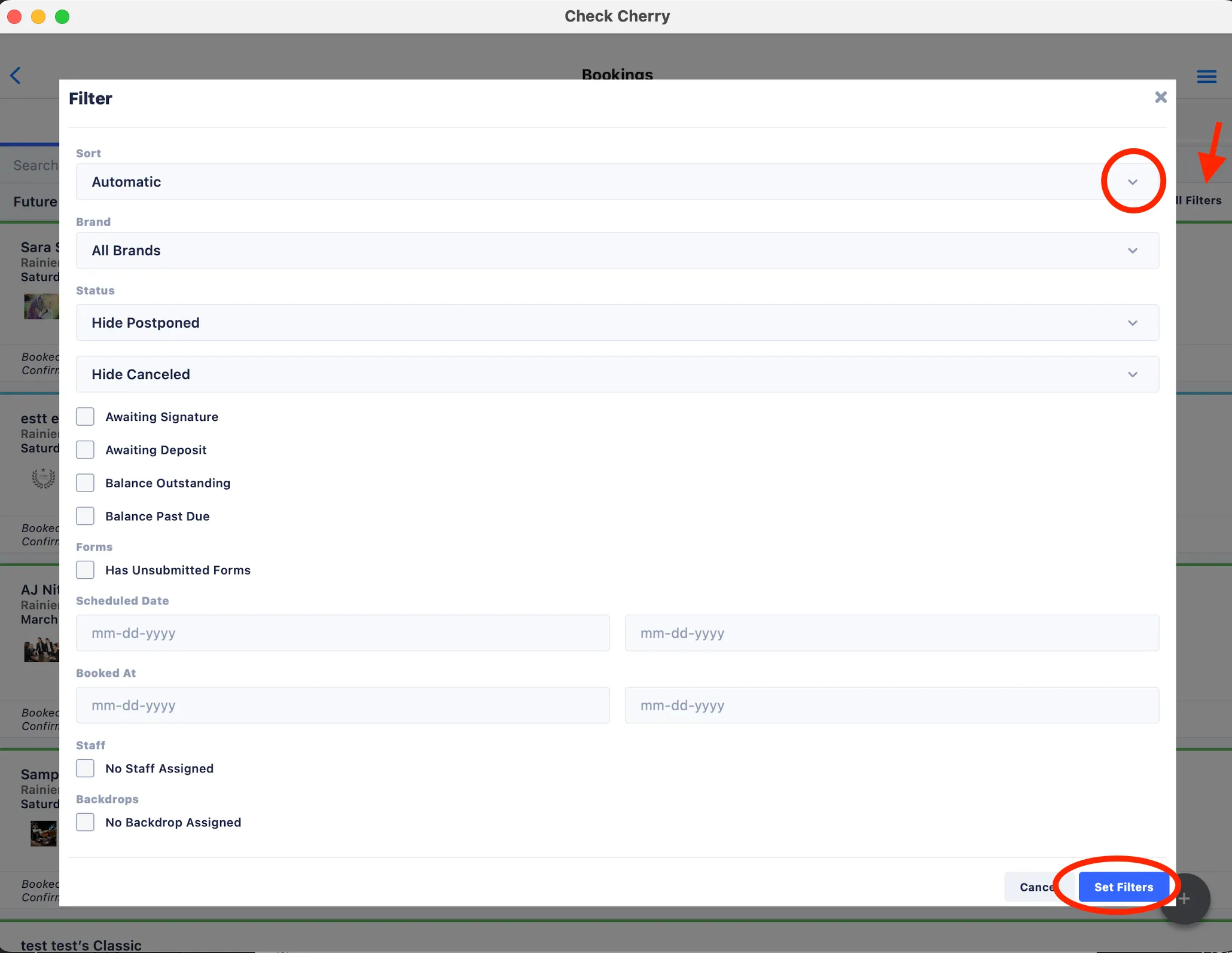
The Show All Filters button helps you quickly locate specific bookings. You can sort by date, filter by brand, package type, booking status, assigned staff, and more. Tap Set Filters after making your selections.
Use the search bar at the top to quickly find a booking by client name or event details.