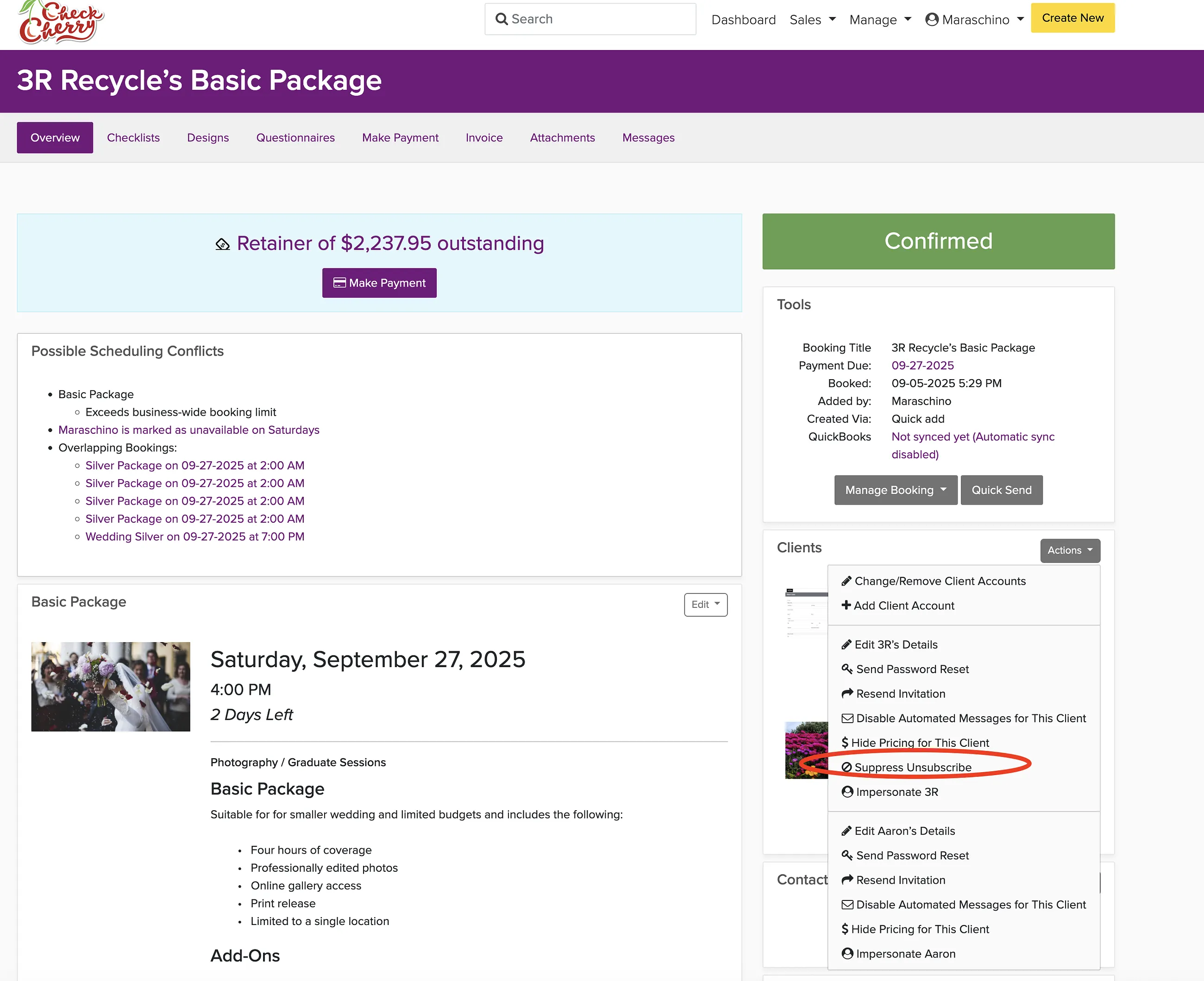
If a client accidentally unsubscribed from your emails, you can re-subscribe them from their user account or from a booking. This restores their ability to receive your automated messages and updates.
From User Accounts
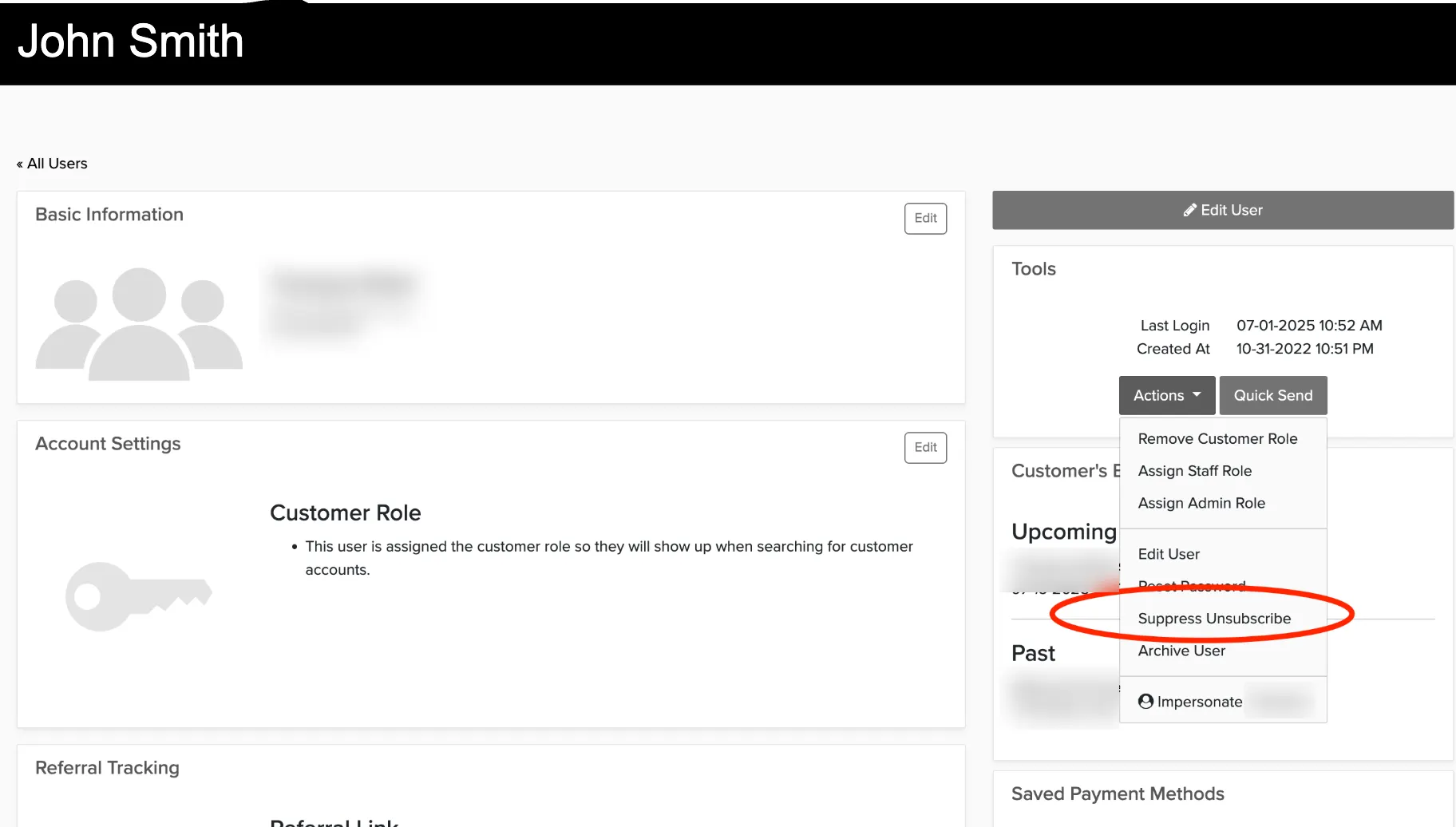
Manage → User Accounts
Search for the client's account.
Click the down arrow next to the Actions button.
Select Suppress Unsubscribe to re-subscribe them.
From a Booking
On the booking overview, click the Actions button in the Client box and select Suppress Unsubscribe.