The client called and the event is off, or they need to push it to a later date. Here is how to handle both without losing any booking data.
Postponing
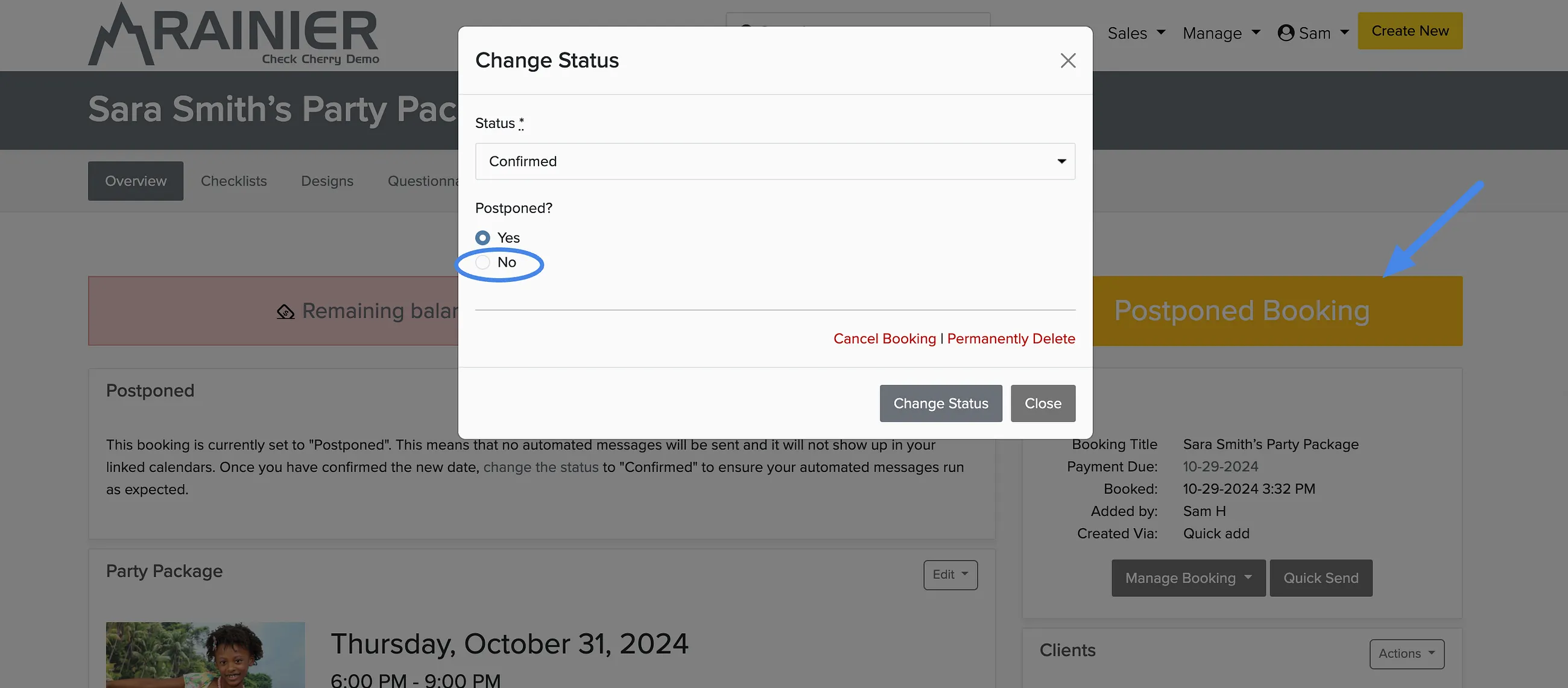
Open the booking or proposal.
Click the status badge.
Select Postponed.
When you postpone an event, all booking info is preserved (messages, questionnaires, payments). The date becomes available for other bookings.
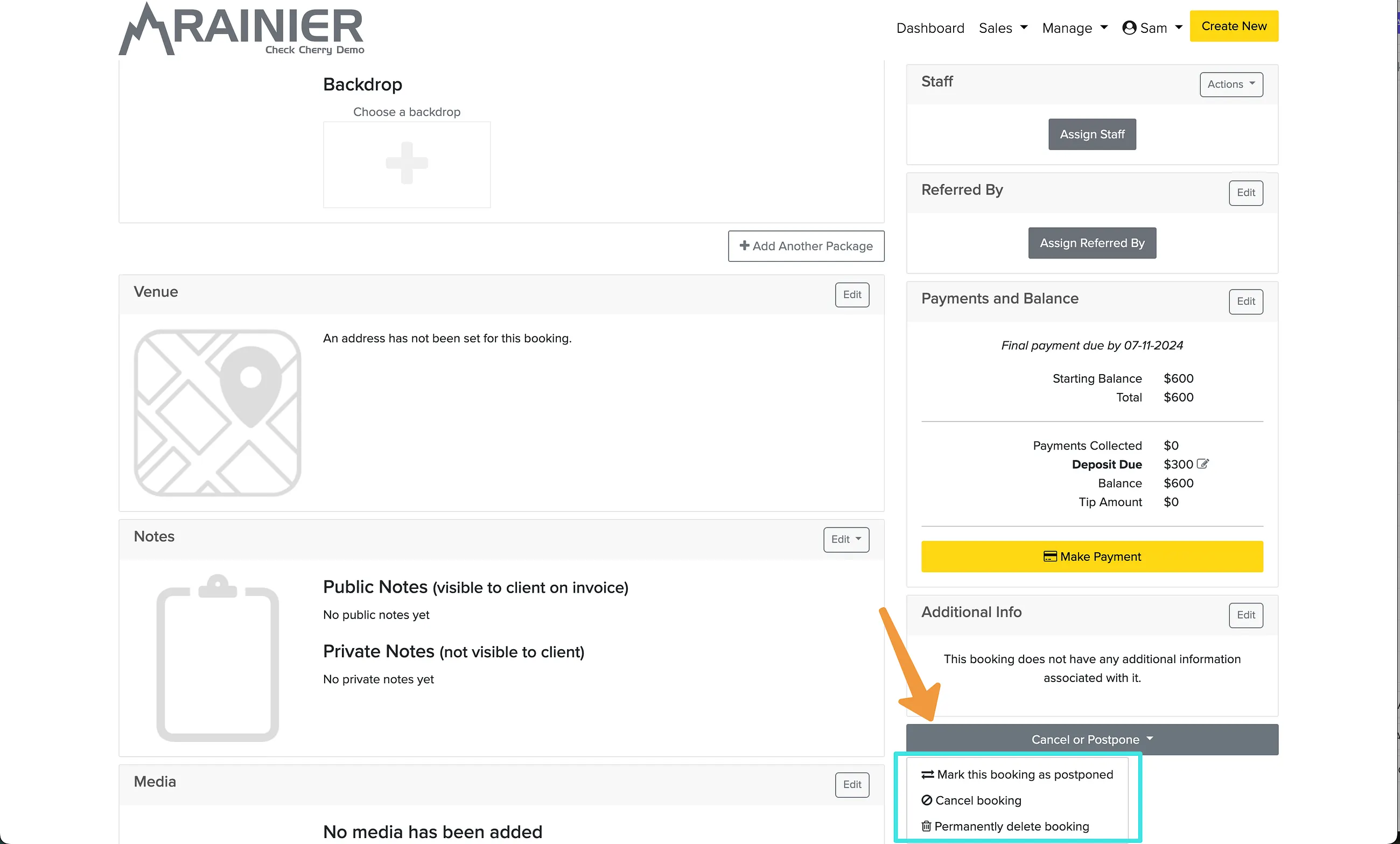
To find postponed bookings, filter your bookings list by the Postponed status.
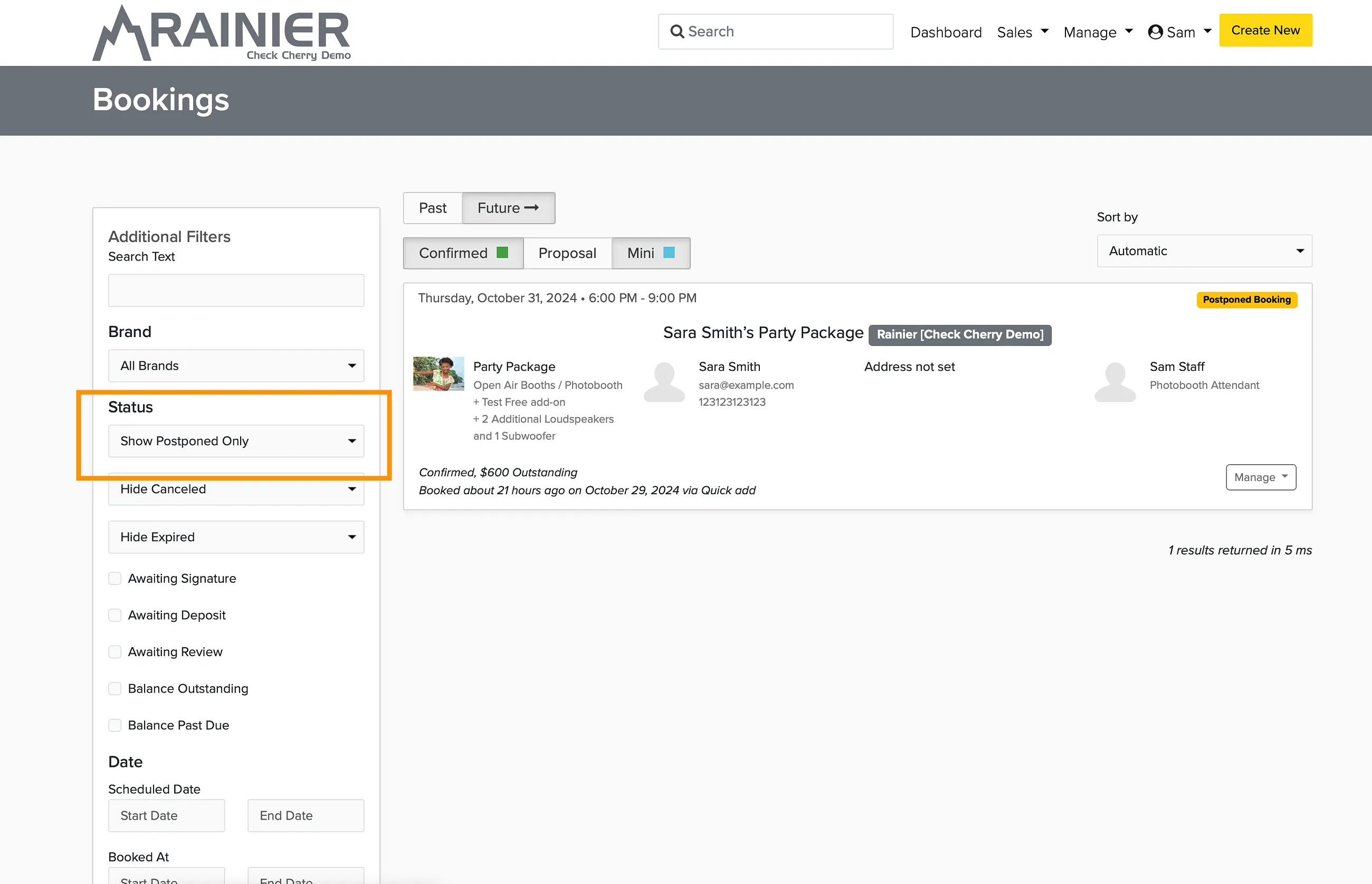
Cancelling
Change the status to Cancelled the same way. The date becomes available again.
Cancelling a booking does not automatically refund payments. You will need to process refunds manually.
Reactivating
To reactivate a postponed or cancelled booking, click the status badge and change it back to the desired status.