Sometimes you need to share booking details with a client without showing the pricing—maybe a corporate event planner needs to see details but the budget is confidential, or you're sharing event info with a staff member who's coordinating on-site.
Bookings → Select a booking → Actions
How to Hide Pricing
Open the booking.
Click the Actions menu button in the Clients box next to the client you wish to edit permission for.
Select Hide Pricing for This Client.
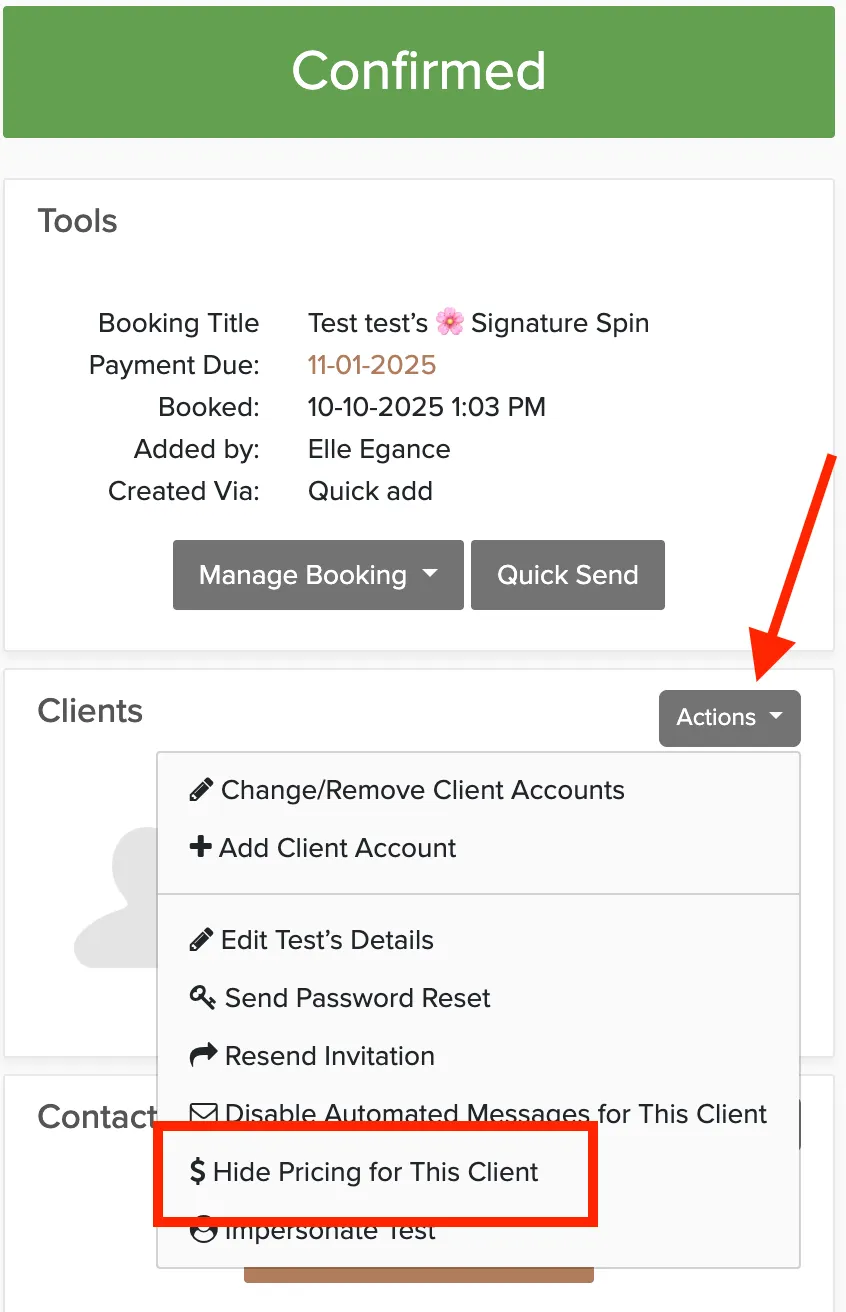
This option is only available on confirmed bookings, not proposals.
Important Note About Shareable Links
If you share the link at the bottom of a booking with someone, they'll be able to see the pricing regardless of whether pricing is hidden for that client. The link doesn't require login, so anyone who opens it sees everything.

For secure sharing without pricing, send the client a portal login instead of the shareable link.