Most clients can pay however they want, but sometimes you need to limit options. Corporate clients might only be able to pay by check, or you might want to require ACH for large balances to avoid credit card fees.
You can restrict payment methods on individual proposals without changing your global settings.
Proposals → Select a proposal → Manage Booking → Edit Proposal Settings
Open the proposal and click Manage Booking.
Click Edit Proposal Settings.
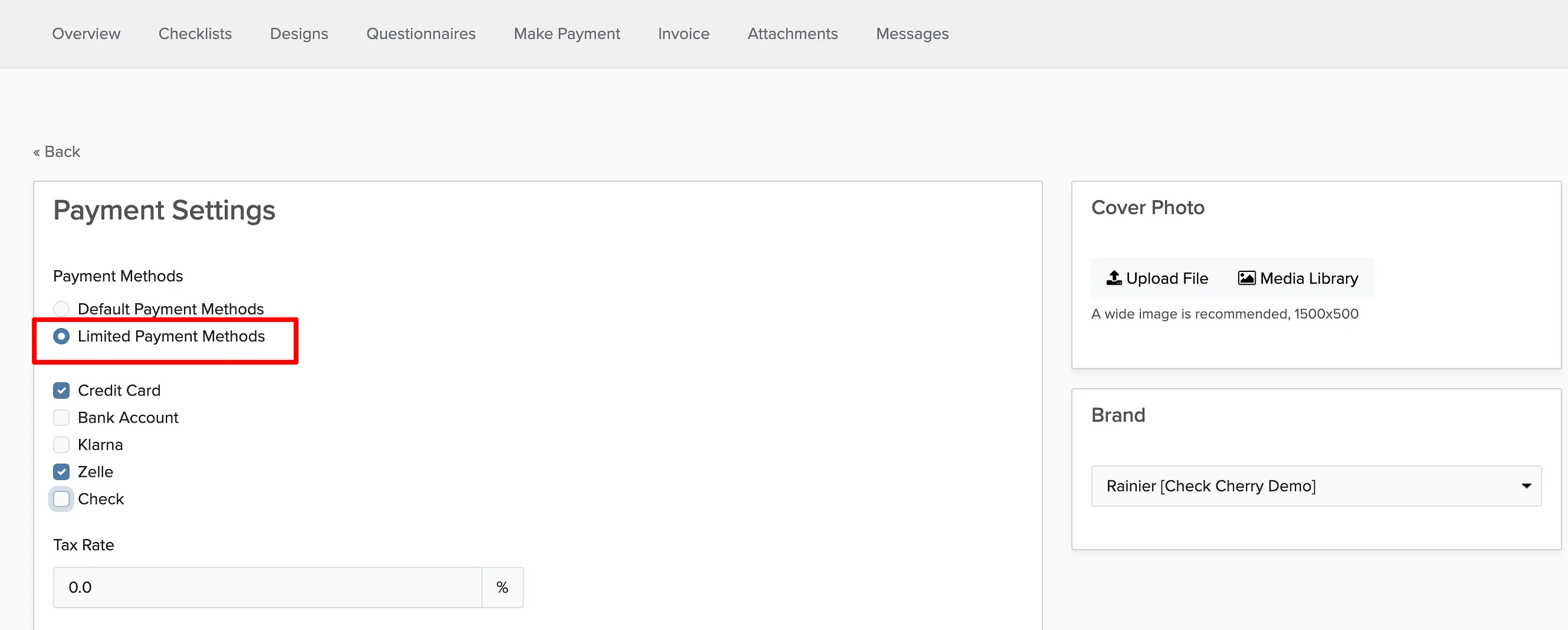
In the Payment Methods section, choose Limited Payment Methods.
Uncheck the payment methods you don't want to offer.
Click Save.
This only affects this specific proposal. Your global payment settings in Payment Settings remain unchanged.