Your dashboard is the first thing you see when you log in. Instead of a one-size-fits-all view, you can create multiple custom dashboards focused on different aspects of your business — daily check-ins, revenue tracking, or weekly planning.
Custom dashboards are only available to admin users. The "Customize Dashboard" option appears in the upper right once you have at least one booking in your account.
Creating a Custom Dashboard

Click Add a new block from your dashboard.
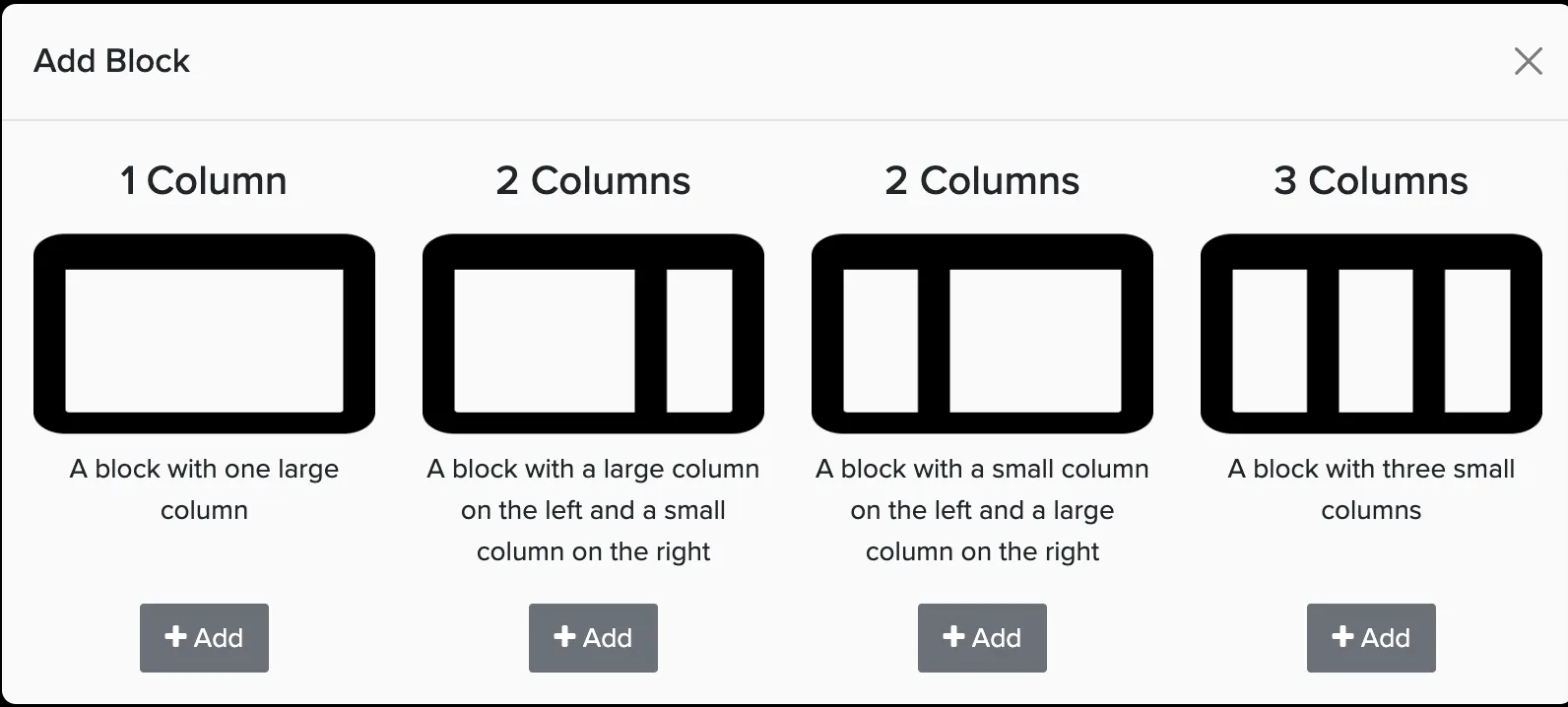
Choose a layout size for your new block.
Within each column, click Add Item to select widgets.
When finished, click Finish Editing in the upper right.
Dashboard Layouts
Choose from four layout options when adding a new block:
- 1 column (full width)
- 2 columns (large 2/3 width column on the left, single 1/3 width column on the right)
- 2 columns (single 1/3 width column on the left, large 2/3 width column on the right)
- 3 columns (3 equal sized columns spanning the width of the dashboard)
Available Widgets
Widgets show live data from your account organized by category:
Charts & Graphs
- Revenue snapshot
- Revenue growth
- Lead comparison
- Proposal comparison
Scheduling
- Large calendar
- Activity for date
- Staff for date
Leads, Proposals and Bookings
- Upcoming bookings
- Recently booked
- Recent leads
- Recently expired proposals
- Open proposals
- Proposals expiring soon
- Previously completed bookings
Organization
- Checklists
- Lead counts
- Bookings awaiting action
- Proposal count
Payments
- Recent payments
- Recent payouts
- Past due payments
Messaging
- Messages awaiting review
- Recent messages
Tools & Resources
- Quick Actions bar
- Getting Started checklist
Managing Multiple Dashboards
Once you've created multiple dashboards, switch between them by clicking All Dashboards in the upper right corner.
Create specialized dashboards for different purposes — a morning check-in dashboard with upcoming events and new leads, a financial dashboard with revenue charts and payment tracking, or a weekly planning dashboard with calendar and proposal views.