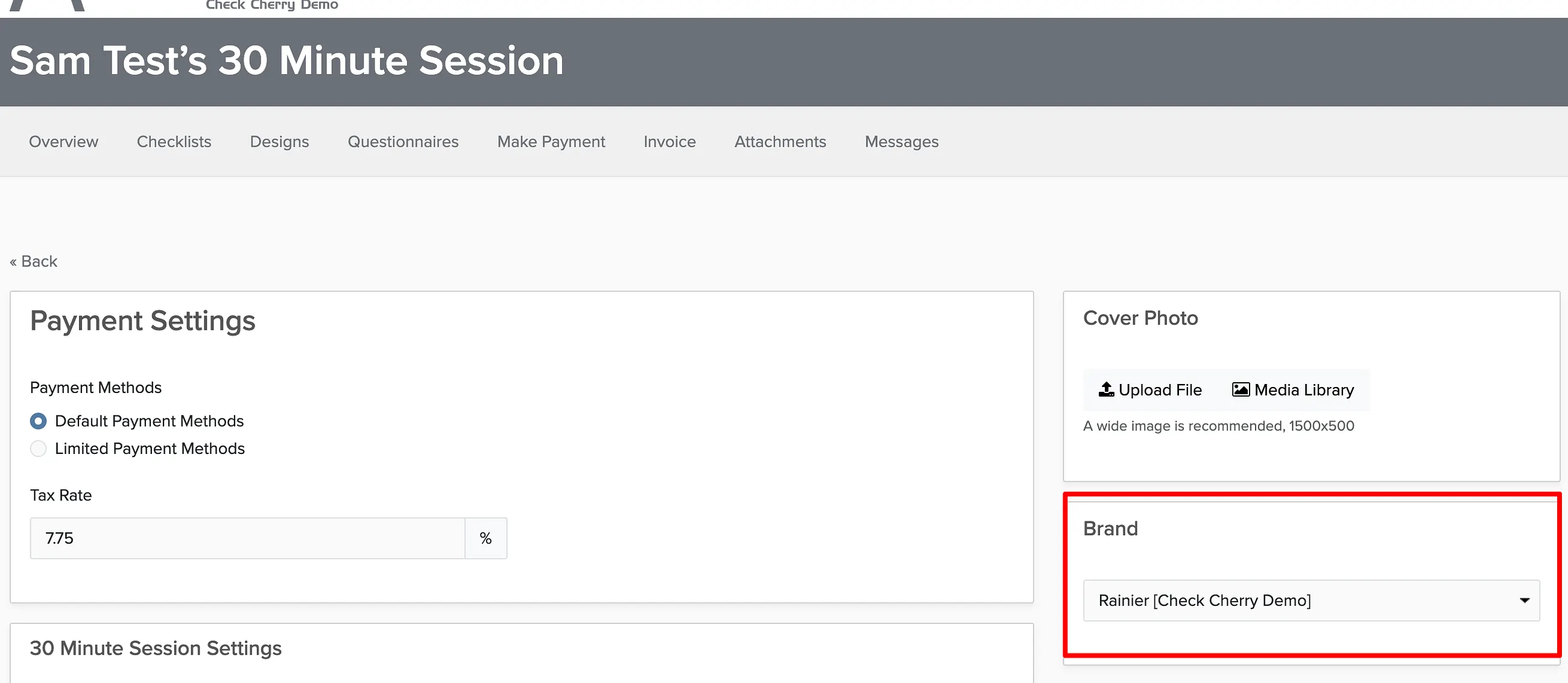
Every Check Cherry account can have at least two brands. If you need to remove one, you'll first need to handle any existing bookings and proposals assigned to that brand — either delete them or reassign them to a different brand.
Delete Bookings and Proposals
If you want to permanently remove the bookings and proposals for this brand:
Sales → Bookings
Go to Bookings.
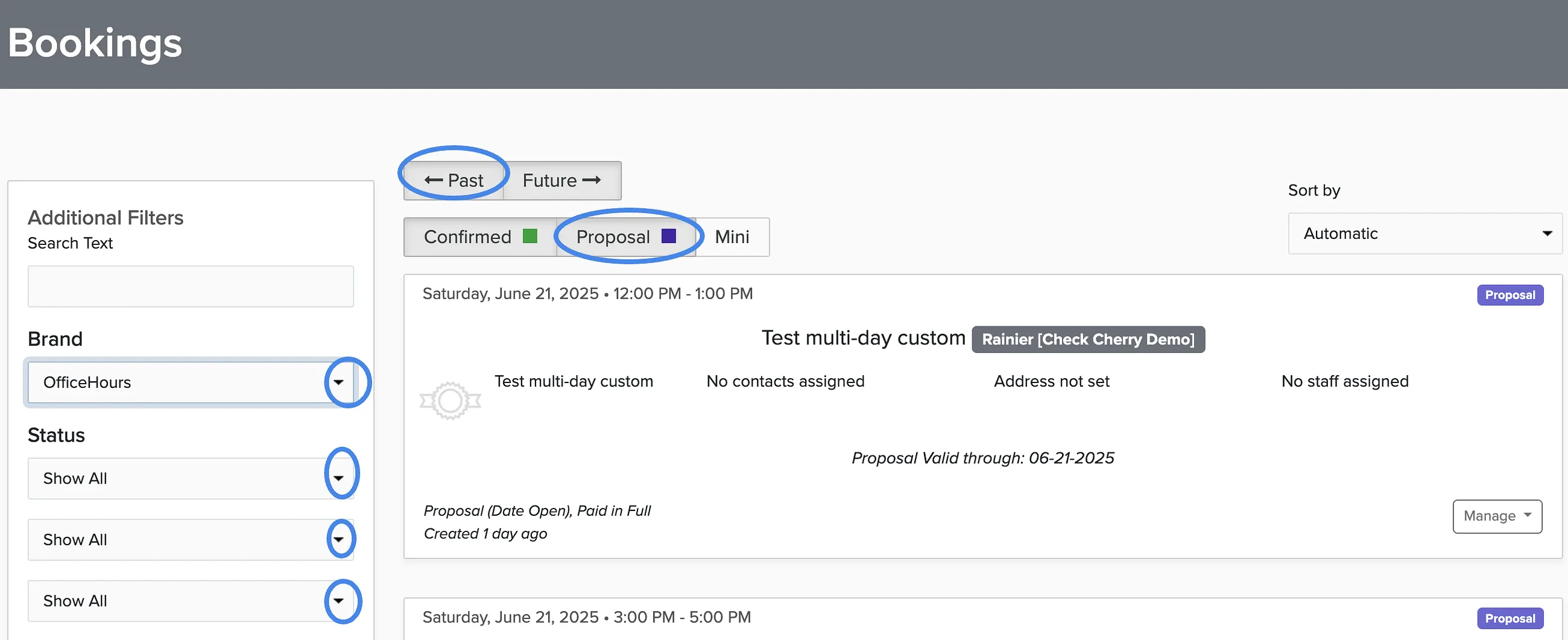
Select the brand you want to remove from the dropdown in the left sidebar.
Click Apply Filters at the bottom of the sidebar.
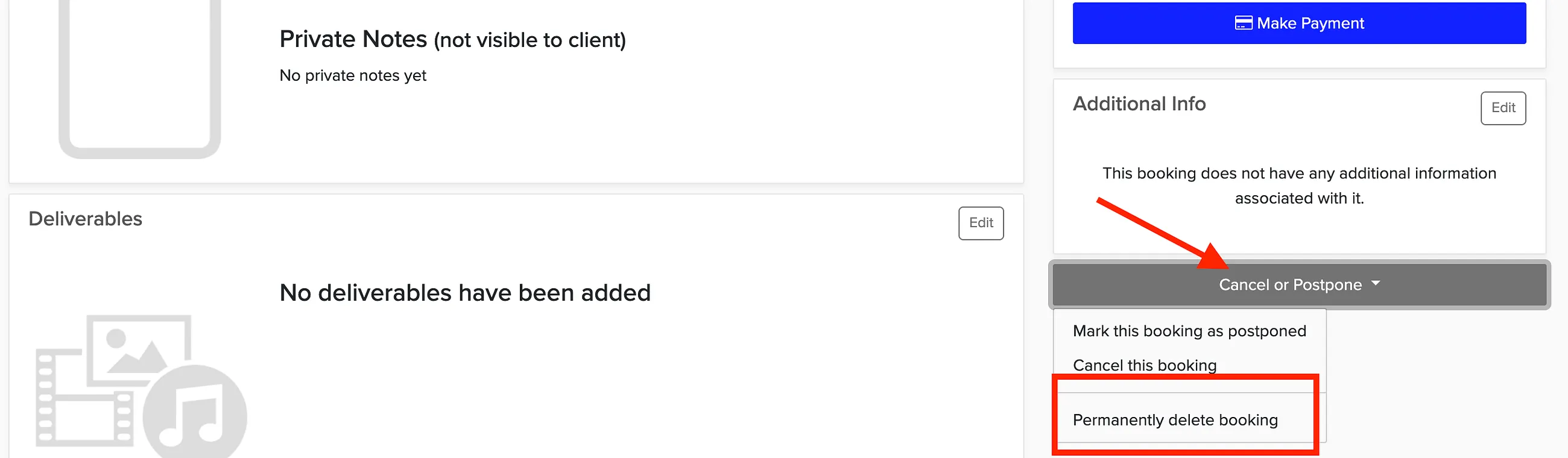
Click on a booking you want to delete, scroll to the bottom, and click Cancel/Postpone.
Select Permanently delete booking.
Show all bookings and proposals
Make sure to catch everything — active bookings, past events, canceled bookings, and proposals:
Set the Status filter to Show All.
Click Apply Filters.
Click the Past button to see past bookings.
Click the Proposals filter to include proposals as well.
Repeat the deletion process for each booking and proposal until the brand has none left.
Reassign Bookings and Proposals
If you want to keep the bookings but move them to a different brand, you can reassign them instead of deleting:
Follow the same filtering steps above to show all bookings and proposals for the brand.
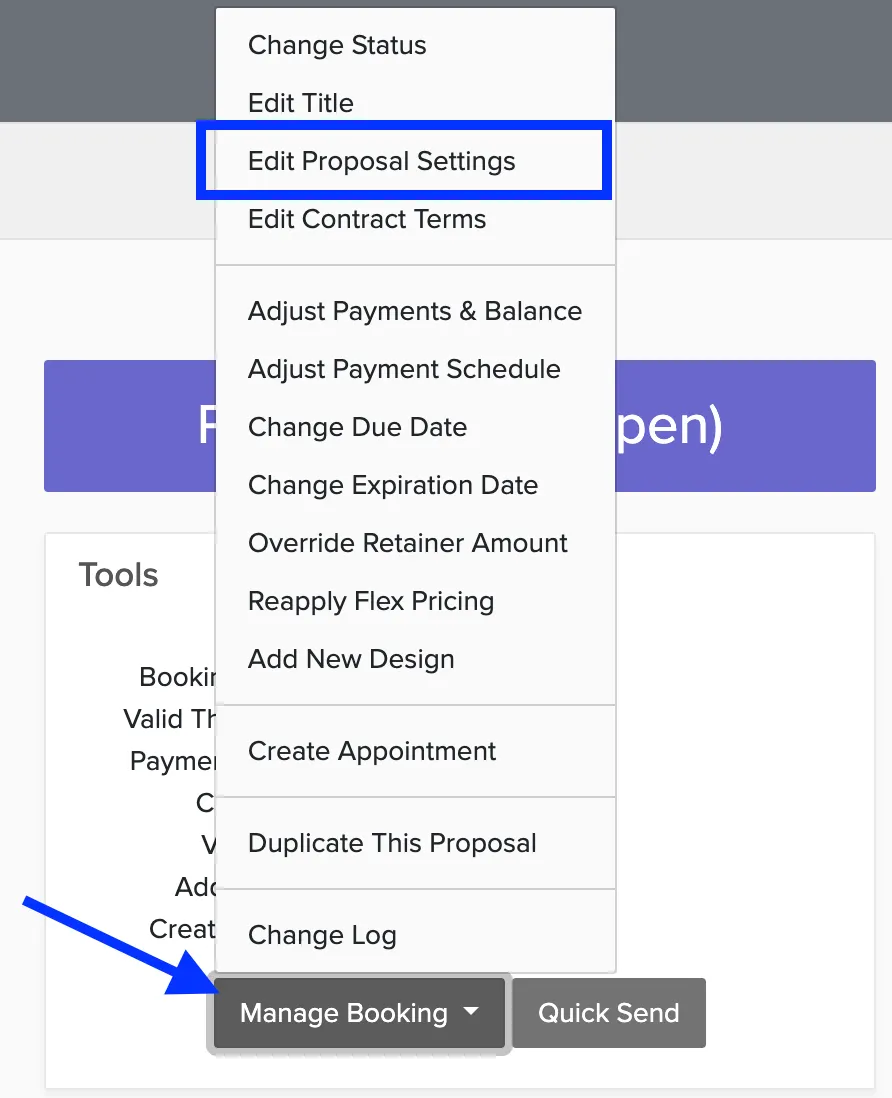
Click on a booking or proposal you want to reassign.
Click Manage Booking and select Edit Booking Settings.
Choose the new brand to reassign the booking to.
Repeat this for each booking and proposal until they're all reassigned to other brands.
Remove the Brand
Once all bookings and proposals have been removed or reassigned, you can delete the brand:
Manage → Business Settings
Go to Business Settings.
Find the brand you want to remove and click Edit.
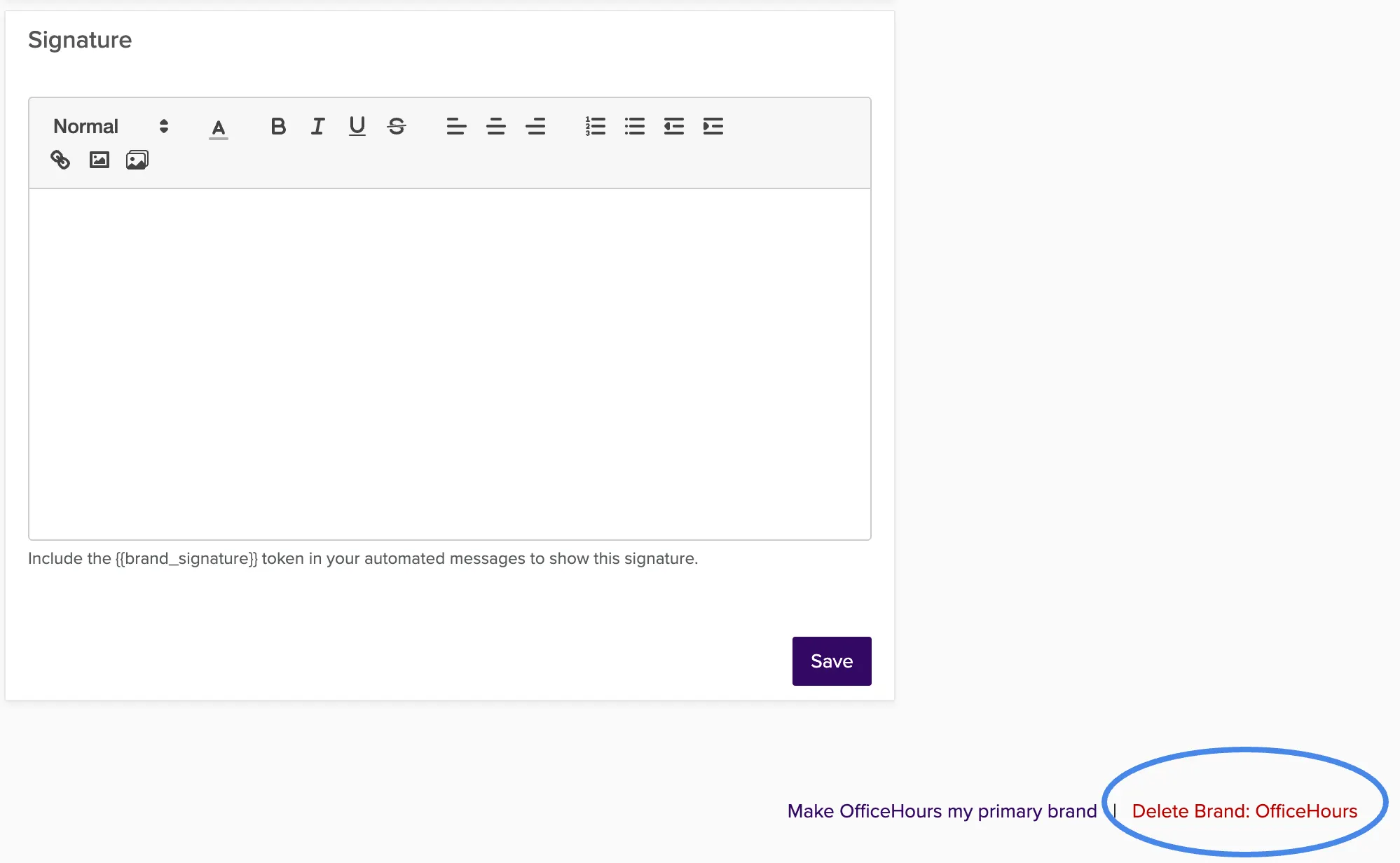
Scroll to the bottom and click Delete Brand.
If you see a message that the brand cannot be deleted, go back to Sales → Bookings and make sure there are no remaining bookings or proposals for that brand. Check both active and past items, and include proposals in your filter.
Was this article helpful?
Thanks for your feedback!
Sorry to hear that. Want to chat with our support team?