Sometimes you don't want a client to receive automated messages — maybe they're a repeat customer who doesn't need the welcome sequence again, or they've specifically asked not to receive certain communications. You can disable automated messages for individual clients without affecting your settings for everyone else.
Bookings → Select a booking → Clients section
In the Clients or Contacts section, find the person you want to stop receiving automated messages.
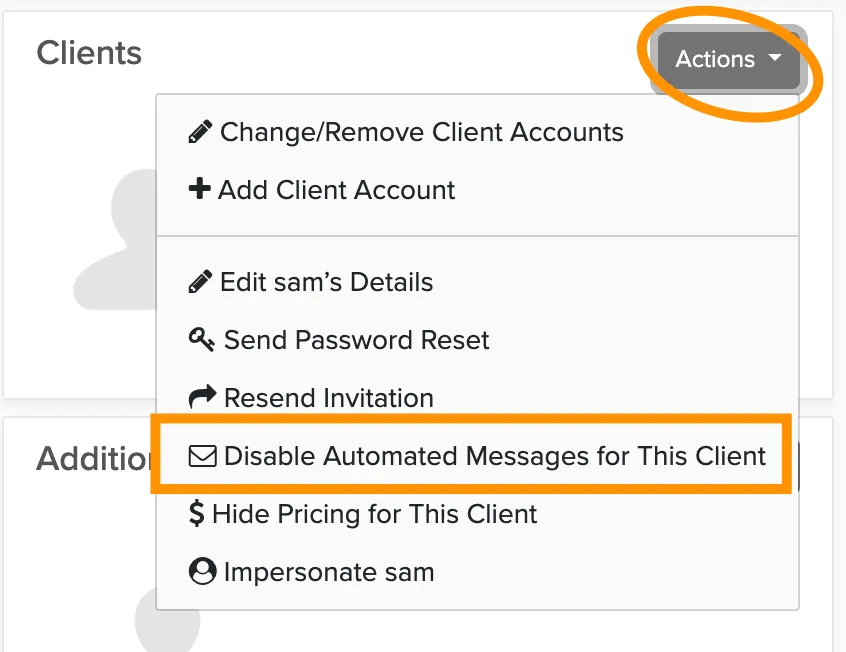
Click Actions next to their name.
Select Disable automated messages for this client.
This setting is booking-specific. If the same client has multiple bookings with you, you'll need to disable messages on each booking separately.
Disabling automated messages only stops the system-generated emails. You can still send manual messages to the client anytime through the Messages tab.