The event is going great and the client asks for two more hours. Here's how to set up automatic extra hour billing and charge for that additional time.
Option 1: Enable Extra Hours on Packages
The simplest approach is to enable extra hour billing on your packages. This lets clients book additional time at your hourly rate, with automatic pricing calculations.
Manage → Packages
Select the package you want to edit.
Open the Pricing & Scheduling tab.
Set Charge for extra hours? to Yes.
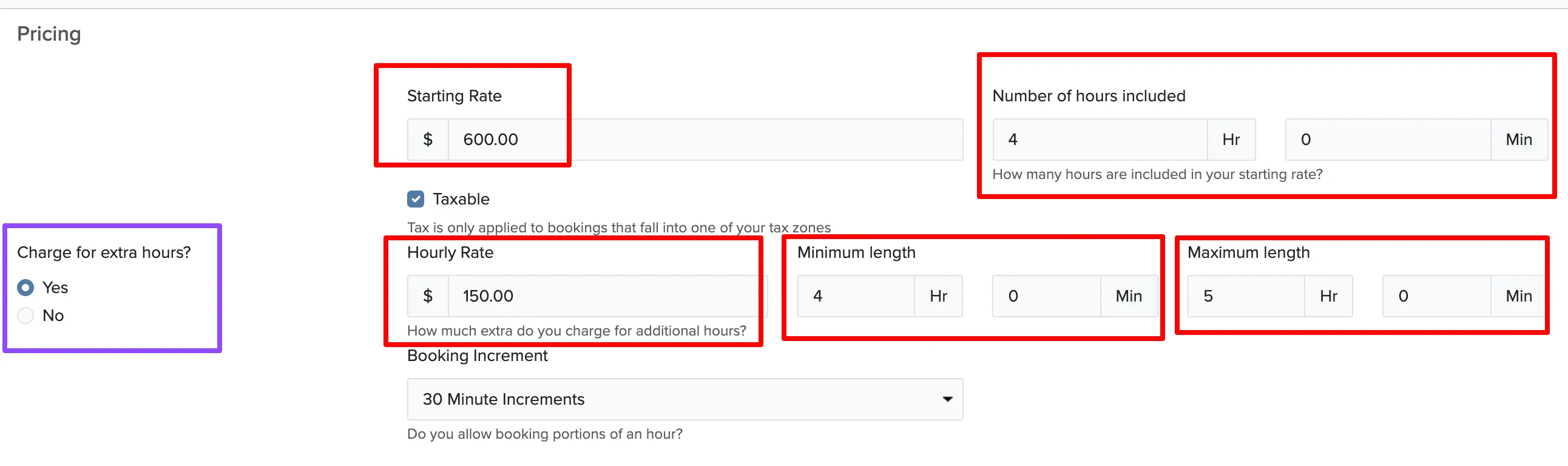
Once enabled, you can configure:
- Hourly rate for additional hours
- Number of hours included in the base price
- Minimum and maximum hours allowed for a booking
Option 2: Create an Add-on for Extra Time
Add-ons give you more flexibility — you can offer different time increments (30 minutes, 2 hours) or different rates for different types of extra time.
Manage → Add-ons
Click New Add-on.
Name it something like "Extra Hour" and configure the pricing.
Choose Per Hour as the pricing structure so it scales with quantity.
Set Does this add-on extend the booking length? to Yes.
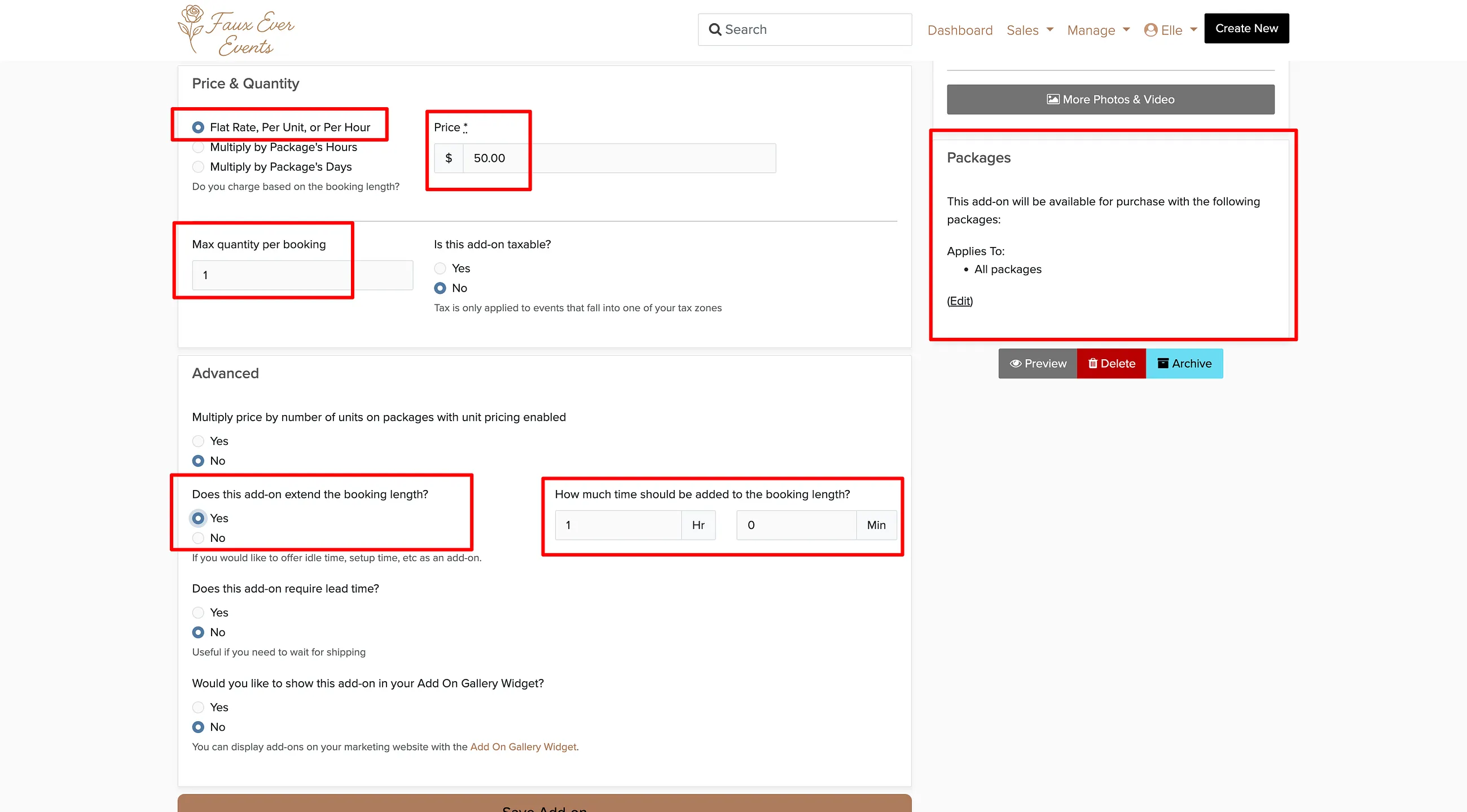
Use Per Hour pricing so clients can choose exactly how many extra hours they want. The Flat Rate and Per Unit options work too, depending on how you want to structure your pricing.
Adding Extra Time to an Existing Booking
When a client requests additional time during or after their event, you can add it directly to their booking.
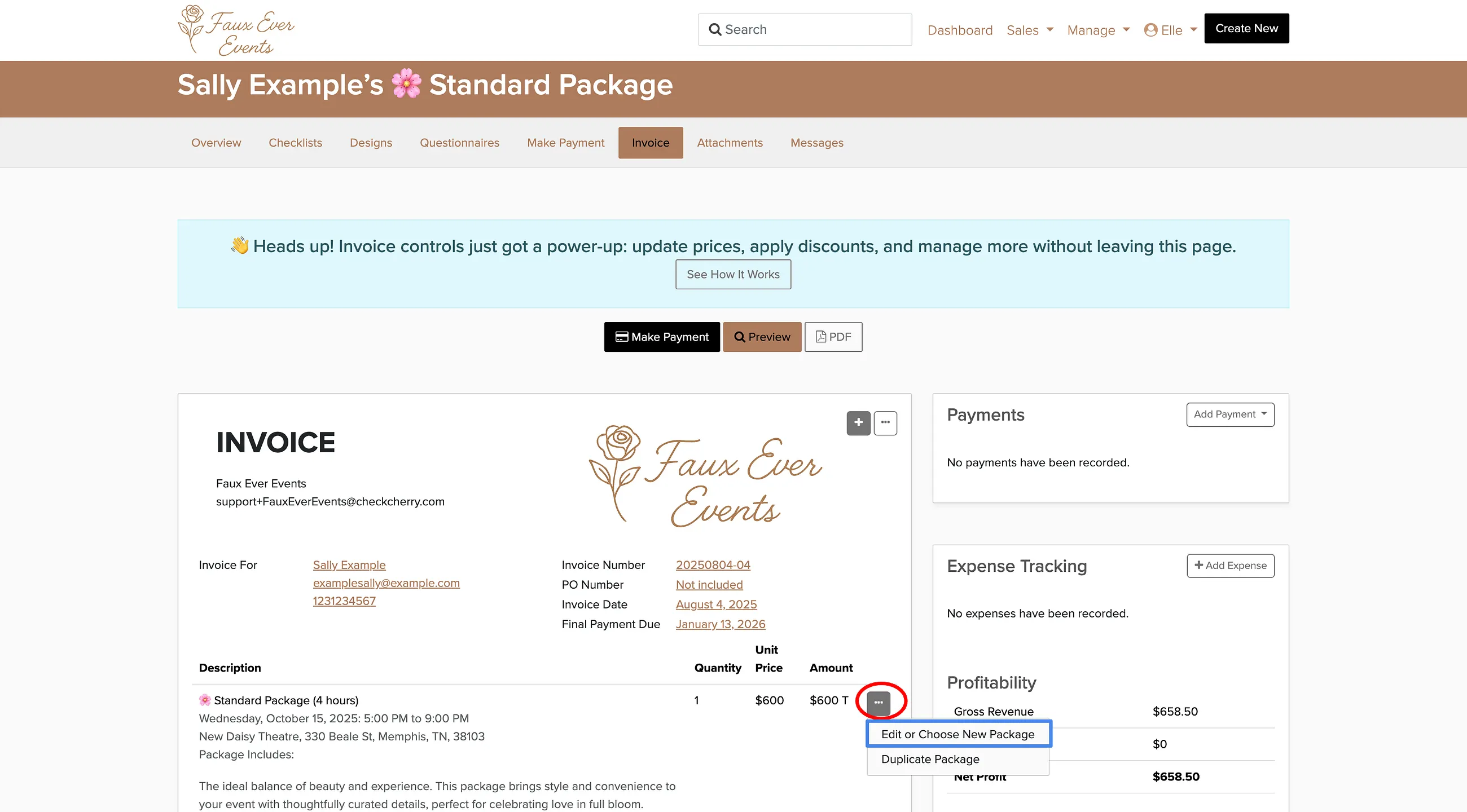
Go to the booking and click the Invoice tab.
Click the three dots next to the package.
Choose Edit to modify hours, or add the extra time add-on as a line item.
Set the total number of hours or quantity of extra time.
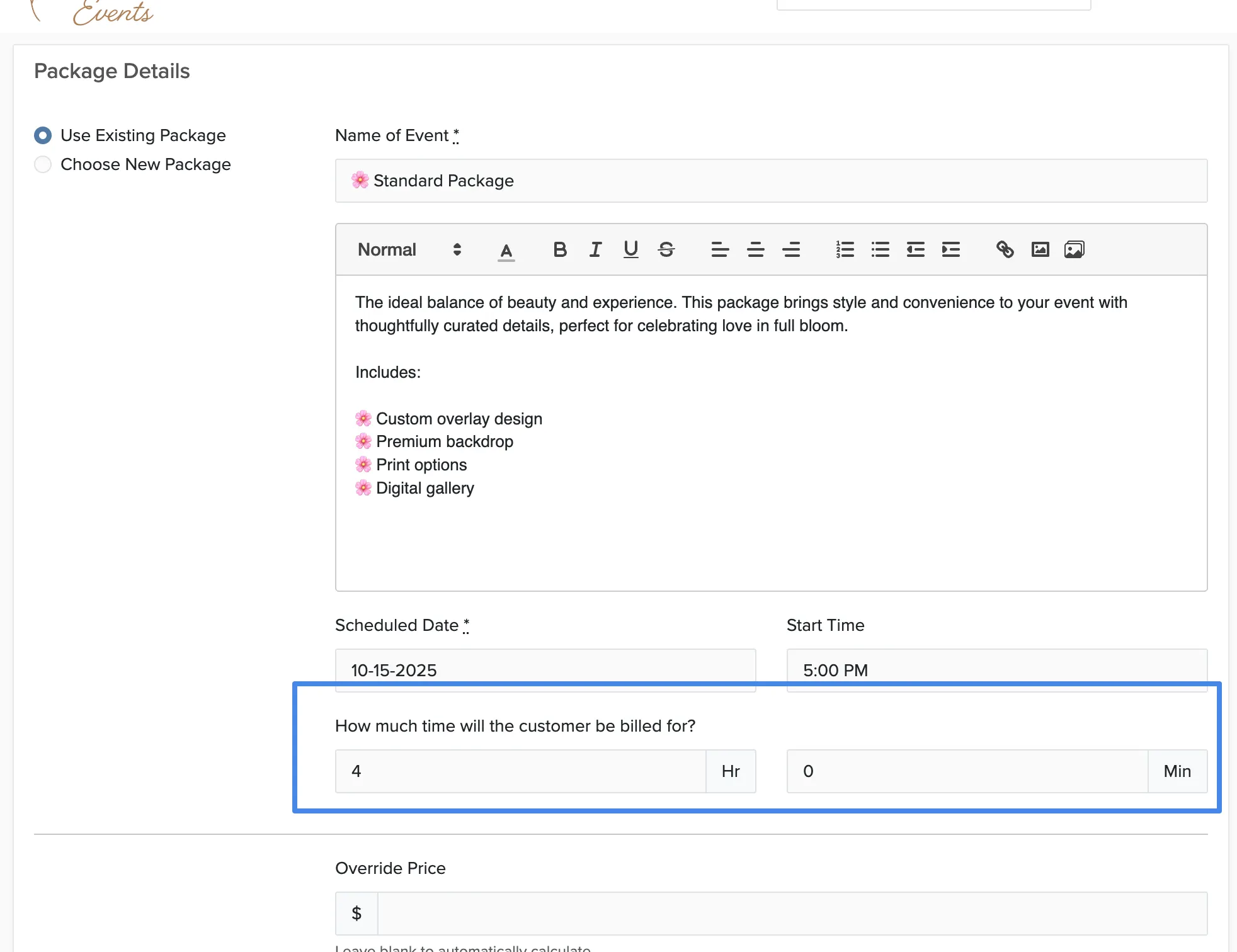
The client will automatically be charged for the additional time based on your configured rates. They'll receive an updated invoice with the new total.