A client has a special request that requires different contract language. You can override the default terms on a single booking without changing your standard contract for everyone else.
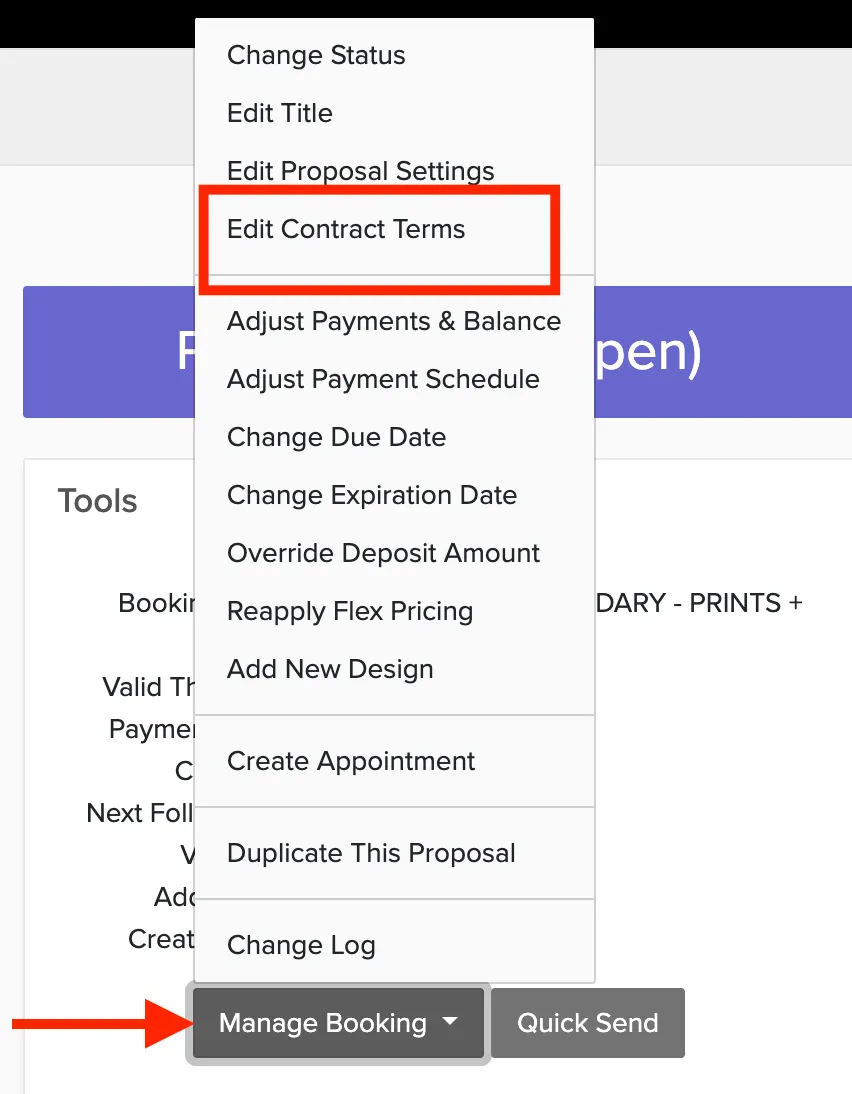
Sales → Bookings → Select a booking → Manage Booking → Edit Contract Terms
How to edit contract terms
Find your booking using the global search, or go to Proposals or Bookings and locate the specific booking.
Open the booking.
Click Manage Booking.
Click Edit Contract Terms.
Make the necessary changes.
Click Save Changes.
Changes only apply to this booking. Your default terms remain unchanged. For package-specific terms that apply automatically, see custom terms for specific packages.