Clients see your packages in the order they appear in the Package Manager. Put your most popular package first — most people pick the first option they see.
Manage → Packages
Go to Packages.
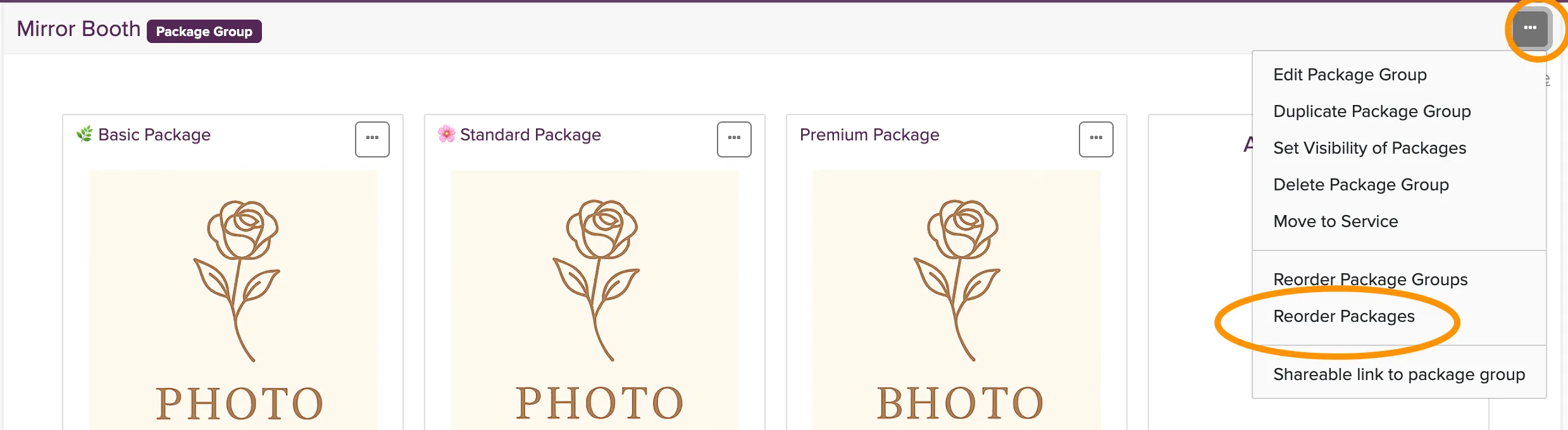
Click the menu button (three dots) for the package group you want to reorder.
Select Reorder packages.
Change the sort order to Manual.
Use the sorting arrows to arrange your packages in the order you want them to appear to clients.